VIDEO
Blazing Hot Recovery
Learn how Clumio helps protect Amazon S3, DynamoDB, and other cloud workloads with immutable, air-gapped backups. See a cloud-native architecture and product demonstration focused on simpler management, cost-efficient protection, and rapid, granular recovery after operational errors or ransomware.
- 58 min 26 sec
- Updated Sep 2026
- IT Leadership, Cloud Architects, Backup Administrators, Security Teams
Key Takeaways
- Protect AWS Data: Explore why replication and native recovery features may not provide an isolated, immutable second copy.
- Recover Data Faster: See granular restore and instant access options designed to reduce disruption while full recovery continues.
- Simplify Backup Management: Learn how policies, rules, and tags can automate protection across connected AWS accounts and workloads.
- Control Backup Costs: Understand how cloud-native, incremental backup approaches can reduce storage and operational overhead at scale.
About This Video
AWS data protection requires more than a convenient backup setting. Native point-in-time recovery, versioning, and replication can support operational recovery, but they may remain inside the same account, copy corrupted data, or require complex manual steps when only part of a dataset needs to be restored.
In this video, Clumio experts explain how an air-gapped backup architecture separates backup data from the source AWS account. They also discuss immutable storage, encryption choices, event-driven processing, and a serverless design intended to scale with growing cloud environments.
The video examines practical recovery for Amazon S3 and DynamoDB. Viewers learn how granular restore can target affected data, while instant access can provide read-only access to an S3 backup before a full restore is complete. The speakers also cover incremental backups and consumption-based pricing.
A product demonstration walks through connecting an AWS account, selecting permissions, creating protection policies and tag-based rules, reviewing protection coverage, choosing a recovery point, and starting an S3 restore. The result is a practical view of cloud-native backup from onboarding through recovery.
Related Videos


Explore Clumio
Explore Clumio solutions that help protect AWS data, improve recovery readiness, and simplify cloud backup operations.
SOLUTION
AWS Data Protection
Protect AWS workloads with cloud-native backup, centralized policy management, immutable copies, and flexible recovery designed for operational and cyber resilience.
SOLUTION
Ransomware Recovery
Recover AWS data from immutable, air-gapped backups kept outside the source account to reduce exposure when production credentials or resources are compromised.
SOLUTION
AWS Cost Optimization
Use incremental backups, automated policies, and a consumption-based approach to reduce storage and management overhead as protected cloud data grows.
Frequently Asked Questions
Who should watch this video?
IT leaders, cloud architects, backup administrators, security teams, and anyone responsible for protecting and recovering business-critical AWS workloads should watch this session.
Which AWS services are covered?
The video focuses on Amazon S3 and DynamoDB, with additional discussion of RDS, EC2, EBS, and broader AWS backup practices.
Does it include a demo?
Yes. The demonstration covers AWS account connection, protection policies, tag-based rules, visibility into unprotected assets, recovery-point selection, S3 restore, and instant access.
How does air-gapped backup work?
Clumio stores backup data in a dedicated AWS account separate from the customer source account, with immutable and encrypted data and metadata.
What recovery options are shown?
The presenters discuss granular recovery for affected data, full S3 bucket restore, point-in-time selection, Backtrack, and read-only instant access while a larger restore continues.
Transcript
View transcript
Hi, everyone. Thank you for joining us. Today, we are going to talk about automating backups for public cloud environments, specifically AWS. My name is Poojan Kumar. I was the co-founder and CEO of Clumio and am now chief product and innovation officer at Commvault. Joining me today are my colleagues Woon Jung, former CTO and co-founder of Clumio and now CTO of cloud-native products at Commvault, and Norberto Martinez, who leads technical presales for the Clumio business. Let’s kick off a question. It’s on your screen now: What are you most excited to learn about today—immutability and air gap, limitations of native tools, or how to protect AWS data efficiently? I’ll give everyone a moment to answer. It looks like people are still responding, so I’ll give them about 15 more seconds. Okay, let’s see. We have a tie: 41% of respondents want to learn about the limitations of native tools and how to protect AWS data efficiently, while about 20% are interested in immutability and air gap. That aligns well with the presentation because we will focus on all these topics. First, let’s discuss why cyber resilience, backup, and data protection matter for AWS environments. Ransomware attacks on AWS are a real threat, just as they are in on-premises environments. As more applications move to the public cloud through lift-and-shift migrations or cloud-native development, ransomware attacks increasingly target AWS environments.
Attackers can enter AWS environments in several ways. They may silently encrypt or delete data without exfiltrating it, making an incident harder to detect and recover from. Compromised credentials are a common entry point, including hard-coded or stolen AWS credentials. Attackers may also imitate legitimate tools and identities used within the environment. Cloud security tools may not detect every stage of an attack because an attacker can exploit IAM misconfigurations, assume an overprovisioned role, and move laterally to gain additional access over time. Traditional endpoint and perimeter defenses may also miss activity that remains within AWS and uses legitimate AWS APIs. Because these attacks can evade detection, organizations need a recovery plan for restoring AWS environments after production data or credentials are compromised.
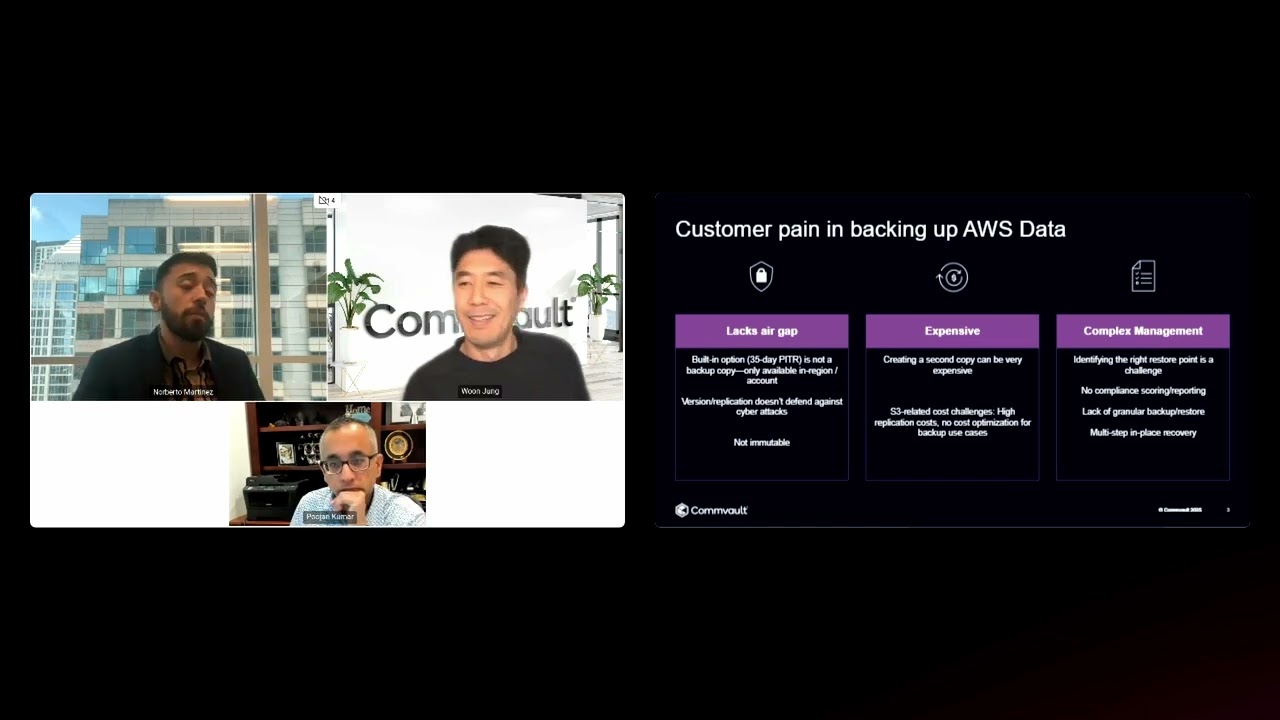
Let’s start with air gap—or the lack of it. Different data sources work differently, but DynamoDB provides a useful example. DynamoDB includes a feature called point-in-time recovery, or PITR, which can be enabled at the table level. Once enabled, PITR lets you restore the table to a point within the previous 35 days. However, PITR is not an air-gapped second copy. It functions more like a transaction log built into the database. If PITR is disabled, the recovery history is lost. If the table is deleted, its PITR recovery points are also deleted. For Amazon S3, organizations may use versioning and replication, but these options also do not provide an isolated second copy designed to support recovery from cyberattacks. Replication maintains a second location, but it continuously copies the latest state. If an attacker modifies or encrypts objects, those changes can be replicated to the destination, leaving both copies affected. Replication also does not provide point-in-time recovery by itself. In many cases, these native recovery mechanisms remain within the same account or region and may not provide the immutability required for a separate backup copy.
AWS Backup can retain a DynamoDB backup after the source table is deleted, but each backup is a full copy. Retaining seven daily backups therefore means paying for seven full copies, even when the database changes only slightly each day. Amazon S3 introduces different cost considerations, including request charges and minimum billable object sizes for some storage tiers.
For example, the S3 Infrequent Access tiers use a minimum billable object size of 128 kilobytes. If a workload contains many 30- or 40-kilobyte objects, the organization may still be billed for 128 kilobytes per object. Native backup management can also become complex during recovery. Teams may need to identify the correct recovery point from a long list of snapshots, and built-in reporting may provide limited visibility into protection coverage. Backup and restore granularity can also be restrictive. For Amazon S3, a team may need to protect an entire bucket even when only part of its contents is business critical.
Granular recovery can shorten an outage by restoring only the affected data. DynamoDB illustrates the challenge. A single table may contain data for multiple tenants or customers, but native tools restore the entire table. If a software defect affects one partition, restoring the full table also rolls back unaffected partitions. An in-place recovery may therefore require three manual steps: restore the full table, copy the affected partition to the production table, and delete the temporary table. More granular recovery reduces these extra steps and limits changes to unaffected data.
PITR can help undo some changes, but it is not a separate backup because its recovery history can be removed with the source resource. Native tools may be easy to configure, yet recovery becomes more complex when only part of a DynamoDB table is affected. Because DynamoDB often supports mission-critical applications, the ability to restore specific partitions can be especially important.
When you implement air-gapped protection with Clumio, backup data is stored outside the customer account in a dedicated account created for that customer. Clumio also applies cost optimizations. For DynamoDB, AWS Backup creates full backups, while Clumio integrates with DynamoDB Streams to provide incremental-forever backups. That difference can lower total cost of ownership. For Amazon S3 backup, AWS Backup is listed here at five cents per gigabyte per month, while Clumio S3 Backup is listed at 2.5 cents per gigabyte per month. Depending on the environment, the speakers state that customers may see cost savings ranging from approximately 30% to 70%. The session also describes performance at scale, including customers with tens of billions of objects in a bucket, internal restore testing reported as 10 times faster than AWS Backup, continuous backup intervals of 15 minutes, and Instant Access, which provides a read-only view of S3 backup data while a full restore continues.
Instant Access lets customers use a read-only view of an S3 backup while a full restore continues. This can provide access to critical data before a large dataset has been copied back to the source account. Clumio is delivered as a service and can be onboarded with AWS CloudFormation or Terraform. After deployment, Clumio monitors backup and restore activity and provides proactive support when failures occur.
The left side of the diagram represents the customer’s AWS account and the data sources being protected. Customers connect to Clumio by deploying either an AWS CloudFormation template or Terraform configuration. The deployment creates one IAM role in the customer environment; it does not deploy compute resources or additional cloud infrastructure. This simplifies management and avoids adding Clumio compute costs to the customer’s AWS bill. At the same time, Clumio creates a dedicated AWS account for that customer. This account acts as a managed backup environment where the customer’s backup data and processing are isolated from other customers. Permissions are configured so that compromising the source account or its IAM role does not provide the ability to overwrite or delete the backups stored in the dedicated account.
Clumio processes changes through AWS events rather than continuously scanning source accounts. Events such as an object being created in Amazon S3 or an Amazon EC2 instance being launched can trigger the appropriate workflow. AWS Lambda functions perform the processing and scale dynamically as workloads grow. A smaller environment may require only a limited number of functions, while a much larger bucket can trigger additional parallel processing without the customer deploying or managing infrastructure.
Backup data and metadata are stored in Amazon S3 and encrypted. Customers can use the default AWS Key Management Service key in their dedicated Clumio account or share a customer-managed key for encrypting backup data and metadata. Clumio also integrates with AWS services to support cost efficiency, scale, and performance. One example is Instant Access, which uses an Amazon S3 Access Point and AWS Lambda to present backed-up data through an S3-compatible endpoint.
IWhat are your thoughts there, just in general? Does security and data integrity go hand-in-hand? I think at the end of the day, you have to balance both of those things, right? Which is when you build a solution like this, you have to put security front and center. That is number one. But, while you’re doing that, here the data integrity is primary because you need to be able to recover, and you need to be able to recover with the data that is accurate. Clumio was built with that in mind. And so, and, and Clumio was always built as a, as a, as a cloud-native solution, right?
The word cloud-native is something that I hear get thrown around a lot. I’ve seen a lot of vendors that are appliance-based vendors, traditional data centers where they- the way that they’re architected is through deploying clusters of servers to protect on-premises data. When they moved to the cloud, they took that same approach. I see customers that have vendor appliances deployed in the cloud and call that a cloud-native approach because it uses APIs. What’s the difference between that approach and what Clumio’s doing?
It is about scaling. Take Snowflake, for example. If you had to grow your data warehouse, Snowflake just seamlessly scaled. As the customer environment scales, does the solution really scale seamlessly, or are there hiccups? Does the cost structure work out? Because if I am going to deploy a bunch of software and go away, ultimately the customer is footing the bill, which is where an architecture that’s serverless, like Lambdas, scales, keeping the cost structure in mind. scale in mind,
At the same time, when you need it in a ransomware recovery situation, you’re throwing everything at it and you’re scaling and recovering really, really fast. All of these things are not possible with an architecture that’s not built natively in the cloud.
With Clumio, customers do not need to maintain the underlying Lambda functions or deploy additional infrastructure in their AWS accounts. Clumio can update and restart those functions without requiring customer action or planned downtime.
We also use Atlassian internally. Today they’re actually protecting upwards of 30 petabytes, even close to 50 petabytes. They reached out to us now a few years back because they were trying to back up one of their, uh, biggest buckets that contained a lot of their production data. Before Clumio, they couldn’t find anything that would actually scale to, to the buckets that they have. They had one bucket that was actually very important to them. It contained about 30 billion objects and about 30 petabytes of data in that one bucket, and they couldn’t find a solution.
They worked with different vendors, including AWS, and there was not a single vendor that could handle that. The massive 30 petabytes bucket took Clumio about 14 days to backup, end-to-end. Now they’re implementing what’s called continuous backup, and that bucket gets backed up every 15 minutes. That bucket and many other production buckets across their environment are protected. The expected RTO is two days or less, depending on the size, so it’s not a fixed number. If you have a bucket with 30 petabytes, obviously it will take a little longer. We ended up reducing costs by about 70%.
The next customer that I want to talk about is Duolingo. The problem was that they were required to retain seven full copies. It costs a lot of money just to retain those seven full copies. Clumio, saved about 70% of the cost. All of the full backups are now incremental backups. Because they were able to save so much cost, instead of retaining seven dailies, they can afford to retain 30 copies, meaning one full and 29 incremental backups and save versus the original 1.5 million.
We’ve talked through some of the challenges customers are experiencing with the rise of ransomware, some of the limitations that AWS native tools, how Clumio addresses those, which sounds unbelievable when you talk about the performance and speed.
We touched on the architecture, a true cloud native approach, so it’s easy to see why Clumio is the only one that’s able to deliver that kind of performance and outcome. Pujen, anything to add before we get to our last poll? No? What I’ll say is obviously these are two, well-known examples of companies that we know that have built in the cloud and scaled massively and continue to scale massively in their own environments, and obviously we’re protecting them.
If you think of somebody starting in the public cloud, somebody like Atlassian or Duolingo, we cover the entire gamut. And I think the reason for that is it starts with simplicity. You can get up and running asily, which is what happened with these customers. It didn’t start this way. It just grew like this, and then Clumio just elastically worked like AWS for their primary environment.
This is the Clumio portal. After signing in, customers can integrate their single sign-on provider. A newly connected environment will not display protection insights until AWS accounts and assets have been added. This demonstration will cover three tasks: connecting an AWS environment, configuring protection with policies and rules, and restoring data.
I’m going to show you how easy it is to configure protection in a real set it and forget it type motion, and then I’ll show you how easy it is to perform a restore. And we’ll keep it pretty simple, pretty high level, and then any deeper questions, you put them in ch- in Q&A, or hop on a call with us, and we’ll answer them specific to your needs. So, let’s get started with, how do you connect to your AWS environment? I’m going to hover over this AWS icon here, and I’ll hit Connect. You can see the different accounts that I’m already connected to as part of this demo environment. If I want to add an account, I just specify how I want to add it. Do I want a CloudFormation stack template? Do I want to use Terraform? Do I want to do everything manually? We see most customers typically go to CloudFormation stack because it’s native to AWS, but some do also use Terraform. From here I’ll just go ahead and input an account ID and the regions that I want to protect. So, in this case, I only want to protect the things that I have in the US East. I’m not concerned about the US West component. And what do I want to do? What do I want to connect to? What permissions do I want the CloudFormation stack to have the ability to back up and protect? Since no one uses Dynamo, I’m going to deselect Dynamo. I only want to protect my S3, my RDS, and my EC2s, if I’m running any SQL on EC2. I’ll go ahead and hit Next here, and then it’s going to deploy my stack into the US East. So, once I hit Next, in this demo lab, it’s going to stop me. I can’t go any further. What would happen is we would create that stack set, and then you would deploy that within your AWS environment, and that’s going to deploy the IAM role with the permissions that Woon mentioned, and that’s it. That is all that gets deployed into your environment. At that point, you are connected.
When we talk about taking a true cloud-native approach, true simplicity, this is what connecting to your environment looks like with Clumio. Once we’ve come connected to an environment, we’re able to let you know, based off the permissions that you selected, which assets do you have in the environment. I can see that within all the accounts that I’m connected to, I have 124 assets. Here’s the breakdown, how many Dynamo, how many S3, how many EC2. I can see how many are being backed up successfully and how many are not configured for backups. If I click here, I can see why my environment is not 100% backed up? It’s because I have 31 EBS volumes and two instances that are not being protected. If I clicked into them, I’d be able to find out exactly which ones they are.
Clumio gives you the visibility to understand how protected your environment is and gives you the visibility to be able to select things that you want to protect. But before we can select things we want to protect, it’s important to, to talk about how we want to go about protecting them.
With Clumio, you really have two things to worry about. Basically, what is the policy that you want to apply, and what do you want to apply that policy to? Which can be a protection rule or a protection group. Starting with the policy, if I want to create a new policy, I’ll go ahead and call this my, my tier one policy, and this is going to apply to. We’ll say S3, because that’s what I’m focused on right now. For my tier one policy, I want backups to happen every day, and I want to retain them for one year. I want to enable Backtrack. If I’m using versioning and I want a more seamless way to recover those versions or roll back those versions, I can just enable Backtrack.
Then I’m going to specify whether I want the backup to go in region, or maybe I want it to go out of region. I want it to go to the west, so I have cross-regional redundancy. I hit Add, and I’ve created that policy, and I can continue to add more asset types. And at that point I’ll have created a policy that is for my tier one applications. You can see that in this environment we have a couple different policies. We can see that JC policy is for DynamoDB with snapshots and PITR enabled, and we can see a couple other policies that are available.
Now I’ve defined how often I want backups to run, how long I want to retain them. The next thing I need to define is what do I want to apply these to? So in this case, I’m going to create a protection rule, and I’ll walk you through what that looks like. So again, we’re going to go ahead and say tier, or we’ll, we’ll say, uh, mobile app. This protection rule is for anything that’s my mobile application. I want to include anything that has the tag key of demo and tag value of development. I want to make sure that I’m going across the four asset types. I really only want to worry about these accounts here. I don’t want all the accounts. I’m just going to select a couple of random ones. I’m going to hit Next. Then which policy do I want to apply? Well, I want to apply this policy here, so the frequency and the retention that’s set. One of the things that can be done in Clumio is that you have rule sets that can prioritize how you back up different assets.
When you think about a cloud environment, think about all the different people that are deploying things in your cloud environment. It’s really easy for someone to deploy something and not let the architects know, not let the backup admin know. What the backup admin can do is create these global policies that will automatically protect things based off different tags, different accounts, and things along those lines. Because I know specifically, I want this mobile app policy to be the one that takes precedence, all I have to do is move it to the top, and that policy takes precedence for these assets. If someone else deployed something and didn’t tell me about it, I’m hoping that it would get picked up by one of these other rules that I put in place and it would pick up those assets. I get a summary and then a preview of the assets that I’m about to protect if I applied this rule, which in this case no assets are going to be protected because I don’t have anything that has those tags. Now, I’ve configured how often I want backups to happen. I’ve configured what type of rules I want to apply to backups.
Let’s look at how easy it is to add something to that protection. Say, I want to know if there are some S3 buckets that are not protected but should be protected. I can see that are all being backed up, but this one right here, 11.38, is not being backed up. I’m going to do is add a protection group to it, and then I’m going to back it up based off the group that I applied and the policy that was there. After you’ve created your policies and your groups, you’re one click away from protecting any asset, or you can go on a fully tag-based approach and not have to worry about ever clicking a button at all. That’s how easy it is to get set up.
I”ll give you an example of an S3 restore, and I’ll go ahead and select them. Here are all the different S3 buckets that I have in my environment. I’ll select this bucket to perform the restore, and I can see all the different recovery points that are available for this bucket. I want to restore it back to last Tuesday, and I’m going to select it. It’s going to ask me what modality of a restore do I want. To Woon’s example, let’s imagine that this bucket is really big. Maybe I want to restore the entire bucket and begin that recovery operation, but that’s going to take about nine hours. In the meantime, I need read access to this data for my application to continue running. So, I restore the entire bucket and go ahead and select the items that I would want to restore or just click the entire bucket. I’ll click Next and click this Restore. After I’m done restoring all these objects, I’m going to do another operation where I create instant access. So now my application can get read-only access to the data, and I’m back up and running immediately within minutes. In the meantime, this bucket that’s massive in size will take an hour to restore. Downtime has been brought down to near zero.
If you are evaluating a cost-effective AWS backup solution designed for performance and straightforward deployment, schedule a meeting with the Clumio team. We can provide a deeper demonstration, discuss your applications and recovery requirements, and help you evaluate the product through a proof of concept.