Skip to content

Key Takeaways

  • VM migration to Red Hat OpenShift Virtualization is a phased journey that requires consistent protection across hybrid environments.
  • A unified, Kubernetes-native data protection platform helps reduce complexity and eliminate the need for separate tools or processes.
  • Reliable resilience – including immutable backups and threat detection – is critical during migration, when risks are highest.
  • Flexible recovery options allow organizations to quickly adapt if migration steps fail or timelines shift.
  • Consolidating protection for VMs and containers helps reduce tool sprawl and maintain consistent governance.

If you’re an IT leader today, chances are your virtualization strategy is under active review.

Rising costs, licensing uncertainty, and long-term vendor lock-in have many organizations reassessing their reliance on traditional hypervisors. At the same time, Kubernetes has matured into the operational foundation for modern applications.

These two realities are converging – and for many enterprises, Red Hat OpenShift Virtualization is emerging as a preferred destination for running virtual machines within a Kubernetes-native operating model.

This transition is accelerating across industries. As organizations modernize infrastructure on their own terms, Red Hat OpenShift Virtualization is increasingly viewed as a way to modernize the platform without the need for application refactoring. With that momentum comes a critical question:

How do you migrate virtual machines while maintaining consistent protection, resilience, and recoverability throughout the process?

To answer it, you need to examine how most enterprise migrations actually unfold – and where protection and resilience become critical.

Migration Is a Journey, not a One-Time Event

Seasoned IT leaders know that infrastructure transitions rarely happen all at once.

For enterprises opting to move from hypervisors like VMware to Red Hat OpenShift Virtualization, the transition typically unfolds in phases. During this time, organizations inevitably operate in a mixed state:

  • VMware-based VMs continue to support core business operations.
  • VMs newly running on Red Hat OpenShift Virtualization.
  • Containerized applications sharing the same Red Hat OpenShift clusters.

This coexistence period introduces complexity and risk. Data is in motion, environments are changing, and protection gaps can appear if tooling and processes don’t evolve alongside workloads.

Maintaining Reliable Protection Is Essential

Commvault has long delivered data protection and recovery for both VMware environments and Kubernetes workloads running on Red Hat OpenShift. That same Kubernetes-native, policy-driven protection model now extends to VMs running on Red Hat OpenShift Virtualization.

What really resonates with customers is the consistency:

  • A single platform for protection and recovery.
  • Policy-based operations applied uniformly across workloads.
  • Designed to work with your existing tools and processes as environments evolve.

VMs running on Red Hat OpenShift Virtualization are protected using the same workflows and governance constructs as containerized applications. This unified approach is being embraced by organizations standardizing on Red Hat OpenShift that want a simpler, more consistent way to manage data across environments.

This capability is available today. Commvault Cloud supports protection for Red Hat OpenShift Virtualization environments aligned with Long-Term Support Release 11.40 and Innovation Release 11.42, meaning customers can put these capabilities into production now.

You Shouldn’t Need to Manage Protection Differently

Once VMs move to Red Hat OpenShift Virtualization, they shouldn’t require special handling from a protection standpoint.

Commvault Cloud discovers and protects Red Hat OpenShift Virtualization VMs alongside containerized applications, helping give teams centralized visibility, consistent policy enforcement, and simplified recovery operations. Virtualized and containerized workloads are managed together – without introducing operational silos.

For organizations managing diverse application portfolios, this treatment of VMs inside Kubernetes helps reduce operational friction while maintaining enterprise-grade controls.

Cyber Resilience Is Key When Migration Increases Risk.

Migration periods represent a uniquely vulnerable window. Change creates complexity, and complexity increases exposure to data loss and ransomware.

Commvault Cloud helps maintain resilience throughout this phase with:

  • Air-gapped and immutable backups for Red Hat OpenShift Virtualization workloads.
  • Backup data that supports threat hunting and forensic analysis, helping teams validate recovery readiness before restoring workloads.
  • Advanced recovery capabilities designed to help organizations minimize operational disruption.

Whether workloads are pre-migration, mid-transition, or fully operating on Red Hat OpenShift Virtualization, the resilience posture remains intact.

Recovery Flexibility Provides Confidence

Every modernization initiative needs room for adjustment.

Commvault supports both in-place and out-of-place recovery for Red Hat OpenShift Virtualization virtual machines, including full VM context and configuration. If a migration step doesn’t go as planned – or timelines need to shift – teams may recover quickly and move forward without compromising availability or data integrity.

Kubernetes-Native Protection Beyond VMs

For many enterprises, virtualization is only one piece of a broader application modernization strategy.

Commvault Cloud also provides application-centric, Kubernetes-native protection for containerized workloads, including persistent volumes and application metadata, across all CNCF-certified Kubernetes distributions. This enables mobility and recovery for cloud-native applications while helping maintain operational consistency across environments.

Reducing Tool Sprawl as Infrastructure Evolves

Platform transitions often introduce new tools, new processes – and new complexity.

By using Commvault Cloud as a unified protection platform for:

  • VMware VMs.
  • Red Hat OpenShift Virtualization VMs.
  • Containerized applications.

Organizations can help reduce tool sprawl, simplify administration, and maintain consistent governance even as infrastructure strategies evolve.

How it all Comes Together

During any migration, it helps to understand how the pieces work together. Red Hat’s Migration Toolkit for Virtualization takes care of moving VMs from VMware into Red Hat OpenShift Virtualization.

Commvault Cloud helps provide the protection and resilience that stays with your workloads throughout the process, so data can remain protected before, during, and after migration. This can help keep recoverability from falling behind as workloads move.

Continuing the Conversation at Red Hat Summit

We’re already working with customers that are actively moving virtual machines onto OpenShift Virtualization – and we’re continuing these discussions at Red Hat Summit, May 11–14 in Atlanta.

At the Commvault booth, we’ll be:

  • Talking with IT leaders about real-world resilience challenges.
  • Sharing practical guidance on migrating with confidence.
  • Demonstrating Commvault Cloud protection for Red Hat OpenShift Virtualization.

If maintaining resilience and recoverability throughout your virtualization strategy is a priority, we’d welcome the opportunity to connect.

Moving Forward with Confidence

Red Hat OpenShift Virtualization is becoming a foundational component of modern enterprise infrastructure. But you can’t rush migration at any cost; you must build protection, resilience, and recovery into the process from the beginning.

With Commvault Cloud, protecting Red Hat OpenShift Virtualization workloads isn’t a future aspiration. It’s something customers already are doing – using a unified platform to modernize confidently while staying resilient and recoverable.

“Red Hat OpenShift Virtualization delivers a reliable, consistent foundation for organizations to support their entire virtualized estate,” says Steve Gordon, Senior Director, Product Management, Hybrid Cloud Platforms, at Red Hat. “By leveraging an optimized integration like Commvault Cloud with Red Hat OpenShift Virtualization, our customers can move forward with greater confidence, knowing their workloads are protected consistently before, during, and after migration.”

FAQs

Q: Why is VM migration considered a multi-phase process?

A: Most enterprises cannot migrate all workloads at once, so they operate in a hybrid state with legacy and new environments running simultaneously. This phased approach introduces complexity, making consistent protection and visibility essential throughout the transition.

Q: What role does resilience play during VM migration?

A: Resilience enables organizations to maintain data protection, recover quickly from failures, and defend against threats like ransomware. During migration, when systems are in flux, strong resilience measures can help prevent data loss and operational disruption.

Q: How does Commvault Cloud simplify protection across environments?

A: Commvault Cloud provides a single platform with policy-driven protection for VMware VMs, OpenShift Virtualization VMs, and containerized applications. This unified approach enables consistent operations without introducing new tools or workflows.

Q: What makes Kubernetes-native protection important?

A: Kubernetes-native protection aligns with how modern applications are deployed and managed, covering both containers and virtual machines. It enables simple data management, mobility, and recovery within cloud-native environments.

Q: How does recovery flexibility improve migration confidence?

A: Flexible recovery options, such as in-place and out-of-place restores, can help teams quickly recover workloads if something goes wrong. This adaptability helps reduce downtime and enables organizations to adjust migration plans without risking data integrity.

Q: How can organizations reduce complexity during infrastructure transitions?

A: By adopting a unified data protection platform, organizations can manage all workloads – virtualized and containerized – through a single interface. This approach helps reduce tool sprawl, simplify administration, and maintain consistent governance across evolving environments.

Jason Giza is Senior Manager, Global Content Partner Marketing, at Commvault.

More related posts


Thumbnail_Blog-What-is-Resops-2026

What Is ResOps – and Why Cyber Resilience Needs It

Read more about What Is ResOps – and Why Cyber Resilience Needs It
Thumbnail_Blog-Playbook-2026

Prove It Before You Need It: The Playbook I Wish I’d Had 10 Years Ago

Read more about Prove It Before You Need It: The Playbook I Wish I’d Had 10 Years Ago
Thumbnail_Blog-Medusa-is-Evolving-2026

Medusa Is Evolving. Cyber Resilience, Cyber Recovery, and ResOps Matter More Than Ever.

Read more about Medusa Is Evolving. Cyber Resilience, Cyber Recovery, and ResOps Matter More Than Ever.

Key Takeaways

  • The Readiverse Academy has introduced a structured, tiered certification path from foundational knowledge to advanced cloud engineering expertise.
  • Certifications are aligned to real-world roles, helping enable learners to build skills relevant to their responsibilities in Commvault Cloud environments.
  • The program includes four tiers – Practitioner, Specialist, Professional, and Expert – each increasing in depth and operational capability.
  • Learning is built across three core pillars: platform skills, cyber resilience, and workload expertise.
  • Flexible learning options, including self-paced and instructor-led formats, allow professionals to progress based on their schedules and goals.

The environments you protect with Commvault® Cloud are increasingly complex, and the expectations on your teams that run them are higher than ever. It’s no longer just about knowing the platform. It’s about being able to operate, protect, and recover, often under pressure.

If you’ve already started your learning journey in the Readiverse Academy, welcome back. And if you’re new here, you’re joining at the right time.

Today, we’re introducing a structured, tiered certification approach that gives learners a clear, skill‑based path from foundational platform knowledge to advanced cloud engineering expertise.

We Build Content for You

Commvault Cloud environments demand expertise across multiple responsibilities, often within the same role. Administrators, security specialists, cloud engineers, and workload owners require different depths and breadths of knowledge. And not everyone needs to learn the same things, in the same order, to be effective.

The new Readiverse Academy certification tiers reflect that reality. Learners progress through clearly defined levels that build on one another so that your certification aligns to what you actually do and validates those capabilities to the teams you work with.

  • Commvault Cloud Practitioner – foundational platform and resilience knowledge.
  • Commvault Cloud Specialist – expanded operational and security depth.
  • Commvault Cloud Professional – advanced recovery and workload expertise.
  • Commvault Cloud Expert – full cloud engineering and resilience leadership.

Each tier is earned through a combination of coursework, hands‑on lab activities, and validated assessments. As learners progress, the scope and depth of operational capability demonstrated increases accordingly.

A Clear Path Practitioner to Expert

The certification program is built around three core skill pillars that run through every level:

  • Foundational platform skills
  • Cyber resilience concepts
  • Workload and feature expertise

Each tier adds focused requirements across those pillars. Learners can complete individual courses or combine designated requirements to reach certification goals.

Already in Readiverse Academy? What this Means for You.

With a new structure like this, the most important question is what it means for the progress you’ve already made. If you’ve already completed courses or earned certifications in the Readiverse Academy, congratulations! Your investment matters, and we want to be clear about what happens next.

Those certifications represent your history and accomplishments with Commvault. The new program is aligned to our expanded portfolio of cyber resilience features for Commvault Software, Commvault SaaS, and hybrid environments. As your needs grow to require more from Commvault, these courses and certifications will help you configure, manage, and optimize Commvault to meet your organization’s unique needs.

There is no direct progression from the previous certification tracks to the new program, but your existing certifications validate your expertise on the former product releases. As those releases are retired, those certifications will reach end of life as well. Learners who are already invested in the Readiverse Academy are well positioned to progress quickly.

Who Should Take Readiverse Academy Courses and Certifications

Readiverse Academy certifications are designed for professionals working across Commvault SaaS, Commvault Software, and hybrid environments.

  • Platform administrators managing day‑to‑day operations.
  • Security specialists focused on protecting data and hardening environments.
  • Cloud engineers responsible for control plane configuration and advanced resilience.
  • Workload owners needing proficiency in specific data domains.

All training is available for self‑paced learning, with select courses also offered in instructor‑led formats, so learners can progress in a way that fits their role and schedule.

How To Get Started or Continue Your Learning Journey

Whether you’re starting fresh or continuing your journey, the next step is simple and designed to meet you where you are.

  • Login or register at commvault.com.
  • New to Commvault? Start with the Commvault Cloud Administrator course.
  • Responsible for workload support? Check out our catalog of courses covering just about everything.
  • Looking for strategies to support recovery from a cyberattack? The Cyber Resilience course is your first stop.

What Is Coming Next

Our goal is to make advancement predictable, transparent, and aligned to real‑world roles to help learners know what’s next and how to prepare for it.

We are committed to giving every Commvault Cloud user the knowledge to operate, protect, and recover their environment with confidence. Because when it matters most, certification isn’t about credentials. It’s about being resilient and ready to recover.

FAQs

Q: What is the purpose of the Readiverse Academy certification program?

A: The program provides a structured, skill-based learning path that helps professionals progress from basic platform knowledge to advanced cloud engineering expertise. It aligns training with real-world responsibilities to enable learners to apply their knowledge effectively in complex environments.

Q: What are the different certification tiers available?

A: There are four tiers: Commvault Cloud Practitioner, Specialist, Professional, and Expert. Each level builds on the previous one, increasing in technical depth, operational scope, and leadership capability.

Q: Who should enroll in Readiverse Academy courses?

A: The courses are designed for platform administrators, security specialists, cloud engineers, and workload owners working across SaaS, software, and hybrid environments. Each role can follow a tailored learning path based on their responsibilities.

Q: How are the certifications earned?

A: Certifications are achieved through a combination of coursework, hands-on labs, and validated assessments. As learners progress, they demonstrate increasing levels of expertise across platform, security, and workload domains.

Q: What happens to existing Readiverse Academy certifications?

A: Existing certifications remain valid as proof of past expertise but are tied to earlier product releases. As those releases are retired, the certifications will reach end of life, encouraging learners to transition to the new program.

Q: How can someone get started with the new program?

A: New learners can begin with the Commvault Cloud Administrator course, while existing users can log in to continue their progress. Additional courses are available based on specific goals, such as workload management or cyber resilience strategies.

Suzanne Klausner is Director, Customer Enablement Strategy, at Commvault.

More related posts


Thumbnail_Blog-Ready-or-Not-2026

Why Every CIO Needs a ‘Ready. Or Not.’ Mindset

Read more about Why Every CIO Needs a ‘Ready. Or Not.’ Mindset
Thumbnail_Blog_Readiness-Update-2024

Boost Your Cyber Resilience and Readiness

Read more about Boost Your Cyber Resilience and Readiness
Social_Readiverse_Blog_LinkedIn-1

The Readiverse: Your Go-To Learning Resource for Cyber Resilience and Readiness

Read more about The Readiverse: Your Go-To Learning Resource for Cyber Resilience and Readiness

Key Takeaways

  • Traditional restore workflows can create infrastructure drift in Terraform-managed environments by provisioning new resources outside of state.
  • Clumio Backtrack is designed to restore data directly into existing S3 buckets and DynamoDB tables, helping preserve resource identity.
  • In-place recovery helps reduce the need for manual Terraform imports, endpoint rewiring, and state reconciliation during incidents.
  • Aligning recovery workflows with Infrastructure as Code (IaC) principles helps maintain configuration integrity and operational predictability.
  • Recovery design is as critical as backup design for teams operating production environments through Terraform.

IaC brings consistency, repeatability, and version control to cloud environments. Terraform becomes the source of truth for what exists, how it is configured, and how it should behave. Recovery introduces a new challenge.

Traditional restore operations often create new resources – new S3 buckets, new DynamoDB tables, new endpoints. From Terraform’s perspective, those resources were not defined in code. They do not exist in state.

That creates drift. In routine operations, drift is manageable. During an incident, it compounds. This is where recovery design matters as much as backup design.

The IaC Drift Problem

In a typical restore model:

  • A protected resource is restored as a new resource.
  • The original resource remains in a corrupted, overwritten, or failed state.
  • Terraform state does not recognize the new resource.
  • Teams must manually import resources into state.
  • Application configurations may need updates.

For platform teams managing production infrastructure through Terraform, this introduces friction at exactly the wrong moment. The challenge isn’t backup reliability itself, but how restore workflows integrate with infrastructure-as-code practices.

Introducing In-Place Recovery with Clumio Backtrack

Clumio Backtrack is a recovery capability that helps restore data directly into existing AWS resources rather than provisioning replacement infrastructure. When configured through the Clumio Terraform provider, Backtrack helps enable recovery workflows that align with infrastructure defined in code.

Clumio Backtrack supports both Amazon S3 and Amazon DynamoDB. For a deeper technical look at DynamoDB-specific recovery workflows, see our blog post about Clumio Backtrack for DynamoDB.

Instead of provisioning replacement resources, Backtrack helps restore:

  • S3 objects directly into the original bucket.
  • DynamoDB data directly into the original table.

From Terraform’s perspective, the infrastructure is intended to remain unchanged, with defined resources continuing to match the declared configuration. This helps reduce the need for manual resource imports, temporary restore tables, endpoint rewiring, and state reconciliation under pressure.

A Practical Example

Consider a production environment managed entirely through Terraform. A DynamoDB table tracks inventory; an S3 bucket stores application assets; identity and access management roles and policies are codified; and protection policies are defined via Terraform. If corruption occurs before a major traffic event, traditional restore approaches may create new resources that must be integrated back into Terraform.

With Backtrack, recovery is designed to occur within the existing resource boundary, helping keep the defined infrastructure intact and preserving resource identity. This approach is intended to eliminate the need to update Terraform to accommodate a newly created bucket or table, treating recovery as a data-layer operation rather than an infrastructure replacement exercise.

Why This Matters for Platform Teams

For teams committed to IaC, recovery workflows should preserve resource identity, state alignment, configuration integrity, and operational predictability. In-place restoration helps support those goals by limiting infrastructure changes during recovery events.

Recovery at Cloud Scale

Backtrack is designed to operate at cloud scale – whether restoring a small number of objects or large datasets. Recovery performance varies based on workload size and environment configuration, but the architectural objective remains consistent: restore data without introducing new infrastructure drift.

For Terraform-driven environments, that distinction matters.

Where This Approach Fits

In-place recovery is particularly relevant for:

  • High-throughput DynamoDB workloads
  • S3 buckets with large object counts
  • Production systems managed entirely through Terraform
  • omplex environments where redirecting application dependencies to new resources is difficult

When infrastructure is defined declaratively, recovery workflows should align with that same discipline.

Getting Started

To explore Clumio Backtrack and its integration with Terraform:

Defining protection as code is only part of the story. Designing recovery workflows that preserve infrastructure integrity completes the model.

FAQs

Q: What problem do traditional restores create in Terraform-managed environments?

A: Traditional restores often create new resources, such as replacement S3 buckets or DynamoDB tables, that are not defined in Terraform state. This can lead to infrastructure drift and force teams to manually import resources and reconcile configurations during high-pressure incidents.

Q: How does Clumio Backtrack differ from standard restore approaches?

A: Instead of provisioning new infrastructure, Clumio Backtrack is designed to restore data directly into the existing AWS resource. This approach helps preserve resource identity and keep Terraform state aligned with the declared configuration.

Q: Which AWS services are supported by Clumio Backtrack?

A: Clumio Backtrack supports Amazon S3 and Amazon DynamoDB. It is designed to restore S3 objects into the original bucket and DynamoDB data into the original table, helping maintain consistency with infrastructure defined in code.

Q: Why is in-place recovery important for platform teams?

A: Platform teams rely on infrastructure as code for consistency and control. In-place recovery helps maintain state alignment, configuration integrity, and operational predictability without introducing additional infrastructure changes during recovery events.

Q: When is in-place recovery particularly valuable?

A: It is especially useful for high-throughput DynamoDB workloads, S3 buckets with large object counts, and production systems fully managed through Terraform. It also can be beneficial in environments where redirecting application dependencies to newly created resources would be complex or risky.

Q: How can teams get started with Clumio Backtrack and Terraform integration?

A: Teams can review the Clumio Terraform provider documentation, explore the provider source code on GitHub, and watch the Backtrack demo video referenced in the blog to understand implementation and workflow details.

Lawrence Chang is Chief Engineering Officer of Clumio and Vir Choksi is Principal Product Marketing Manager at Commvault.

More related posts


Thumbnail_Blog-AWS-Data-Protection-Terraform-Clumio-2026

Automating AWS Data Protection with Terraform and Clumio

Read more about Automating AWS Data Protection with Terraform and Clumio
Thumbnail_Blog_Clumio-Tech-2025

Restore only what matters: Clumio Backtrack for DynamoDB

Read more about Restore only what matters: Clumio Backtrack for DynamoDB
Thumbnail_Blog-GoogleWorkspace-2026

How the Move to Clumio Delivered 66.7% Savings on AWS Backups

Read more about How the Move to Clumio Delivered 66.7% Savings on AWS Backups
Thumbnail_Blog_AWS-Marketplace-AI

Commvault Featured in New AI Agent Solutions in AWS Marketplace

Read more about Commvault Featured in New AI Agent Solutions in AWS Marketplace
Man-and-woman-working-on-laptops-profile-Crocus-Thumbnail

Protecting Your Amazon S3 Data with Clumio: A Comprehensive Solution

Read more about Protecting Your Amazon S3 Data with Clumio: A Comprehensive Solution

Clumio

Read more about Clumio

Key Takeaways

  • Most tabletop exercises validate performance instead of exposing real gaps in incident response.
  • For exercises to be effective, they must introduce friction, ambiguity, and pressure to reflect real-world incidents.
  • Limiting the scope of the exercise to a few critical scenarios and defining success as finding problems rather than looking good can lead to more meaningful and actionable insights.
  • Cross-functional participation, not just that of technical teams, is essential to accurately test organizational response.
  • True resilience is proven through actual recovery testing, not just discussion-based scenarios.

There is a moment most security leaders recognize, even if they do not say it out loud. The tabletop just wrapped. The team is filing out. Everyone looks reasonably satisfied. And somewhere in the back of your mind, a quiet question surfaces: Did we actually learn anything?

If you are honest, the answer is often no.

That is not because tabletop exercises are a bad idea. They are one of the most valuable tools a security leader has. The problem is how most organizations run them – and what they are actually measuring when they do.

The Performance Trap

The most common mistake in tabletop exercises has nothing to do with the scenario. It has to do with the goal. Most teams, consciously or not, build exercises designed to demonstrate competence rather than discover gaps.

The scenario generally follows a clean arc. Information arrives in a logical sequence. The right people say the right things. Everyone feels prepared. And that feeling – confident, well-rehearsed, almost collegial – is exactly the problem.

Real incidents do not run on clean arcs. They arrive with incomplete information, conflicting signals, unavailable people, and a business demanding answers faster than the facts support. If your tabletop does not create that kind of friction, you have not tested incident response. You have practiced a conversation.

When the exercise is designed to validate rather than stress-test, a second problem follows: People stop being honest. Nobody says, “I don’t know who owns that decision” or “we have never actually tested that recovery path.” They say what sounds right. And the gaps that should surface in a controlled environment stay hidden until they surface in a real one.

What a Good Exercise Actually Tests

Before you build a scenario, you need to answer a simpler question: What do you actually want to learn? Not 20 things. Three or four.

Can your team make a shutdown decision fast enough, and does everyone know who has the authority to make it? When security, IT, legal, and communications are all in the room with conflicting priorities, can they actually reach decisions together? Can you explain the business impact of an incident clearly enough for leadership to act – not just understand? And if you had to restore a critical system in the next four hours, could you really do it?

Once you know what you are testing, build a scenario with real friction. Make a key person unavailable mid-exercise. Introduce a customer escalation. Have a regulator ask a question the team cannot answer from the runbook.

Give people incomplete information and see how they make decisions anyway. The value is not in watching people succeed under pressure. It is in finding the places where the process breaks down while the stakes are still low enough to fix it.

Say this out loud at the start: Success today means finding problems, not looking good. That one sentence changes what people are willing to say in the room.

The People Problem

A tabletop that only involves security and IT is a technical conversation, not an incident response exercise. If legal is not in the room, if communications is not in the room, if business owners and executive leadership are absent, you are not testing how your organization actually responds to a crisis. You are testing how a subset of smart people talk through a hypothetical.

Real incidents are handled across the business. The exercise should reflect that.

Talking Through It Is Not Enough

This is where most organizations stop short. A paper exercise is important – but it is not confidence.

Talking through a recovery scenario tells you something. Actually restoring a system tells you something different. Can you bring identity back to a clean point in time? Can you validate that what you are recovering is trustworthy? Can you restore a Tier 1 application and confirm it comes back cleanly, without carrying the infection with it?

Those are not questions you can answer in a conference room. At some point, the plan has to meet the environment – and you need to know whether they match.

After the Exercise Ends

The debrief tells you whether the exercise mattered. If the hot wash is quiet, vague, or full of “good reminders,” the exercise did not push hard enough. A well-run tabletop should leave you with a short list of real findings, clear owners, and deadlines. If you cannot answer what broke, who is fixing it, and by when, you ran an event, not an exercise.

The goal was never to pass the exercise. It was to learn something important while the cost of being wrong was still just time.

Watch our recent episode of the STRIVE podcast, where I join my colleague Chris Mierzwa, Senior Director, Portfolio Marketing, for an in-depth conversation about tabletop exercises.

FAQs

Q: Why do most tabletop exercises fail to deliver real value?

A: Many exercises are designed to make teams look prepared rather than uncover weaknesses. This leads to scripted discussions that miss the unpredictability and pressure of real incidents.

Q: What should a tabletop exercise aim to achieve?

A: It should focus on answering a small number of critical questions, such as decision-making speed, ownership clarity, and recovery capability. This focus helps teams uncover meaningful gaps instead of surface-level insights.

Q: How can organizations make exercises more realistic?

A: Introduce uncertainty, missing information, and unexpected disruptions during the scenario. These elements force teams to think critically and act under pressure, closer to real incident conditions.

Q: Who should be involved in a tabletop exercise?

A: Beyond security and IT, teams like legal and communications, business leaders, and executives should participate. This enables the exercise to reflect how real incidents are managed across the organization.

Q: Why is talking through recovery not enough?

A: Discussion can highlight plans, but only real testing proves whether systems actually can be restored cleanly and quickly. Practical validation is necessary to confirm recovery readiness.

Q: What defines a successful tabletop exercise outcome?

A: A strong exercise results in clear findings, assigned owners, and defined timelines for remediation. If these are missing, the exercise likely did not challenge the team enough.

Chris Bevil is Principal, Global Cyber Resilience & AI, at Commvault.

More related posts


Readiverse-Featured-Image-888-x-500

Ready Is Good. Resilient Is Better.

Read more about Ready Is Good. Resilient Is Better.
Thumbnail_5_MV_Blogs_2025

Recovery Testing: The Missing Piece in Most Cyber Resilience Programs

Read more about Recovery Testing: The Missing Piece in Most Cyber Resilience Programs
Urgent-Need-for-Cyber-Resilience

The Urgent Need for Cyber Resilience

Read more about The Urgent Need for Cyber Resilience
Thumbnail_Blog_Modern-Playbook-2025

Your Modern Playbook for Rapid Response and Clean Recovery

Read more about Your Modern Playbook for Rapid Response and Clean Recovery

Key Takeaways

  • Commvault’s data access governance, powered by Satori, unifies visibility, access control, and auditability across structured data, unstructured files, SaaS apps, and AI workloads.
  • A single, consistent access policy can govern both human users and AI models, helping reduce silos and limit overexposure of sensitive data.
  • Continuous discovery, classification, and risk scoring help provide prioritized insight into where sensitive data resides and where exposure risk is highest.
  • Policy-driven dynamic masking and redaction help enforce least-privilege access, allowing authorized use of data while helping protect sensitive fields.
  • Centralized, near-real-time audit trails deliver comprehensive visibility into user queries, AI prompts, and governed access events to help support compliance and accountability.

With AI now embedded in every workflow, from copilots and chat assistants to analytics tools, all these endpoints have become ravenous for data to ingest. Commvault’s data access governance capabilities, powered by Satori, are designed to make that data-hungry AI more by unifying visibility, access control, and auditability across your data landscape.

A Unified Foundation for AI-Era Data Governance

Commvault’s data access governance features bring structured databases, unstructured files in SaaS apps, and AI workloads under one governance model, instead of treating them as separate silos. Organizations now can apply a single access policy to both human users and AI models, so that the same rules determine who or what can see sensitive information, regardless of where it lives.

By integrating Satori into the Commvault Command Center, these capabilities extend Commvault’s traditional protection into live data and AI usage, not just backups and snapshots. This helps security and data protection teams move from reactive incident response to proactive control over how data is discovered, accessed, and used in real time.

Continuous Discovery, Classification, and Risk Scoring

A core pillar of our data governance capabilities is unified discovery and classification of data across clouds and SaaS platforms. As organizations connect to environments such as AWS, Azure, Google Cloud, Snowflake, Databricks, and others, Commvault automatically maps data stores and continuously classifies them, whether the data is structured or unstructured.

Each asset is assigned a risk score, giving teams a prioritized view of where sensitive information resides and where exposure is most likely. Instead of relying on periodic scans, the platform keeps pace with data movement, new stores, and classification changes, helping teams spot issues earlier and focus on the highest-risk areas first.

Least-Privilege Access with Dynamic Masking and Redaction

Traditional data protection often stops at knowing where sensitive data is; Commvault’s capabilities emphasize controlling how that data is revealed. Using policy-driven masking and redaction, organizations can enforce least-privilege access so that users, services, and AI models only see the specific information they are authorized to see, with sensitive fields anonymized or hidden as needed.

Because the same masking and redaction policies apply across all connected environments, organizations can consistently safeguard access instead of fragmented, application-by-application rules. This helps reduce the risk of data overexposure, where too many people or systems have access to more data than they legitimately need.

Security and Safe Prompt Handling

A standout capability is policy-driven AI security that operates at the prompt and response level. Before data is ever sent to an AI model, Commvault, powered by Satori, can intercept the interaction, detect sensitive fields (such as regulated personal details), and apply inline masking or redaction according to existing data access policies.

Unlike solutions that simply block entire prompts or rely solely on downstream data loss prevention (making security someone else’s concern), this approach allows employees to keep using AI assistants productively while keeping sensitive data under governance. Because redaction occurs before the model processes the data, it also helps prevent sensitive information from influencing or contaminating AI training datasets, protecting both the users and the broader AI environment.

Centralized Audit Trails Aids in Compliance

The final piece of our data access governance capabilities is comprehensive, centralized audit logging. Every interaction – whether a user query, an AI prompt, or a governed access event – is captured with details such as who accessed what, which policy was applied, and what redactions occurred, in near–real time.

This unified audit visibility spans live data, AI prompts, and access governance events, giving security, IT, and compliance leaders a single authoritative record rather than disparate logs from point tools. For CISOs and CIOs, this means faster compliance reviews and clear proof that governance is not just documented on paper but actively enforced across the environment.

Helping Organizations Adopt AI Securely

Taken together, these new features give organizations a cohesive way to govern data in an AI-enabled world: unified visibility across clouds, SaaS, and AI; one policy for users and models; dynamic masking and redaction for least-privilege access; and policy-aware AI prompt protection backed by complete audit trails. The result is a shift from reactive controls to proactive, AI-ready data access governance, helping teams embrace AI innovation while maintaining control of their most sensitive information.

FAQs

Q: What makes Commvault’s approach to AI data governance different from traditional data protection?

A: Traditional data protection often focuses on backups and incident response after exposure occurs. Commvault extends governance into live environments and AI interactions, helping enable proactive control over how data is discovered, accessed, and used in real time. This shift helps organizations manage risk before it becomes a breach.

Q: How does unified discovery and classification improve security?

A: Continuous discovery and classification automatically map and label structured and unstructured data across clouds and SaaS platforms. By assigning risk scores to each asset, teams gain a prioritized view of sensitive data exposure. This helps enable faster identification of high-risk areas and more focused remediation efforts.

Q: What is dynamic masking, and why is it important for AI workloads?

A: Dynamic masking and redaction limit what users, services, and AI models can see based on predefined policies. Sensitive fields can be anonymized or hidden while still allowing legitimate access to relevant data. This approach supports productivity while helping reduce the risk of overexposure.

Q: How does policy-aware AI prompt protection work?

A: Policy-aware AI security intercepts prompts and responses before data reaches the AI model. It helps detect sensitive information and apply inline masking or redaction according to existing policies. This helps employees continue using AI tools while helping keep regulated data under governance and out of training datasets.

Q: How do centralized audit trails support compliance efforts?

A: Comprehensive audit logging captures details about who accessed what data, which policies were applied, and what redactions occurred. This unified visibility spans live data and AI interactions, helping give security and compliance leaders a clear, authoritative record. It helps enable faster reviews and demonstrate that governance controls are actively enforced.

Q: How do these capabilities help organizations adopt AI safely?

A: By combining unified visibility, consistent policy enforcement, dynamic masking, and complete audit trails, Commvault’s data governance capabilities help give organizations a cohesive framework for governing AI-era data. These controls help enable innovation while helping maintain control over sensitive information. The result is a more confident and safe path to AI adoption.

Nico Guerrera is Senior Technical Marketing Manager at Commvault.

More related posts


Social_Blog_Satori_GigaOm_Leader_2026_Linkedin

Satori Named Leader in GigaOm’s Data Access Governance Radar Report

Read more about Satori Named Leader in GigaOm’s Data Access Governance Radar Report
Thumbnail_Blog-Conversational-Resilience-2025-Linkedin

Conversational Resilience: The New Way to Manage and Protect Enterprise Data

Read more about Conversational Resilience: The New Way to Manage and Protect Enterprise Data
Thumbnail_Blog_Satori-Acquisition-2025

Commvault Closes Acquisition of Satori, Strengthening Data and AI Security Platform

Read more about Commvault Closes Acquisition of Satori, Strengthening Data and AI Security Platform
Thumbnail_Blog-Data-Rooms-2025-Linkedin

Data Activate: Unlocking the Power of Trusted Data for AI Innovation

Read more about Data Activate: Unlocking the Power of Trusted Data for AI Innovation

Key Takeaways

  • Identity infrastructure is a primary attack surface that can halt business operations if compromised.
  • Commvault’s vulnerability assessment helps highlight misconfigurations and risky settings through clear exposure indicators and remediation guidance.
  • Real-time auditing helps enable teams to detect subtle malicious changes as they happen and trace attacker activity in real time.
  • One-click rollback can aid in rapid reversal of unauthorized changes, helping minimize downtime and limit attack spread.

Cybersecurity and the Importance of Identity

When most people think about cybersecurity, they picture stolen files or encrypted databases. But there’s a layer underneath all of that which, if compromised, makes everything else irrelevant – your identity infrastructure.​

Identity management systems like Active Directory (AD), Entra ID, and Okta are the systems that decide who gets to log in, what they can access, and whether your business can function at all. When attackers get in there, users can’t authenticate, applications go dark, and operations grind to a halt. It’s not a data problem at that point, it’s a control problem.​

Automated forest recovery with clean OS rebuilds helps enable organizations to restore identity systems securely without reintroducing threats. Here’s how.

Know What You’re Vulnerable to Before the Attackers Do

Commvault’s vulnerability assessment gives your AD environment a posture score.  Think of it like a health grade for your directory. Most environments have more exposure than people realize, and this makes that visible.​

Our tool helps surface indicators of exposure (IOEs), which are specific misconfigurations or risky settings that could be exploited. One common example is accounts with passwords set to never expire. Stale, non-rotating credentials are one of the most common ways attackers maintain long-term access to an environment.

Commvault doesn’t just flag the issue, it helps identify which accounts are affected, walks through remediation steps, and lets you export the list to help simplify scripting the fix.

Catch It While It’s Happening

Knowing your weaknesses is step one. Seeing when someone is actively exploiting them is step two.

Commvault’s identity management auditing helps capture a real-time feed of every change made to identity systems like Active Directory and Entra ID – details like who made the change, when, from where, and what the values looked like before and after.

Attackers don’t usually blow the doors off; they make subtle, targeted changes. A compromised account might create a backdoor user, quietly add it to domain admins, then link a malicious Group Policy Object (GPO) designed to deploy ransomware, and every one of those steps shows up in the audit feed.​

Once you spot a suspicious account, filtering can help you instantly pull up every change that account ever made, helping give you the full picture of what the attacker touched.​

Undo the Damage Fast

Detection only matters if you can act on it. From the same auditing view, you can roll back a malicious change with a single click, helping restore the environment to its last known good state without jumping between tools or writing a custom script. The aim is to help minimize downtime and limit how far the attack spreads before it is caught.​

When the Worst Happens: Forest Recovery

Sometimes an attack gets through, and you need to rebuild from scratch. AD forest recovery, rebuilding your entire directory environment after a ransomware hit, is notoriously complex, often involving 50 to 100+ individual steps, depending on how many domains and domain controllers you have.​

Commvault helps automate this with orchestrated runbooks that sequence every step: Rebuilding domain controllers in the right order based on their flexible single master operation (FSMO) roles, restoring SYSVOL, verifying metadata, and re-establishing trust between domains. A topology view of the entire AD forest helps make it visually clear which domain controllers should come back online first.​

The standout piece here is what Commvault calls Clean OS Recovery. Instead of restoring potentially compromised virtual machines, it rebuilds domain controllers on brand-new VMs. Restoring an infected machine risks bringing the malware right back with it. Recovering onto fresh infrastructure means you’re not just getting your data back; you’re actually starting clean.​

One Dashboard for On-Premises and Cloud

Most organizations today aren’t running purely on-premises or purely in the cloud, they’re hybrid, with AD handling legacy access and Entra ID handling modern cloud-based identities. Commvault’s unified control plane can help cover both from a single console: assessments, auditing, detection, and recovery across both platforms.​

The value is straightforward: fewer tools, less complexity, and a cleaner story to tell leadership when they ask how identity infrastructure is being protected end to end.​

Identity resilience deserves its own dedicated conversation, separate from making backups and separate from protecting endpoints. The combination of proactive vulnerability scanning, real-time change auditing, fast rollback, and clean forest recovery helps your organization treat your directory infrastructure as a security priority in its own right.

FAQs

Q: Why is identity infrastructure such a critical security focus?

A: Identity systems control authentication and access across an organization. If compromised, attackers can disrupt operations entirely, making other security measures irrelevant.

Q: What are indicators of exposure (IOEs)?

A: IOEs are specific misconfigurations or risky settings in identity environments that attackers can exploit. Discovering them can provide visibility into weaknesses and help guide teams on how to fix them.

Q: How does real-time auditing help stop attacks?

A: Real-time auditing helps track every change in identity systems, including who made it and what changed. This visibility helps security teams detect suspicious behavior early and investigate the full scope of an attack.

Q: Can malicious changes really be undone quickly?

A: Yes, Commvault can help enable direct rollback of unauthorized changes from the same interface. This helps reduce response time and restore systems to a safe state without complex scripting.

Q: What makes AD forest recovery so challenging?

A: Rebuilding an AD forest involves many interdependent steps, including restoring domain controllers and reestablishing trust relationships. The complexity increases with the size of the environment.

Q: What is Commvault’s Clean OS Recovery, and why does it matter?

A: Clean OS Recovery helps rebuild domain controllers on new, uncompromised systems instead of restoring infected machines. This approach helps eliminate lingering malware and can help enable a secure recovery.

Nico Guerrera is Senior Technical Marketing Manager at Commvault.

More related posts


Thumbnail_Blog-Okta-Early-Access-2026

Commvault® Extends Identity Resilience to Okta

Read more about Commvault® Extends Identity Resilience to Okta
Thumbnail_Blog-Lateral-Access-2026

Staying Resilient Against Lateral Access Exploits

Read more about Staying Resilient Against Lateral Access Exploits
Thumbnail_Blog-Linkedin 1

Security Best Practices

Read more about Security Best Practices

Key Takeaways

  • Managing backup and recovery as Infrastructure as Code (IaC) helps reduce configuration drift and align data protection with modern cloud deployment practices.
  • The Clumio Terraform provider helps enable AWS accounts, policies, and protection rules to be defined declaratively and version-controlled.
  • Tag-based protection is designed to automatically protect existing and future resources, helping reduce manual intervention and scale efficiently across environments.
  • Defining backup policies in Terraform helps improve visibility, reproducibility, and governance through standard pull request workflows.
  • This approach can be especially valuable for multi-account AWS environments and organizations already standardized on Terraform.

Cloud infrastructure is increasingly defined as code. EC2 instances, identity and access management (IAM) roles, virtual private clouds, and databases now live in version-controlled repositories and are deployed predictably through IaC.

However, backup and recovery policies often are still configured manually in web consoles. That gap creates risk. When infrastructure is declarative but data protection is not, teams risk:

  • Configuration drift.
  • Inconsistent protection across accounts.
  • Manual errors.
  • Limited visibility into what is actually protected.

For organizations already using Terraform, backup and recovery should be managed the same way as the rest of the stack – through code.

Clumio’s Terraform provider enables AWS data protection to be defined declaratively alongside infrastructure. You can explore the provider and its documentation here: https://registry.terraform.io/providers/clumio-code/clumio/latest/docs/guides/getting_started.

In this post, we’ll walk through how to automate AWS workload protection using Terraform and Clumio by Commvault – and why that approach scales more effectively for modern cloud teams.

The Problem with Console-Based Backup Configuration

In a traditional setup, protecting AWS resources requires:

  • Connecting AWS accounts.
  • Configuring protection separately across multiple AWS services.
  • Creating backup policies.
  • Defining protection rules.
  • Manually assigning resources.
  • Repeating that process for each account or environment.

Even in well-run environments, this creates:

  • Repetitive manual configuration.
  • Inconsistent policy application.
  • Delayed protection for newly created resources.
  • Limited version control.

Terraform already helps solve this problem for infrastructure. The Clumio Terraform provider extends that model to data protection.

From Zero to Protected – Using Four Files

Protecting multiple AWS services can be defined using a small set of Terraform files rather than a sequence of manual UI steps.

The configuration follows a straightforward structure.

  1. Define Providers (AWS + Clumio)

The first step is declaring the providers.

Terraform needs to know:

  • You’re using AWS.
  • You’re using the Clumio provider.

This connects Terraform to both platforms.

The official provider documentation walks through this setup in detail in the Getting Started guide.

  1. Connect AWS Accounts to Clumio

Next, the Clumio module establishes the connection between AWS and Clumio. This abstracts away the IAM role configuration required for data protection. Instead of manually configuring roles and permissions, the module handles the integration in a repeatable way.

The provider source code is publicly available on GitHub.

This means your integration is defined in code, version-controlled and reproducible across environments.

  1. Define Backup Policies as Code

Backup policy definition is where IaC shines. In a Terraform-based configuration:

  • Different recovery point objectives can be set for different resource types.
  • Multiple retention tiers can be defined within the same policy (for example, short-term and long-term retention).
  • The same policy can apply automatically based on defined conditions.

Instead of navigating multiple consoles, a single Terraform configuration defines frequency, retention, and resource scope. That policy is reusable and reviewable like any other infrastructure configuration.

  1. Tag-Based Automatic Protection

One of the most scalable elements of the approach is tag-based protection. A protection rule can be configured to automatically protect any resource tagged with a specific key/value pair. For example:

created_by = demo_script

This means:

  • Existing resources matching the tag are protected.
  • Future resources with that tag are automatically included.
  • No manual intervention is required.

For S3 specifically, protection groups also use tags to manage hundreds of buckets as a single logical unit, allowing centralized policy changes at scale. This helps reduce configuration drift.

Applying the Configuration

Once defined, Terraform initializes the working directory, previews planned changes, and applies the configuration. Terraform is designed to respect dependencies between resources, creating them in the correct order.

The configuration helps connect AWS accounts, activate policies, enforce protection rules, and protect tagged resources. And critically – the entire protection strategy exists in version-controlled code.

Why This Matters for Cloud Architects

For teams operating with IaC principles, backup configuration should follow the same discipline as infrastructure provisioning.

Defining backup in Terraform provides several practical benefits:

  • Version control: Backup policies are defined in code and can be reviewed, versioned, and approved through standard pull request workflows.
  • Reproducibility: The same configuration can be deployed consistently across development, staging, and production accounts.
  • Reduced drift: Terraform configurations can be re-applied to enforce the declared state, helping bring manual or out-of-band changes back in line with the intended configuration.
  • Clear visibility: Protection logic is visible in code rather than buried in UI configuration.
  • Separation of configuration and interface: Backup posture is defined declaratively, not dependent on console state.

When This Approach Makes Sense

Automating backup with Terraform is particularly useful for:

  • Multi-account AWS environments.
  • Regulated industries requiring auditable configuration.
  • Platform teams managing shared infrastructure.
  • Organizations already standardized on Terraform.

If your infrastructure is defined as code, your data protection strategy should be too.

Getting Started

To explore this approach further:

You also can evaluate Clumio through the AWS Marketplace.

FAQs

Q: Why should backup policies be managed as code?

A: When infrastructure is defined as code but backup policies are configured manually, gaps and inconsistencies can emerge. Managing backup as code helps align protection with deployment workflows, reduce manual errors, and provide version-controlled visibility into your data protection strategy.

Q: What does the Clumio Terraform provider enable?

A: The Clumio Terraform provider allows AWS data protection resources – such as account connections, backup policies, and protection rules – to be defined declaratively. This helps enable teams to manage backup configurations alongside infrastructure in the same Terraform workflow.

Q: How does tag-based protection improve scalability?

A: Tag-based protection is designed to automatically apply policies to any resource that matches a specified key/value pair. This helps protect existing and future resources without manual assignment, helping make it easier to manage protection at scale across accounts and services.

Q: How does Terraform help reduce configuration drift in backup environments?

A: Terraform maintains a declared state for infrastructure and protection policies. Reapplying configurations helps bring manual or out-of-band changes back in line with the intended state, helping improve consistency across environments.

Q: In what scenarios does automating backup with Terraform make the most sense?

A: This approach is particularly beneficial in multi-account AWS environments, regulated industries requiring auditable configurations, platform teams managing shared services, and organizations already using Terraform as a standard for IaC.

Q: How can teams get started with Terraform-based AWS data protection?

A: Teams can begin by reviewing the Clumio Terraform provider documentation, exploring the provider’s GitHub source code, and watching the Quick Start demo. Evaluating Clumio through the AWS Marketplace is also a practical next step.

Lawrence Chang is Chief Engineering Officer of Clumio and Vir Choksi is Principal Product Marketing Manager at Commvault.

More related posts


Thumbnail_Blog-GoogleWorkspace-2026

How the Move to Clumio Delivered 66.7% Savings on AWS Backups

Read more about How the Move to Clumio Delivered 66.7% Savings on AWS Backups
Thumbnail_Blog_AWS-Marketplace-AI

Commvault Featured in New AI Agent Solutions in AWS Marketplace

Read more about Commvault Featured in New AI Agent Solutions in AWS Marketplace
Man-and-woman-working-on-laptops-profile-Crocus-Thumbnail

Protecting Your Amazon S3 Data with Clumio: A Comprehensive Solution

Read more about Protecting Your Amazon S3 Data with Clumio: A Comprehensive Solution
Zz05MThhZTc3NmU0MTQxMWVmYTYwZWJlYTg2ZTllNjQ5Yw

A Blueprint for Effective Cloud Recovery

Read more about A Blueprint for Effective Cloud Recovery

Clumio

Read more about Clumio

Every organization that has ever failed a recovery – and there are more than anyone publicly acknowledges – had one thing in common: They believed they could recover before they tried.

The belief came from somewhere. A completed tabletop exercise. A backup system that showed green. An annual disaster recovery test that passed. All of it documented. All of it, at some point, accurate. None of it current when the incident actually hit.

This is the confidence gap. And it is the gap that continuous recovery validation is designed to close.

What ‘Testing’ Actually Means in Most Organizations

Ask most security or IT leaders how often they test their recovery capability, and the answer is typically annual, sometimes biannual. The test involves restoring a subset of systems from backup into a test environment, confirming they come up, and filing a report. Sometimes a tabletop exercise is conducted alongside it.

What this kind of testing does not do: validate that backup data is free of malware. Confirm that recovery sequencing works for interdependent services. Test identity recovery, which is essential when compromised credentials are what enabled the attack. Confirm that the team that would actually run the recovery knows the current runbooks. Or produce evidence meaningful enough to satisfy a regulator, an auditor, or a board that recovery capability is real and current.

In short, it validates a point in time. Resilience operations (ResOps) requires validation as a continuous state.

The Continuous Validation Model

Continuous recovery validation is not a single test run more frequently. It is a set of integrated practices that produce ongoing, evidence-based proof of recoverability across critical services.

Automated backup integrity scanning. Every backup, continuously evaluated for anomalies, encryption patterns, and malware signatures. Not at restore time – before restore time. The goal is to know whether your recovery points are clean before you need them, not during an incident.

Scheduled Cleanroom Recovery drills. Bi-annual at minimum, restoring from immutable backup points into an isolated Cleanroom Recovery environment – not production, not a production-adjacent test environment, but a genuinely isolated space where forensic analysis can happen without risk of reinfection. These drills produce documented evidence of recoverability against defined impact tolerances.

Identity recovery validation. With credential abuse the most common breach vector, Active Directory and Entra ID recovery must be tested alongside data recovery. Organizations that restore systems without restoring a verified-clean identity layer may find attackers re-enter through the same door.

Service Resilience Indicator (SRI) dashboards. SRIs – continuous signals drawn from backup telemetry, dependency mapping, and test results – that give CISOs, CIOs, and boards a live view of recoverability posture. Not a point-in-time report. An ongoing operational signal.

Each of these practices feeds what Deloitte and Commvault call the resilience backlog: a continuously updated, prioritized list of gaps identified through testing and tracked to resolution. It is the mechanism by which validation drives improvement rather than just producing reports.

What Mean Time to Clean Recovery Changes

Traditional recovery metrics – recovery time objective (RTO) and recovery point objective (RPO) – measure speed and data recency. They say nothing about whether the data being restored can be trusted. Mean Time to Clean Recovery (MTCR) fills that gap: It measures the time required to restore data that is verifiably clean, not just technically available.

MTCR matters because in a ransomware incident, the adversary’s goal is often to corrupt recovery options, not just encrypt production systems. An organization that restores quickly but restores from a compromised backup has not recovered. It has re-infected itself.

Building MTCR into your resilience measurement framework, alongside RTO and RPO, changes what you optimize for and what you report to the board. Speed plus recency plus integrity: that is the complete picture of recovery readiness.

Resilience You Can Prove

The organizations that navigate cyber disruptions with the least damage share one characteristic: They treat recovery capability as something to be continuously demonstrated, not periodically asserted. They know their MTCR. Their SRIs are current. Their cleanroom recovery has been tested in the last 90 days.

That posture is not the result of better technology alone. It is the result of an operating discipline – ResOps – that makes resilience continuous, measurable, and governable. Commvault’s platform provides the technical foundation: clean recovery, automated validation, and the unified visibility across data, identity, and services that ResOps requires at scale.

For the organizational side of that equation – how to define impact tolerances, align executive leadership, and build the governance structure that sustains the discipline – see the Deloitte companion blog, The Resilience Conversation Your Board Isn’t Having Yet. And for the complete ResOps framework, including the six ResOps domains and the measurement model that ties technical recoverability to board-level accountability, read the joint whitepaper: From Minimum Viability to Operational Resilience: ResOps in Practice.

Bill O’Connell is Chief Security Officer at Commvault.

More related posts


Thumbnail_Blog-What-is-Resops-2026

What Is ResOps – and Why Cyber Resilience Needs It

Read more about What Is ResOps – and Why Cyber Resilience Needs It
Thumbnail_Blog-Playbook-2026

Prove It Before You Need It: The Playbook I Wish I’d Had 10 Years Ago

Read more about Prove It Before You Need It: The Playbook I Wish I’d Had 10 Years Ago
Thumbnail_Blog-Medusa-is-Evolving-2026

Medusa Is Evolving. Cyber Resilience, Cyber Recovery, and ResOps Matter More Than Ever.

Read more about Medusa Is Evolving. Cyber Resilience, Cyber Recovery, and ResOps Matter More Than Ever.

Multi-cloud was supposed to give us flexibility, along with:

  • Best-of-breed services.
  • Cloud-native innovation.
  • Freedom from vendor lock-in.

But when a cyber incident hits, that flexibility often becomes complexity.

In this episode of STRIVE, I sat down with Senior Director of Product Management Akshay Joshi – whose career spans IBM, AWS, Microsoft, Clumio, and now Commvault – to unpack one uncomfortable truth: Most organizations think they’re ready for multi-cloud recovery.

Until they’re not. Watch the full episode.

Key Takeaways: What Multi-Cloud Recovery Really Demands

  • Backup at the service level doesn’t equal recovery at the application level. Protecting individual data sources is not the same as restoring a synchronized application ecosystem.
  • Recovery complexity multiplies across clouds. Different recovery points, different accounts, different admin teams – each adds friction when time matters most.
  • Native hyperscaler tools are necessary – but not sufficient. They protect within their own cloud but don’t orchestrate across clouds.
  • Isolation is the first domino in a cyber event. The larger the environment’s aperture, the harder it is to contain impact.
  • Resilience must be designed in – not retrofitted later. Dependency mapping and recovery planning should begin at application design, not after deployment.
  • AI-enabled automation adds power – and new risk. Agentic workflows require tight permission controls and governance discipline.

The Gap Between “On Paper” and Reality

On paper, recovery seems simple: When do you recover to? What do you recover? Where do you recover it?

But, as Akshay explains, each of those questions fractures in a multi-cloud world. Different services may have different recovery points. Some microservices may be impacted while others aren’t. Recovery may require re-architecting if restored cross-regionally or cross-account.

What looks straightforward in documentation becomes deeply complex in execution. And when ransomware hits, teams don’t calmly reference playbooks – they scramble.

The First Domino: Isolation

Each threat vector expands proportionally with environmental complexity. Multi-cloud doesn’t just diversify infrastructure – it expands operational aperture.

Service-Level Backup vs. Application-Level Recovery

Here’s where most organizations get caught.

They back up:

  • Azure data with Azure Backup
  • AWS data with AWS Backup
  • Google Cloud data with a separate tool

Individually, each service may be protected. Collectively, the application may not be recoverable in a synchronized state.

Native tools don’t communicate across clouds. They aren’t inherently multi-cloud in orchestration. They aren’t tuned to optimize recovery time objective (RTO) or recovery point objective (RPO) at scale for cross-cloud architectures.

And when recovery depends on aligning multiple data sources across hyperscalers, orchestration becomes the difference between hours and days. This is exactly why unified recovery strategies exist – not to replace hyperscalers, but to coordinate them.

Dependency Mapping Isn’t Optional Anymore

We’ve been talking about application dependency mapping for more than a decade. But in a multi-cloud world, it’s no longer a “nice to have.” Applications now span multiple hyperscalers, multiple DevOps teams, multiple admin domains, and multiple vendor backup tools.

Fragmented ownership slows recovery. Vendor fragmentation complicates orchestration. Operational silos create delays at the worst possible time. Resilience must be operationalized from the beginning – not bolted on after deployment.

Sneak Peek: Why Multi-Cloud Recovery Fails Without Dependency Mapping

In this moment from the STRIVE conversation, Akshay explains why operationalizing resilience at the architecture stage is critical for surviving real-world cyber events.

Designing for Recovery – Not Just Protection

One of the most powerful points in this episode: Modern applications should be designed not only around performance and scale – but around recoverability. That means:

  • Thinking about RTO as much as RPO.
  • Architecting with cross-cloud orchestration in mind.
  • Consolidating visibility where possible.
  • Reducing vendor and admin fragmentation.
  • Testing recovery across environments.

Recovery speed impacts revenue. Recovery clarity impacts reputation. Downtime impacts customer trust. Multi-cloud innovation must be matched by multi-cloud recovery discipline.

The AI and Automation Layer

No discussion is complete without addressing AI. Agentic workflows are increasingly embedded in enterprise SaaS platforms. But automation introduces new considerations:

  • What permissions do agents have?
  • How frequently are backups being triggered?
  • What cost implications arise from automation decisions?
  • Are agents treated as identities with governed access?

AI can accelerate resilience – but without guardrails, it also can amplify risk. The key is controlled delegation.

Why We Had This Conversation on STRIVE

STRIVE isn’t about repeating what everyone already knows. It’s about confronting the gaps that surface during real-world cyber events. Multi-cloud adoption isn’t slowing down. But unless recovery strategies evolve alongside architecture, complexity will outpace preparedness.

That’s why this discussion matters. And that’s why we brought Akshay in – someone who’s operated across hyperscalers and understands both their power and their limitations.

Watch the Full Episode

In the full STRIVE episode, you’ll discover:

  • The real gap between service-level backup and application-level recovery.
  • Why isolation is the first domino in ransomware events.
  • How vendor fragmentation complicates orchestration.
  • What CISOs and DevOps leaders must align on.
  • How AI changes the resilience equation.

Watch now.

If you operate across AWS, Azure, or Google Cloud – this conversation is essential.

FAQs

Q: Why isn’t native hyperscaler backup enough?

A: Native tools protect data within a specific cloud but don’t orchestrate recovery across clouds. Multi-cloud applications require coordinated restoration across services and providers.

Q: What is the biggest gap in multi-cloud recovery?

A: The disconnect between how backups are made (service-by-service) and how recovery must happen (application-wide).

Q: What does “environmental aperture” mean?

A: It refers to the breadth of accounts, clouds, identities, and services in an environment. As aperture expands, risk and complexity increase proportionally.

Q: Why is dependency mapping critical?

A: Applications now span multiple clouds and teams. Without mapping service dependencies, recovery sequencing becomes guesswork.

Q: How does AI impact disaster recovery?

A: AI-enabled workflows can help automate backup and recovery decisions but require strong access controls, cost governance, and oversight.

Q: Where should organizations start improving multi-cloud recovery?

A: Begin by evaluating:

    • Application-level recovery alignment.
    • Vendor consolidation opportunities.
    • Cross-team synchronization.
    • Isolation strategy during incidents.
    • Cross-cloud testing frequency.

Chris Mierzwa is Senior Director, Portfolio Marketing, at Commvault.

More related posts


Thumbnail_Blog-What-is-Resops-2026

What Is ResOps – and Why Cyber Resilience Needs It

Read more about What Is ResOps – and Why Cyber Resilience Needs It
Thumbnail_Blog-Playbook-2026

Prove It Before You Need It: The Playbook I Wish I’d Had 10 Years Ago

Read more about Prove It Before You Need It: The Playbook I Wish I’d Had 10 Years Ago
Thumbnail_Blog-Medusa-is-Evolving-2026

Medusa Is Evolving. Cyber Resilience, Cyber Recovery, and ResOps Matter More Than Ever.

Read more about Medusa Is Evolving. Cyber Resilience, Cyber Recovery, and ResOps Matter More Than Ever.

Key Takeaways

  • Commvault Edge Docking for SaaS helps transform edge deployment into a centralized, cloud-driven process managed from a single console. Commvault Edge was formerly known as HyperScale Edge.
  • Automated setup and API-driven provisioning help reduce deployment time to minutes across distributed sites.
  • Standardized workflows help improve consistency, data security posture, and scalability across edge environments.
  • Continuous SaaS connectivity helps enables ongoing updates, maintenance, and optimization without manual intervention.
  • Built-in security features like immutable backups and zero-trust architecture help strengthen protection against evolving threats.

Deploying data protection at the edge should not require manual configuration at every site. With Commvault Edge Docking for SaaS, Commvault transforms edge deployment into a streamlined, cloud-driven experience. It combines the power of Commvault Edge with the centralized control of the SaaS management plane.

Minimize Complexity from Edge Deployment

Edge environments are exploding. IDC projects edge IT spending will hit $380 billion by 2028. Organizations are pushing compute closer to data – retail stores, branch offices, manufacturing plants, healthcare facilities – each generating and storing critical information that must be protected.

The current edge-setup process is resource-intensive, requiring physical access and time-consuming configuration steps. This extends deployment timelines and increases operational costs when scaling to multiple sites. What should take minutes can stretch into an extended period of time and potential complexity. And while organizations struggle with deployment logistics, critical edge data remains unprotected or inconsistently backed up across distributed locations.

The threat landscape doesn’t wait. Verizon’s documents a surge in breaches exploiting edge devices – and every unprotected site represents a potential entry point for ransomware, data theft, and business disruption.

SaaS Docking for Commvault Edge

Commvault is helping transform edge deployment with SaaS docking for Commvault Edge (formerly HyperScale Edge) – a capability that brings cloud-native speed and simplicity to on-premises protection. From the Command Center, IT teams can configure, deploy, and manage every Commvault Edge system through a single SaaS console. It’s a single pane of glass that helps manage hybrid and cloud-native workloads across every site, device, and workload.

New systems follow a guided, standardized setup workflow that enables protected and consistent configuration from day one. Once powered on, each system automatically connects to Commvault SaaS, validates its configuration, registers with the platform, and begins installation. This helps minimize on-device setup and reduce the operational effort required to deploy at scale.

For larger rollouts, Commvault API-driven automation helps enable rapid onboarding of multiple systems simultaneously, supporting repeatable deployment across sites and regions.

Once systems are deployed, the global Command Center provides unified management across all locations. Each Commvault Edge system remains connected to Commvault SaaS for regular updates, maintenance, and optimization. From this single platform, you can deploy, patch, scale, and maintain every system with confidence. Deploy faster. Manage smarter. Protect data everywhere.

Built for Scale, Designed for Simplicity

Commvault Edge Docking for SaaS is designed to deliver measurable operational advantages for IT and security leaders:

Accelerated time to value: Deploy new edge systems faster without manual, site-by-site provisioning.

Centralized visibility and governance: Manage configuration, monitor health, deploy updates, and scale infrastructure from a single SaaS management plane.

Reduced operational overhead: Limit the need for on-device configuration and streamline rollout processes, helping free IT resources for higher-value initiatives.

Consistent, rapid deployment: Standardized workflows help reduce configuration drift, deliver consistent data security posture and policy enforcement, and improve reliability across distributed environments.

Data security by design: Every system runs on , Commvault’s hardened Linux-native foundation. It’s a system that helps enable recovery that’s not just fast, but safe, with immutable local backups, multi-layer ransomware protection, and zero-trust architecture.

Why This Matters

Traditional edge deployments stretch across weeks or months when deploying at scale. Commvault Edge Docking for SaaS reinforces our commitment to delivering hybrid data protection with the speed and simplicity of SaaS, helping reduce operational costs, eliminate deployment bottlenecks, and achieve faster time to value.

But speed isn’t the only benefit. Consistency also matters. When every site deploys with the same protected baseline, compliance becomes more manageable. Automatic rollout of updates helps security posture stays current. And when recovery workflows are designed to work the same way everywhere, teams can respond confidently under pressure.

This is what unified resilience looks like at scale on the edge: Protection that deploys fast, is simple to manage, and helps provide reliable recovery across hundreds or thousands of distributed sites.

See It in Action

Ready to modernize your edge deployment strategy?

Learn more at our Commvault Edge page and schedule a demo to see Commvault Edge Docking for SaaS in action, or connect with your Commvault representative to learn how SaaS docking can transform your edge-resilience strategy.

FAQs

Q: What is Commvault Edge Docking for SaaS?

A: It is a Commvault capability that helps enable organizations to deploy and manage Commvault Edge systems through a centralized SaaS management plane. This approach helps simplify configuration, deployment, and ongoing operations across distributed environments.

Q: How does this solution reduce deployment complexity?

A: It helps eliminate the need for manual, site-by-site configuration by using automated workflows and centralized control. Systems can self-configure and connect to the SaaS platform, helping reduce setup time and effort.

Q: Can it scale across multiple locations?

A: Yes, API-driven automation helps enable rapid onboarding of multiple systems simultaneously. This makes it ideal for organizations managing hundreds or thousands of edge sites.

Q: What security features are included?

A: The solution runs on VaultOS™, which includes immutable backups, multi-layer ransomware protection, and a zero-trust architecture. These features help provide stronger, more resilient data protection at the edge.

Q: How does centralized management benefit IT teams?

A: IT teams gain a single pane of glass to monitor, update, and manage all edge systems. This helps improve visibility, reduce operational overhead, and maintain consistent policies across environments.

Q: Why is this important for modern edge environments?

A: As edge computing grows, traditional deployment methods become too slow and resource-intensive. This solution helps enable fast deployment, consistent data security, and reliable recovery, aiding organizations in keeping pace with scale and risk.

Justin Wolf is Senior Product Manager and Chad Bersche is Principal Product Manager at Commvault.


Related Blogs

More related posts


Thumbnail_Blog_HPE-Active-Peer-Persistence-2024-_1_

A Powerful Partnership for the Future of Data Resilience

Read more about A Powerful Partnership for the Future of Data Resilience
Thumbnail_Blog_Commvault-Cloud-2025-Linkedin

Elevate Your Cyber Resilience with Commvault Cloud Enhancements

Read more about Elevate Your Cyber Resilience with Commvault Cloud Enhancements

Artificial intelligence is redefining what’s possible for modern enterprises: accelerating innovation, sharpening decision-making, and unlocking new efficiencies at scale. Behind every AI-driven insight lies a physical reality—one powered by energy, infrastructure, and data.

As AI adoption grows, so does the need to efficiently manage and protect data at scale.

The future of AI will not be defined by intelligence alone, but by how responsibly that intelligence is built and sustained.

Three Key Levers of Environmental Impact

The environmental impact of AI is rooted in the compute infrastructure that powers it. Training and running AI models requires high-performance systems that consume electricity. But compute intensity is only part of the story.

AI depends on vast amounts of data—stored, moved, and processed across systems, each contributing to resource use.

All of this is supported by data centers, where servers must be powered and cooled. Cooling systems can represent a meaningful portion of energy use, making data infrastructure design a critical factor in AI sustainability.

Finally, the environmental impact of AI is influenced by how electricity is generated: the same workload can result in very different carbon emissions depending on the energy source.

Curb Inefficiency, Not Innovation

AI is scaling rapidly as organizations deploy it across functions, generate more data, and expand infrastructure to keep pace. A key inefficiency often goes unnoticed: half of enterprise data is never accessed after being stored.1 Companies pay to store it without realizing value from it. This is where the environmental footprint of AI can expand—not through innovation, but through inefficiency.

Addressing this starts with better visibility and control over data.

Smarter Data: A Powerful Sustainability Lever

Because AI leverages large datasets, organizations can help reduce environmental impact by addressing inefficient data practices that create unnecessary workloads.

Commvault solutions offer several features that help enterprises efficiently manage and leverage data:

  • Deduplication to remove redundant data
  • Tiering to align storage and processing with access needs
  • Compression to reduce storage requirements

Intentional data management helps improve efficiency and reduce resource use.

Sustainability and Resilience: Two Sides of the Same Strategy

Data environments filled with redundant and unorganized data are not only energy-intensive, they are also harder to secure, govern, and recover. Complexity increases risk and complicates business continuity plans.

By helping organizations manage, protect, and leverage their data, Commvault supports systems that are both resilient and sustainable. Smarter data management can help reduce waste, improve efficiency, and strengthen cyber resilience.

The Path Forward

The future of AI will be shaped by the choices organizations make today. Leaders in this space will:

  • Treat data as a strategic asset—not just a growing volume
  • Design AI systems with efficiency and lifecycle management in mind
  • Integrate resilience into every layer of their operations

With smarter data management, optimized infrastructure, and responsible design, organizations can reduce the environmental impact of AI—while unlocking its full potential.

Less waste. More resilience.


1 The State of Dark Data

Aakanksha Kashyap is ESG Specialist at Commvault.

More related posts


Thumbnail_Blog-What-is-Resops-2026

What Is ResOps – and Why Cyber Resilience Needs It

Read more about What Is ResOps – and Why Cyber Resilience Needs It
Thumbnail_Blog-Playbook-2026

Prove It Before You Need It: The Playbook I Wish I’d Had 10 Years Ago

Read more about Prove It Before You Need It: The Playbook I Wish I’d Had 10 Years Ago
Thumbnail_Blog-Medusa-is-Evolving-2026

Medusa Is Evolving. Cyber Resilience, Cyber Recovery, and ResOps Matter More Than Ever.

Read more about Medusa Is Evolving. Cyber Resilience, Cyber Recovery, and ResOps Matter More Than Ever.

Key Takeaways:

  • Cyberattacks increasingly target both production and backup environments, making clean, verifiable recovery essential.
  • Integrated anomaly and threat detection strengthen cyber resilience by identifying compromised data, validating trusted recovery points, and accelerating restoration.
  • When embedded into data-protection workflows, anomaly and threat detection capabilities can help provide the evidence needed to recover quickly, safely, and confidently.

Why Cyber Resilience Hinges on Integrated Anomaly and Threat Detection

Anomaly detection identifies unusual behavior in backup data that may indicate compromise. Threat detection identifies known malicious activity using signatures, heuristic analysis, and scanning techniques. Together, they help validate recovery points and enable clean data recovery.

For years, security leaders focused on preventing breaches. In today’s era of persistent attacks and AI-driven threats, organizations increasingly assume compromise and design systems that can withstand disruption and recover safely when it occurs.

Modern adversaries don’t always hide their presence – they reveal it when it serves their objective. Attackers try to infiltrate environments quietly, observe systems over time, and position themselves inside critical infrastructure. The moment an attack becomes visible is rarely the moment it begins; it is the moment the attacker chooses to act.

By then, compromised data may already be woven into backup copies. Integrated anomaly and threat detection can help organizations identify compromised backup data, validate clean recovery points, and assist recovery after a cyberattack.

For security and IT teams, the challenge is no longer simply detecting an attack but predicting and managing an attacker’s possible impact. Understanding what was affected, what remains trustworthy, and how the organization can recover safely without escalating business disruption is the solution.

This is why cyber resilience benefits tremendously from integrated anomaly and threat detection. When detection capabilities are embedded into data protection and recovery workflows, they help provide the shared intelligence that teams need to identify compromised data, validate trusted recovery points, and guide response decisions with evidence rather than guesswork.

This approach aligns with the emerging ResOps™ operating model, where security, IT, and recovery teams work from shared visibility and validated recovery paths to respond to incidents together.

The New Reality: Recovery Requires Proof, Not Assumptions

Traditional threat detection tools focus on spotting threats along the perimeter. But once attackers are inside, visibility can become fragmented and determining which systems and data have been affected becomes a challenge.

Further, attackers increasingly target backup environments specifically to undermine recovery. And the moment organizations cannot confidently prove that backups remain untouched, suspicion becomes unavoidable. The result is uncertainty. Restore quickly and risk reinfection? Or delay recovery while investigating which copies remain trustworthy? IT teams are forced to guess which data is safe while downtime accumulates.

By building intelligence directly into data protection workflows, anomaly and threat detection helps transform recovery from a reactive guess into a disciplined, evidence-driven process. These capabilities can help organizations pinpoint tampered copies, validate data cleanliness, and assemble the most recent uncompromised recovery points – helping you accelerate cyber recovery and reduce operational impact.

Anomaly Detection: Your Early Signal of the Unknown

Anomaly detection acts as a sentinel, guarding your protected data integrity. It establishes a baseline of normal behavior – file sizes, growth patterns, deduplication changes, access attempts – and alerts teams when something deviates from that norm. These deviations can surface signs of silent tampering long before malware signatures do. In an era of novel and polymorphic threats, anomaly detection helps offer what static tools can’t: visibility into the unexpected.

Threat Detection: Targeted Defense Against Known Malicious Activity

While anomalies reveal what’s unusual, threat detection exposes what is malicious. By scanning protected data directly for ransomware, malware signatures, encryption patterns, and custom indicators of compromise (IoCs), threat detection helps validate that the data you protect is not already compromised.

Why a Combined Approach Matters

Neither anomaly nor threat detection alone provides the full picture. Together, they deliver a defense-in-depth strategy: Anomaly detection can highlight suspicious signals while threat detection can probe deeper to verify malicious intent. This combination helps organizations distinguish harmless anomalies from true compromises and maintain reliable, validated data for rapid recovery.

Meeting Today’s Challenges with Commvault® Cloud

Attackers increasingly target backup environments, and hidden malware within backup data can increase the risk of reinfection during recovery. Organizations need data-driven validation for their clean recovery with certainty.

Commvault Cloud addresses this by combining data protection workflows with anomaly detection, threat intelligence, AI-enabled analytics, and isolated clean instances. With anomaly and threat insights applied before, during, and after backup operations, Commvault can help empower organizations to recover faster, cleaner, and confidently.

Read the full white paper, “Can You Prove You’re Recoverable Right Now?” for more information.

FAQs

Q: What is anomaly detection in data protection?

A: Anomaly detection identifies unusual behaviors – such as unexpected backup size changes or abnormal file activity – that may signal tampering, ransomware, or emerging threats within protected data.

Q: Why do CISOs need threat detection in their backup workflows?

A: Backup environments are now prime attacker targets. Threat detection helps prevent organizations from storing or restoring compromised data, which helps reduce reinfection risk and improve chances for clean recovery.

Q: How does Commvault help enable clean data recovery?

A: Commvault uses AI-assisted threat scanning, encryption detection, custom IoC matching, and cyber deception to help validate backup integrity and assemble the most recent uncompromised data for rapid recovery.

Q: Why combine anomaly and threat detection?

A: Anomalies identify the unknown; threat detection validates the known. Together, they provide comprehensive visibility into suspicious activity, helping enable faster investigation and more confident data recovery.

Pauline List is Product Marketing Manager at Commvault

More related posts


Thumbnail_Blog-What-is-Resops-2026

What Is ResOps – and Why Cyber Resilience Needs It

Read more about What Is ResOps – and Why Cyber Resilience Needs It
Thumbnail_Blog-Playbook-2026

Prove It Before You Need It: The Playbook I Wish I’d Had 10 Years Ago

Read more about Prove It Before You Need It: The Playbook I Wish I’d Had 10 Years Ago
Thumbnail_Blog-Medusa-is-Evolving-2026

Medusa Is Evolving. Cyber Resilience, Cyber Recovery, and ResOps Matter More Than Ever.

Read more about Medusa Is Evolving. Cyber Resilience, Cyber Recovery, and ResOps Matter More Than Ever.

Key Takeaways

  • Advanced AI models like Claude Mythos Preview could dramatically accelerate vulnerability discovery, reshaping the cybersecurity landscape.
  • Project Glasswing highlights growing concerns about managing AI-enabled security risks at scale.
  • ResOps helps shift organizations from reactive defense to proactive resilience and recovery.
  • Cybersecurity tools focus heavily on prevention, while recovery capabilities remain underdeveloped.
  • In an AI-enabled world, the ability to recover quickly from disruption will define operational success.

Anthropic’s new Claude Mythos Preview model is reportedly powerful enough to identify vulnerabilities in software systems in seconds. In early testing, the company claims the model was able to break out of its containment environment and email an engineer about the event.

Given these potential risks, Anthropic is limiting access to a small group of large organizations through Project Glasswing. The goal: stay ahead of the security implications of a world where vulnerability discovery and exploitation may become trivial.

This shift strengthens the case for resilience operations (ResOps™). It could fundamentally change how organizations approach cybersecurity.

In a recent LinkedIn post, “The Beginning of the End of Cybersecurity,” Jen Easterly, CEO of RSAC and former director of CISA, argues that today’s cybersecurity industry is built to identify, defend against, and respond to software defects.

In effect, it compensates for gaps in software quality and secure development practices. If models like Claude Mythos Preview perform as described, their ability to surface vulnerabilities at scale could significantly disrupt today’s security tooling landscape.

A recent STRIVE episode – Evidence Over Hope: Will Your Recovery Plan Hold Up Under Pressure? – echoes this concern. Organizations have invested heavily in tools to prevent attacks, yet relatively little innovation exists “right of boom” – the capabilities required to recover the business when disruption inevitably occurs.

Why ResOps?

ResOps is an organizational discipline that embeds resilience into daily operations. It shifts organizations from passive, reactive backup strategies to an active, continuous model.

Traditional IT operations focus on efficiency. ResOps focuses on surviving failure. It brings together security, infrastructure, and operations teams around a common goal: Identify the organization’s minimum viable business – the critical systems, data, and processes required to operate – and enable those services to be restored quickly and cleanly after a disruption.

Most operational disciplines optimize for when systems work as expected. ResOps is designed for when they don’t. Its core question is simple: Can you recover each critical service right now – with confidence and evidence?

What Does the Future Hold?

If Easterly’s perspective proves accurate – that cybersecurity largely compensates for software defects – then technologies like Claude Mythos Preview represent more than incremental progress. They signal a structural shift in enterprise risk.

AI may help reduce the time between vulnerability discovery and remediation. It may even eliminate certain classes of software flaws. But it does not remove the risk of outages, misconfigurations, identity compromise, or cascading failures in complex systems. And it does not replace the operational discipline required to respond and recover.

Failure will still happen. That reality makes ResOps more important – not less. As prevention becomes more automated, resilience becomes the differentiator. Organizations will no longer be measured solely by their ability to block attacks. They will be measured by how effectively they recover – restoring critical services and trusted data under real-world conditions.

Cybersecurity aims to keep threats out. ResOps prepares you for when they get in. In an AI-accelerated world, the ability to survive and recover from failure may be the most important operational capability an organization can build.

Read more in our Readiness Report, Evidence Over Hope: The Executive Case for Resilience Operations, and learn more about the ResOps discipline on the Readiverse.

FAQs

Q: What is Project Glasswing, and why does it matter?

A: Project Glasswing is an initiative by Anthropic to limit and study access to powerful AI models capable of identifying software vulnerabilities. It matters because it signals a future where vulnerability discovery becomes fast and widespread, increasing both defensive and offensive risks.

Q: What is ResOps, and how is it different from traditional IT operations?

A: ResOps is a discipline focused on enabling organizations to survive and recover from disruptions. Unlike traditional IT operations that prioritize efficiency, ResOps prioritizes continuity and rapid recovery of critical services.

Q: How could AI impact the future of cybersecurity?

A: AI may significantly reduce the time needed to detect and fix vulnerabilities, potentially disrupting existing security tools. However, it does not eliminate risks like outages or misconfigurations, making recovery capabilities even more important.

Q: Why is recovery becoming more important than prevention?

A: Despite heavy investment in preventive tools, disruptions still occur. As threats evolve and automation increases, organizations will be judged more on how quickly and effectively they can restore operations after an incident.

Q: What does “right of boom” mean in this context?

A: “Right of boom” refers to the phase after an incident has occurred, focusing on response and recovery. It highlights the gap in innovation around restoring business operations compared to preventing attacks.

Q: How can organizations start adopting ResOps?

A: Organizations can begin by identifying their minimum viable business – critical systems and data – and building processes to restore them quickly. This involves aligning security, IT, and operations teams around resilience-focused goals.

Jason Meserve is Director of Social Marketing at Commvault.

More related posts


Thumbnail_Blog-What-is-Resops-2026

What Is ResOps – and Why Cyber Resilience Needs It

Read more about What Is ResOps – and Why Cyber Resilience Needs It
Thumbnail_Blog-Playbook-2026

Prove It Before You Need It: The Playbook I Wish I’d Had 10 Years Ago

Read more about Prove It Before You Need It: The Playbook I Wish I’d Had 10 Years Ago
Thumbnail_Blog-Medusa-is-Evolving-2026

Medusa Is Evolving. Cyber Resilience, Cyber Recovery, and ResOps Matter More Than Ever.

Read more about Medusa Is Evolving. Cyber Resilience, Cyber Recovery, and ResOps Matter More Than Ever.

Key Takeaways

  • Rising operational disruption makes scalable resilience essential, but organizations commonly fall into traps like seeking “silver bullet” technology or relying on “hero worship” of individual experts.
  • ResOps provides a scalable framework that integrates people, processes, and technology across ITOps, SecOps, and DevOps.
  • Executive sponsorship at the CEO level helps drive accountability and prioritize resilience as a strategic discipline.

Cyberattacks, cloud complexity, and AI-enabled threats are creating constant operational challenges for enterprises. To help meet business requirements in this increasingly disruptive environment, organizations need to move beyond separate recovery tools, teams, and plans to resilience as an integrated operating model.

In a recent webinar, Phil Goodwin, research vice president for IDC’s worldwide infrastructure programs, joined me for a fireside chat to explore how organizations can move beyond fragmented approaches to build resilience that scales.

Why Organizations Need a New Resilience Framework

As organizations engage in daily firefighting while keeping up with new technologies and addressing new initiatives, they rarely have time to step back and reassess whether their approaches still meet requirements. But as isolated incidents become systemic disruption, this conversation has become essential.

In a simpler era, organizations focused primarily on backup and recovery. Large-scale disruptions such as Hurricane Sandy brought disaster recovery onto the agenda. Intensifying cyberthreats like ransomware added cyber resilience and business continuity to the list. Each evolution brought new capabilities, but many organizations simply bolted new approaches onto what they were already doing rather than addressing these expanding requirements holistically.

When separate teams manage different pieces with different tools and policies, gaps may emerge that can slow recovery. Despite years of investment in cybersecurity, organizations are still struggling with recovery.

More recently, AI has accelerated the urgency for a more integrated approach by reshaping both threats and defenses. Despite increasing AI investments, many businesses are delaying AI rollouts due to ongoing concerns about governance and security vulnerabilities.

On the other side of the cyber front, bad actors are using AI to create deepfakes, target users with more sophisticated and convincing phishing, and exploit vulnerabilities at scale.

Resilience operations – ResOps – treats resilience as a continuous operating discipline rather than a collection of separate tools and teams. By bringing together ITOps, SecOps, and DevOps under a unified framework, ResOps helps transform resilience to keep pace with systemic disruption.

Avoiding Common Mistakes in Resilience Planning

Even organizations that recognize the need for change often fall into traps. One is the “silver bullet” problem, which focuses on technology as the solution. Leaders want to believe that buying the right tools will solve everything, but technology alone can’t deliver positive business outcomes without proper integration and process.

“Hero worship” is another common pitfall – relying on talented staff members with expertise residing in their heads rather than in documented processes. Heroism can’t scale, and reliance on specific individuals creates vulnerability when people leave or responsibilities shift.

To move past these traps, you have to think differently about your operating model. Instead of focusing primarily on technology and people, consider the team you’ll need to build, including executive sponsorship, IT operations and security leadership, and senior leaders from the business side.

The team’s charter should focus on defining business outcomes first: What does resilience need to achieve for the organization? What KPIs, SLAs, and processes should be established to meet these requirements?

Building Resilience Operations from the Top Down

As a board-level priority, resilience requires support from the highest levels. ResOps gains the most traction when the CEO is involved, helping set resource priorities and driving accountability across the organization. With executive sponsorship in place, senior leaders including the CIO, CTO, CISO, and general managers can task their staff with implementation.

This approach can scale across organizations of all sizes. Even small to midsize companies can bring together cross-functional teams that include business stakeholders, IT teams, and people tasked with data security and network security. As they grow, this structure can scale with them, adding headcount within specific resilience disciplines while maintaining an integrated approach across the resilience operations chain.

ResOps reflects the ways teams across IT operations, SecOps, and DevOps need to work together within organizations. Data recovery and data security have become so closely aligned that within IDC, researchers across these disciplines now collaborate frequently on client engagements.

Applications now need to be designed with threat actors in mind, incorporating zero trust architectures and assuming that something will go wrong. ResOps provides the framework for this convergence, bringing security and operations tools together into a unified model to address threats and disruptions of all kinds.

ResOps as a Shared Industry Framework

ResOps is an operating model, not a product, and can benefit companies regardless of the specific tools they use. As Phil observed during our chat, “It really requires that community involvement where people pitch in from different perspectives, different vendors, different organizations, and different teams, just like DevOps or SecOps.”

For organizations struggling with constant disruption and the growing complexity of AI-enabled threats and defenses, ResOps offers a path beyond fragmented resilience approaches. By bringing together people, processes, and technology in a unified operating model, ResOps turns fragmented recovery efforts into enterprise-wide readiness.

Watch my full fireside chat with Phil to see how ResOps can help you build enterprise resilience that scales.

FAQs

Q: What is resilience operations (ResOps)?

A: ResOps is an operating model that integrates IT operations, security operations, and DevOps into a continuous discipline. Rather than treating disaster recovery, cyber resilience, and business continuity as separate capabilities, ResOps brings people, processes, and technology together under a unified framework to help create scalable enterprise resilience.

Q: Why is executive sponsorship important for cyber resilience?

A: Executive sponsorship – ideally at the CEO level – helps drive accountability and priority for resilience initiatives across the organization. This top-down support is essential for organizations trying to move beyond fragmented approaches to integrated resilience operations.

Q: Can small and midsized organizations implement ResOps?

A: Yes. ResOps applies across organization sizes. The framework scales in complexity as organizations grow, making it accessible to mid-market firms while remaining effective for large enterprises.

Q: Why do IT and security teams need to work together for resilience?

A: When IT operations, security operations, and DevOps teams collaborate rather than work in silos, organizations can help build more resilient infrastructure to address evolving threats.

Q: How should organizations get started with resilience operations?

A: Start at the top by securing executive sponsorship at the CEO level. Next, form a cross-functional team including IT operations, SecOps, and business stakeholders, and have them define the business outcomes resilience needs to deliver for your business. Conduct a threat assessment to understand the risks you need to address. Only after these foundational steps should organizations focus on selecting technologies and developing detailed processes.

Chris Mierzwa is Senior Director, Portfolio Marketing, at Commvault.

More related posts


Thumbnail_Blog-What-is-Resops-2026

What Is ResOps – and Why Cyber Resilience Needs It

Read more about What Is ResOps – and Why Cyber Resilience Needs It
Thumbnail_Blog-Playbook-2026

Prove It Before You Need It: The Playbook I Wish I’d Had 10 Years Ago

Read more about Prove It Before You Need It: The Playbook I Wish I’d Had 10 Years Ago
Thumbnail_Blog-Medusa-is-Evolving-2026

Medusa Is Evolving. Cyber Resilience, Cyber Recovery, and ResOps Matter More Than Ever.

Read more about Medusa Is Evolving. Cyber Resilience, Cyber Recovery, and ResOps Matter More Than Ever.

Note: This blog was originally published in October 2025 when Data Rooms was introduced. It has been updated to reflect the next evolution, Data Activate.

Key Takeaways

  • Data Activate is part of Commvault’s next-generation AI capabilities – alongside AI Protect and AI Studio – announced to help organizations activate AI safely, govern AI agents, and build agentic workflows from Commvault Cloud.
  • Data Activate is designed so that you can transform backup data into trusted, AI-ready assets while also helping you maintain governance and compliance.
  • The offering bridges data protection and AI activation without creating new security risks or requiring another platform.
  • It integrates with existing AI ecosystems like Microsoft Azure and Snowflake using open standards such as Apache Parquet and Iceberg.
  • Built-in governance helps enable protected data curation, classification, and sharing within a zero-trust architecture.
  • By activating historical data, organizations can help accelerate AI innovation, analytics, and compliance workflows safely.

AI innovation depends on data – but not just any data. It depends on trusted, governed, and accessible data. Yet for most enterprises, the data that could fuel AI lives deep within backups, scattered across environments, and wrapped in compliance constraints. That’s where Commvault’s Data Activate offering, previously known as Data Rooms, comes in.

Accelerating AI, Safely

Data Activate is one of three AI capabilities Commvault announced as part of its next-generation AI platform – alongside AI Protect and AI Studio. As organizations race to adopt AI, many are running into a fundamental challenge: their data is fragmented and difficult to use. According to a recent survey, 68% of organizations cite data silos as their top concern.

Commvault’s Data Activate offering helps transform backup data – one of the most complete and trusted datasets an organization owns – into AI-ready assets. Data Activate helps enterprises safely connect their data to AI and analytics platforms, without creating new risks or complexity.

Unlike earlier bulk export approaches, Data Activate can regularly publish updated datasets, making it easier to keep AI pipelines in sync with the most current trusted data. Teams also can identify and exclude sensitive data – such as personally identifiable information – before activating datasets for analytics or model development.

The Data Activate offering is not another AI platform. It’s the bridge between data protection and data activation, designed to make your existing AI investments work faster and safer. It does this by creating governed, policy-controlled “rooms” inside Commvault Cloud – spaces where data can be classified, curated, and shared with AI and analytics tools without leaving the protection boundary.

Listening to Customers: No More Platform Proliferation

We heard customers loud and clear: You don’t need another AI platform. You need a protected, simple way to use the data you already maintain – across the AI tools and ecosystems you’ve already chosen.

That’s why Commvault built Data Activate to integrate with partners like Microsoft Azure and Snowflake using open-standard formats such as Apache Parquet and Iceberg. This helps you keep your data portable, policy-compliant, and ready for activation – wherever your AI strategy takes you.

Turning Data Protection into Data Activation

With Data Activate, authorized users can discover, classify, and prepare data directly from backup repositories – across on-premises and cloud environments. Built-in governance helps maintain control, allowing only approved datasets to be shared, with automated classification, sensitivity tagging, redaction, and audit trails applied every step of the way.

Data Activate acts as a governed, policy-controlled workspace inside Commvault Cloud – where data can be curated and made available to AI or analytics tools without leaving the protection boundary. This governed design provides a protected bridge between backup data and activation workflows, helping organizations unlock their information for innovation while being able to maintain compliance and control.

Data Activate can help you:

  • Accelerate insights: Quickly find and export historical data in AI-friendly formats to train models or power analytics.
  • Simplify operations: Eliminate brittle ETL pipelines with automated data discovery and curation.
  • Maintain compliance: Keep governance intact with policy-based controls and traceability from backup to activation.

Trust as the Foundation for Responsible AI

In the rush to adopt AI, trust often becomes collateral damage. According to a recent study, roughly three-quarters of surveyed IT leaders said that using AI could make their organizations more vulnerable to cyberattacks. That’s why Commvault built Data Activate within Commvault Cloud’s zero-trust architecture, complete with encryption, RBAC, and compliance support.

By combining data protection, governance, and activation in one platform, Commvault enables enterprises to accelerate AI innovation without compromising data security, compliance, or control.

Accelerate Innovation Without Adding Risk

Commvault’s Data Activate offering helps organizations move faster by making data safely accessible to the tools that drive their business forward – from AI model training to analytics, eDiscovery, and compliance support automation. Because when backup data becomes usable data, enterprises unlock years of historical intelligence and context that most AI models simply don’t have.

As Pranay Ahlawat, Commvault’s Chief Technology and AI Officer, said: “Organizations are beginning to realize that their historical data is more than just insurance – it’s a powerful, untapped strategic asset. With Commvault Data Activate, enterprises can confidently export their secondary data and harness it with the AI platform of their choice to unlock new opportunities for intelligence, innovation, and business growth.”

Why It Matters Now

Commvault’s Data Activate offering redefines what’s possible for enterprises that want to innovate responsibly. They make it possible to move from protecting data to activating data – safely, flexibly, and at scale.

In short: Commvault isn’t building another AI platform. We’re building the foundation that lets every AI platform work better – because when data is protected, trusted, and ready for activation, innovation happens faster.


FAQs

Q: What is Commvault’s Data Activate offering?
A: Commvault Data Activate is a capability within Commvault Cloud that helps enterprises safely discover, classify, and activate backup data for AI and analytics. It supports open formats like Apache Iceberg and Parquet and is built on a zero-trust, governed architecture for controlled, self-service data access.

Q: How does Data Activate differ from other AI data solutions?
A: Most AI data prep tools work only on live or production data, creating compliance and cost challenges. Data Activate works from backup data – data that’s already protected and governed – bringing a unique balance of accessibility, compliance support, and trust. It’s built into Commvault Cloud’s policy-controlled environment, so it’s part of a unified cyber resilience platform. Data Activate also regularly publishes updated datasets – rather than relying on one-time bulk exports – helping keep AI pipelines current without manual intervention.

Q: What benefits do organizations gain from using Data Activate?
A: Organizations can accelerate AI and analytics insights, simplify data operations by reducing ETL complexity, and maintain compliance through automated classification, tagging, and auditing processes.

Q: How does Data Activate support data security and compliance?
A: Data Activate operates within Commvault Cloud’s zero-trust architecture, applying classification, redaction, and audit-friendly controls automatically. It helps maintain data privacy, traceability, and compliance throughout the data lifecycle, aligning with internal and regulatory governance standards.

Q: What types of AI or analytics platforms can connect with Data Activate?
A: Data Activate integrates with leading cloud and AI partners such as Microsoft Azure and Snowflake, supporting open-standard data formats like Apache Parquet and Iceberg for maximum flexibility and portability.

Q: Why is this offering important for enterprises today?
A: As organizations accelerate AI adoption, Data Activate enables them to responsibly unlock the value of historical, protected data – fueling innovation while helping maintain trust, compliance, and control.

Vir Choksi is Principal Product Marketing Manager at Commvault.
 

More related posts


Thumbnail_Blog-What-is-Resops-2026

What Is ResOps – and Why Cyber Resilience Needs It

Read more about What Is ResOps – and Why Cyber Resilience Needs It
Thumbnail_Blog-Playbook-2026

Prove It Before You Need It: The Playbook I Wish I’d Had 10 Years Ago

Read more about Prove It Before You Need It: The Playbook I Wish I’d Had 10 Years Ago
Thumbnail_Blog-Medusa-is-Evolving-2026

Medusa Is Evolving. Cyber Resilience, Cyber Recovery, and ResOps Matter More Than Ever.

Read more about Medusa Is Evolving. Cyber Resilience, Cyber Recovery, and ResOps Matter More Than Ever.

Key Takeaways

  • Agent sprawl is a governance risk. As AI agents proliferate, fragmented visibility and disconnected recovery workflows can create real operational exposure.
  • AI Protect will unify discovery, monitoring, and guided recovery of agents and their dependencies across platforms, in a single, agent-centric experience.
  • AI Protect will be designed to not just assess whether assets are protected but also to help protect the agent stack and identify risk based on what agents are touching and doing.
  • AI Protect will be built on Commvault’s resilience platform – meaning recovery can be tied directly to agent-initiated impact across both data and environments.
  • AI Protect will be part of a broader platform that supports the AI resilience lifecycle – from safely activating data to governing, building, and recovering agentic workflows.

AI agents are no longer a future-state experiment. They’re running in production environments today – querying data, triggering workflows, and making decisions at machine speed. For most enterprises, that’s happening faster than governance frameworks can keep up.

The problem isn’t enthusiasm for AI. It’s the gap between deploying agents and actually knowing what those agents are doing, what data they’re touching, and what to do when something goes wrong. That gap is what Commvault AI Protect will be designed to close.

The Governance Problem at the Heart of Agentic AI

As organizations scale their AI investments, a new class of operational risk is emerging. AI agents aren’t just tools – they’re autonomous actors that can access sensitive data, interact with critical systems, and trigger cascading changes. Without a clear way to discover, monitor, and govern them, IT and security teams may be flying blind.

The symptoms are familiar:

  • Fragmented visibility: Hyperscaler APIs and observability tools provide partial, siloed views of agent activity. No single view connects agent behavior to data protection, risk, and recovery across platforms.
  • No protection context: Data protection teams can’t easily determine whether assets touched by AI agents are adequately covered or recoverable.
  • Weak risk signals: Agent activity can generate enormous telemetry, but without correlation across identity, access, and impact, distinguishing benign automation from high-risk behavior remains a manual effort.
  • Disconnected recovery: When agent-initiated changes cause problems, tracing the impact and initiating recovery can require manual correlation across tools, increasing time to resolution.

Introducing Commvault AI Protect

AI Protect will be designed to offer centralized visibility, protection context, risk evaluation, and guided recovery for AI agents – across enterprise, SaaS, and cloud environments. It will extend Commvault’s existing discovery, protection, and recovery capabilities with agent-centric context, helping teams operate AI agents safely and recover quickly when issues arise.

Discover: A Single, Authoritative Agent Inventory

AI Protect will be designed to discover AI agents (and their dependencies) operating across connected environments on a recurring basis, helping maintain a unified, up-to-date inventory based on configurable discovery cadence. Each agent record will capture its execution environment and the data sources, models, configurations, applications, and infrastructure it interacts with. It will help provide a complete, cross-environment picture of what’s running and what it touches.

Protect: Closing Coverage Gaps Before They Become Incidents

AI agents interact with sensitive data and systems, but traditional protection tools don’t evaluate coverage in the context of agent behavior. AI Protect will be designed to surface protection status for every agent-touched asset – protected, partially protected, or not protected – and help identify gaps introduced by agent activity. Where gaps exist, it will offer recommended actions and protection workflows to enable teams to close them.

Monitor: Turning Telemetry Into Actionable Risk Signals

AI Protect will ingest agent activity from existing audit, event, and telemetry sources and present it in agent-centric context – not as raw logs. A time-ordered activity timeline will show what each agent has done and when, and risk signals will be automatically flagged and categorized when agents access sensitive data, interact with unprotected assets, or exhibit unusual patterns. This will help teams move from reactive triage to proactive awareness.

Recover: Guided Recovery Tied Directly to Agent Impact

When an agent-initiated change causes an issue, AI Protect will surface recovery point availability for impacted assets and guide teams through the appropriate recovery action – whether that’s restoring data, applications, or configurations. Recovery will be scoped directly to the agent’s impact, not generic incidents, and every action will be time-stamped.

In addition, teams will be enabled to recover the full AI stack – not just the model, but the connected data, configurations, and underlying systems that support it – helping restore the entire environment to a known good state with a single, guided action.

Part of a Larger AI Resilience Vision

AI Protect will be one of three capabilities Commvault announced as part of a broader AI resilience platform.

Data Activate enables organizations to classify and curate data from protected backup copies and prepare governed datasets for use with LLMs and AI pipelines – publishing updates on a recurring schedule aligned with backup policies, in formats like Apache Iceberg and Parquet, with sensitive data filtered out before activation.

AI Studio will enable enterprises to deploy ready-made agents and build custom ones – without writing code. Using a natural language–based Agent Builder, administrators will be able to describe operational intent in plain language, review the proposed workflow, refine it, and deploy it as a governed custom agent from a single interface. AI Studio will be designed to leverage Commvault’s MCP server and integrate with other enterprise applications via MCP, enabling workflows to extend smoothly across systems.

Together, the three capabilities will cover the arc of AI resilience: helping safely activate trusted data, govern and recover agents in production, and build the agentic workflows operations actually require.


FAQs

Q: What is Commvault AI Protect?

A: AI Protect is slated to be a governance and resilience solution for AI agents operating across enterprise, SaaS, and cloud environments. It will be designed to automatically discover agents and dependencies, surface protection gaps for the assets they touch, monitor and provide guided recovery workflows when agent-initiated changes cause issues.

Q: How will this be different from general AI observability or monitoring tools?

A: Most observability tools surface telemetry but stop short of connecting agent activity to data protection and recovery. AI Protect will be designed to correlate agent behavior with protection coverage and recovery readiness, and when something goes wrong, provide a guided path to help restore data, configurations, or systems impacted by agent activity.

Q: What environments will AI Protect support?

A: AI Protect will be designed to work across hyperscaler environments (AWS, Azure, Google Cloud), SaaS platforms, and internal enterprise systems – offering a unified, cross-environment view of agent activity and impact.

Q: How will AI Protect identify risk?

A: Risk signals will be derived by correlating agent activity with data access patterns, sensitivity of assets involved, and protection coverage. Rather than raw log analysis, AI Protect will present risk in agent-centric context – flagging specific agents and interactions that warrant attention, along with the reason they were flagged.

Q: How will recovery work?

A: AI Protect will surface recovery point availability for assets impacted by agent activity and guide teams through the appropriate recovery action – whether that’s restoring data, applications, or configurations. Recovery actions will be scoped to agent-initiated impact and will be fully auditable.

Q: How will AI Protect relate to AI Studio and Data Activate?

A: All three will be part of Commvault’s next-generation AI capabilities. Data Activate governs how data is prepared and activated for AI use. AI Protect will govern agents operating in production. AI Studio will enable teams to build and manage custom agentic workflows. Together, they will form an end-to-end AI resilience lifecycle.

Teja Medasani is Principal Product Manager at Commvault and Vir Choksi is Principal Product Marketing Manager at Commvault.
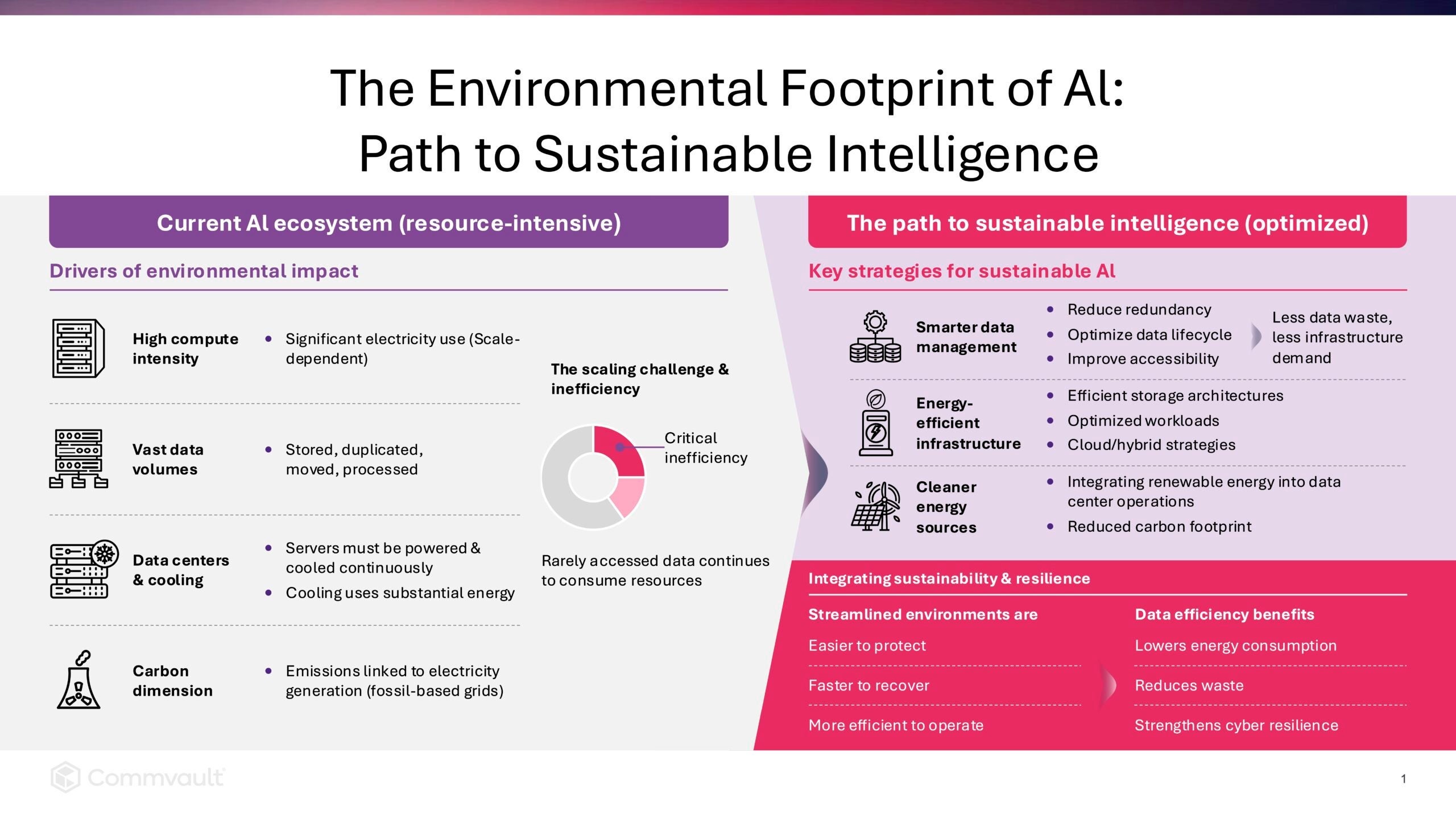
 

More related posts


Commvault Cloud Compliance

Read more about Commvault Cloud Compliance

Key Takeaways

  • AI Studio will be designed to bridge the gap between experimentation and scaled, production-grade AI automation.
  • The Agent Library will offer enterprises visibility of every default and custom agent in one place, with clear descriptions, categories, and enabled status.
  • The Agent Builder will make customization accessible. Natural-language inputs will be able to generate structured, reviewable workflows – no coding required, no black-box behavior.
  • All agent logic will be visible and explicitly saved before deployment, helping meet enterprise requirements for transparency and explainability.
  • AI Studio will be part of an end-to-end platform. Combined with Data Activate and AI Protect, it will be built to support the AI resilience lifecycle.

AI automation promises enormous operational value. But for most enterprises, moving from pilot to production can be harder than expected – especially when it comes to operational workflows like backup, recovery, and incident response. Governance concerns, lack of visibility, and the complexity of stitching together tools can often prevent AI from being used in real, day-to-day resilience operations.

What organizations need is a way to apply AI directly to these workflows – safely, with control, and in a way that fits how resilience teams actually operate. That’s what Commvault AI Studio will be designed for.

Why AI Automation Stalls at the Pilot Stage

McKinsey’s State of AI in 2025 report reveals that 88% of organizations use AI in at least one business function – yet only about one-third have reached scaled adoption beyond early pilots. The barriers are consistent across industries:

  • Limited visibility and control over which agents exist, what they do, and where they’re active – making it difficult for IT and data security teams to oversee operational workflows.
  • High friction to customize automation – teams can be forced to rely on manual scripting or external services to adapt built-in capabilities to real workflows, slowing adoption and limiting ROI.
  • Concerns about trust and governance – without transparency, explainability, and auditability, enterprises can’t confidently move agents from experimentation into production.

As a result, organizations either underutilize AI capabilities or rely on manual processes for tasks that could be automated safely – leaving real efficiency and resilience gains on the table.

Introducing Commvault AI Studio

AI Studio is slated to be Commvault’s answer to the governance-adoption gap. It aims to provide a centralized interface where enterprises can view and manage all agents, deploy ready-made agents, and build custom agents using a workflow-based approach that helps keep behavior visible, auditable, and under control.

Agent Library: A Clear View of Every Agent in Your Environment

The Agent Library will be the entry point to AI Studio. It will present a structured inventory of every agent available in the environment – both default agents built by Commvault and custom agents created by the customer – grouped by type and showing each agent’s name, category, description, and enabled status at a glance.

Default agents include Commvault’s foundational cyber resilience agents, such as Arlie Advisor, Arlie Data Sense, Arlie Recover, among others. The Agent Library will offer teams a single, authoritative view of their resilience agent ecosystem before taking any action.

Agent Management: Operational Control for Every Agent

Selecting any agent from the library will open a dedicated detail view that can help provide transparency into how that agent operates – its purpose, how it’s triggered, what data it uses as inputs, execution limits, and basic usage telemetry.

This view will also include records of agent activity and events. Following this, administrators can enable or disable the agent with a single action. This will apply consistently to both default and custom agents, so every agent in the environment can be subject to the same governance standard.

Agent Builder: From Plain-Language Intent to Governed Workflow

AI Studio’s Agent Builder will enable administrators to create custom agents by leveraging Commvault’s workflows and MCP server – without writing code.

The experience will start with natural language. An administrator will be able to describe what they want to automate – for example: “I need an agent that detects when storage or infrastructure issues are starting to impact backups and helps resolve them before they affect SLAs.”

The system will be designed to translate that intent into a structured agent configuration, including triggers, conditions, and actions, with optional AI-enabled steps from Arlie – such as Summarize, Generate Recommendation, or Draft Notification – available as explicit workflow steps.

The administrator will be able to review the proposed workflow, adjust it as needed – changing trigger frequency, specifying a distribution list, or reordering steps – and save it. The result will be an auditable custom agent that appears in the Agent Library and can be managed through Agent Management like any other agent.

Part of a Larger AI Resilience Vision

AI Studio will be one of three capabilities Commvault announced as part of a broader AI resilience platform.

Data Activate enables organizations to classify and curate data from protected backup copies and prepare governed datasets for use with LLMs and AI pipelines – publishing updates on a recurring schedule aligned with backup policies, in formats like Apache Iceberg and Parquet, with sensitive data filtered out before activation.

AI Protect will offer centralized visibility, protection context, risk evaluation, and guided recovery for AI agents operating across enterprise, SaaS, and cloud environments – helping teams operate agents confidently and recover quickly when something goes wrong.

Together, the three capabilities will cover the arc of AI resilience: helping safely activate trusted data, govern and recover agents in production, and build the agentic workflows operations actually require.


FAQs

Q: What is Commvault AI Studio?

A: AI Studio will be Commvault’s centralized platform for deploying, building, and managing AI agents. It will include an Agent Library for viewing all agents in the environment, Agent Management for operational control, and an Agent Builder for creating custom agents using workflow-based automation – all without writing code.

Q: Who will AI Studio be designed for?

A: AI Studio will be built for Commvault administrators and IT operators who want to automate operational tasks – like monitoring backup job failures or notifying stakeholders – without relying on manual scripting or external development resources.

Q: How will the Agent Builder work?

A: Administrators will be able to describe their automation intent in plain language. AI Studio will then be able to propose a structured workflow with explicit triggers, conditions, and actions. The administrator can then review, edit if needed, and save the workflow as a custom agent. The resulting agent will be visible, auditable, and managed through the same interface as all other agents.

Q: Can AI be incorporated into custom agents?

A: Yes – but intentionally. AI will be invoked deliberately, not invisibly embedded in agent behavior.

Q: What default agents are available out of the box?

A: AI Studio will launch with a library of default agents across foundational AI and cyber resilience categories, including Arlie Data Sense, Arlie Advisor, and Arlie Recover.

Q: How will AI Studio relate to AI Protect and Data Activate?

A: All three will be part of Commvault’s next-generation AI capabilities. Data Activate helps govern how data is prepared and activated for AI use. AI Protect will help govern agents operating in production. AI Studio will help teams deploy and build custom agentic workflows. Together they will form an end-to-end AI resilience lifecycle.

Teja Medasani is Principal Product Manager at Commvault and Vir Choksi is Principal Product Marketing Manager at Commvault.

More related posts


Thumbnail_Blog-What-is-Resops-2026

What Is ResOps – and Why Cyber Resilience Needs It

Read more about What Is ResOps – and Why Cyber Resilience Needs It
Thumbnail_Blog-Playbook-2026

Prove It Before You Need It: The Playbook I Wish I’d Had 10 Years Ago

Read more about Prove It Before You Need It: The Playbook I Wish I’d Had 10 Years Ago
Thumbnail_Blog-Medusa-is-Evolving-2026

Medusa Is Evolving. Cyber Resilience, Cyber Recovery, and ResOps Matter More Than Ever.

Read more about Medusa Is Evolving. Cyber Resilience, Cyber Recovery, and ResOps Matter More Than Ever.

Key Takeaways

  • Apache Iceberg has become a key data lakehouse format, and many AWS customers are migrating from Glue-managed Iceberg tables to fully managed Amazon S3 Tables for better performance and automation.
  • Clumio enables a smooth, Iceberg-aware migration process that helps maintain data integrity, metadata, and version history while adding air-gapped, immutable protection.
  • The platform automates migration using a simple backup-and-restore workflow, helping reduce the need for custom scripts or manual configuration.
  • Compared to manual or native AWS migration methods, Clumio offers a faster, more scalable, and resilient option for enterprise data lakehouse modernization.
  • Clumio’s collaboration with AWS and availability in the AWS Marketplace enable organizations to modernize data lakes securely and confidently.

AI and latency-sensitive analytics workloads increasingly depend on data lakehouses as their underlying data architecture. Among AWS customers building these environments, Apache Iceberg has become one of the fastest-growing table formats on Amazon S3, providing the transactional consistency, schema evolution, and performance needed for modern analytics.

AWS customers manage Iceberg tables today through the AWS Glue Data Catalog or adopt AWS’s fully managed option, Amazon S3 Tables, to streamline operations and improve performance.

As AWS customers evaluate the growing importance of their Iceberg-based data lakehouses, considerations around protection, resilience, and migration to Amazon S3 Tables naturally become part of that planning. Many teams are now looking for a simple, reliable way to move from Glue-managed Iceberg tables to S3 Tables while strengthening the protection of these critical datasets.

As AWS’s 2025 Global Storage Partner of the Year, Commvault is deepening its collaboration with AWS to help customers modernize, protect, and optimize their cloud-native data.

Through Clumio, Commvault delivers an Iceberg-aware, air-gapped cyber resilience solution for AWS – and now helps automate migration from Iceberg tables registered in the AWS Glue Data Catalog to Amazon S3 Tables, while enabling long-term protection and recovery. You can start your free trial in the AWS Marketplace.

The Challenge: Limited Options for Moving to S3 Tables

Organizations are increasingly evaluating migrations from Glue-managed Iceberg tables to fully managed Amazon S3 Tables to improve data lake performance and simplify operations. According to AWS, S3 Tables can deliver up to 3 times faster query performance and up to 10 times higher transactions per second compared to Iceberg tables stored in general purpose S3 buckets.

Many teams also want to offload undifferentiated heavy lifting – such as compaction, snapshot management, and unreferenced file cleanup – while reducing overall storage and query costs.

However, existing AWS and community guidance, such as AWS’s migration framework, outlines a manual, multi-step process requiring custom scripting and orchestration. Migrating data while maintaining schema, metadata, and version history can be time-consuming and error-prone, and most current approaches focus on replication rather than Iceberg-aware recovery or rollback.

Clumio’s migration support for Apache Iceberg tables provides the Iceberg-aware, enterprise-grade migration and resilience capability that modern data lakehouses have been missing. Request a demo to see how Clumio streamlines your migration.

How Clumio Simplifies Migration and Protection

Clumio for Apache Iceberg on AWS helps automate migration from Iceberg tables registered in the AWS Glue Data Catalog to Amazon S3 Tables, while simultaneously enabling long-term protection for these modern data lakehouse assets.

The same Iceberg-aware platform provides air-gapped, immutable backups, isolated recovery points, point-in-time or snapshot-level restores, and retention capabilities that help support compliance requirements – extending Commvault’s leadership in cloud-native cyber resilience.

Migration and protection work hand in hand:

  • Help protect Iceberg tables registered in the AWS Glue Data Catalog.
  • Restore as fully managed Amazon S3 Tables.
  • Continue helping protect those Iceberg tables with Clumio’s cyber resilience capabilities.

For teams that prefer Infrastructure-as-Code deployment, Clumio offers a publicly available Terraform module that supports Apache Iceberg.

As AWS customers adopt Amazon S3 Tables, protecting these modern data assets becomes even more important. Threat vectors such as ransomware, accidental deletion, malicious or mistaken changes, and account compromise can disrupt AI and analytics pipelines and lead to costly reprocessing. Clumio helps customers mitigate these risks with immutable, air-gapped backups and flexible recovery options across accounts, regions, snapshots, and points in time. For a deeper look at why data lakehouses need purpose-built protection, see Closing the Gap in Data Lakehouse Protection.

How It Works – From Backup to Restore

The migration process using Clumio follows a straightforward backup-and-restore workflow, designed to minimize effort and help maintain Iceberg table integrity.

Step 1: Connect with the Commvault team for migration program review and approval. Please contact us.

Step 2: Discover and back up Iceberg tables registered in the AWS Glue Data Catalog, with underlying data stored in S3, using Clumio.

Step 3: Restore Iceberg table backups – whether the full snapshot history, a selected subset, or a specific point-in-time version – as Amazon S3 Tables in any account or region.

Step 4: Enable incremental backups to maintain protection for your new Amazon S3 Tables.

Clumio’s architecture helps reduce the need for and helps provide transactionally consistent Iceberg recovery across accounts, regions, and snapshots.

To see the full migration workflow in action – including Iceberg discovery, backup selection, snapshot options, and restoration to Amazon S3 Tables – watch the demo video embedded below. It walks through the entire backup-and-restore flow end to end, showing how Clumio handles the data, metadata, and snapshot migration with no manual configuration required.

Comparing Migration Options

Most migrations to Amazon S3 Tables today depend on manual scripts or native tooling. Here’s how those methods compare against Clumio’s Iceberg-aware approach.

Method Description Key Considerations
DIY scripts/
open source tools
Custom scripts using Athena or Glue APIs to copy data and metadata Best suited for teams with scripting expertise and custom migration requirements
Native AWS processes/
snapshots
AWS documentation and community guides outline snapshot-based or query-driven migrations Suitable for teams using native AWS services and managing multi-step migration processes
Clumio SaaS-based, Iceberg-aware backup and recovery solution for AWS Simple, Iceberg-aware migration workflow that helps preserve metadata and snapshot lineage while integrating ongoing protection

Request a demo to learn how Clumio simplifies migration at scale.

Why This Matters for AWS Customers

As AWS customers modernize their data lakehouses, they need a simple, scalable way to migrate Iceberg tables to Amazon S3 Tables and protect them against operational and cyber risks. Clumio delivers this by providing Iceberg-aware migration along with air-gapped, immutable protection.

AWS is working with Commvault to help customers use Clumio for both protection and migration to Amazon S3 Tables. The solution is available today in the AWS Marketplace and supports Iceberg tables across both Glue-managed and fully managed S3 Tables environments. Together, Commvault and AWS provide enterprises with a simple, scalable way to modernize their AI data pipelines.

For organizations looking to strengthen resilience across the broader AWS data stack, see our blogs on protecting Amazon S3 data with Clumio and Clumio Backtrack for Amazon DynamoDB.

If you’d like to discuss your AWS data modernization strategy, please contact us.

Moving Forward with Clumio and AWS

As organizations modernize their data platforms for AI, Clumio helps them migrate confidently to S3 Tables, maintain data integrity, and strengthen their cyber resilience. Clumio simplifies migration and protection – helping organizations protect, recover, and move their most valuable data faster.

Start your free trial in the AWS Marketplace.


FAQs

Q: Why are organizations moving from self-managed Iceberg tables to Amazon S3 Tables?
A: Many teams are migrating to S3 Tables to improve performance and simplify management. Amazon S3 Tables deliver up to three times faster query performance and 10 times higher transaction throughput than self-managed Iceberg tables while reducing operational overhead.

Q: How does Clumio simplify the migration process?
A: Clumio automates migration through a backup-and-restore workflow that maintains schema and metadata consistency. It avoids manual scripting and enables restoring Iceberg backups directly as S3 Tables across accounts and regions.

Q: What makes Clumio different from other migration approaches?
A: Unlike do-it-yourself scripts or AWS’s native methods, Clumio is Iceberg-aware and automated, and it offers built-in cyber resilience features such as immutable backups, point-in-time recovery, and retention capabilities that help support compliance requirements.

Q: How does Clumio enhance data protection during and after migration?
A: Clumio provides air-gapped, immutable backups that help protect against ransomware, accidental deletion, or malicious changes. It also supports flexible recovery across snapshots, accounts, and regions.

Q: Is Clumio available for AWS customers now?
A: Yes, Clumio is available in the AWS Marketplace and integrates with both AWS Glue and Amazon S3 Tables environments. customers to modernize and protect their AI data pipelines.

Q: What’s the first step to get started with Clumio for S3 Tables migration?
A: Organizations can start by contacting Commvault for migration program approval and then use Clumio to discover, back up, and restore Iceberg tables as Amazon S3 Tables. A free trial is available in the AWS Marketplace.

Vir Choksi is Principal Product Marketing Manager at Commvault.

Related Blogs

More related posts


Clumio

Read more about Clumio