Dieses Erfolgserlebnis geht mit einem zusätzlichen Gefühl der Erleichterung einher, ganz gleich, wie lange es gedauert hat, bis man es erreicht hat. Aber … was hat das mit „Bring Your Own Key“ (BYOK) zu tun? Lesen Sie weiter.
In ähnlicher Weise hatte Clumios „Backup as a Service“-Cloud bereits vor mehr als zwei Jahren versprochen, die BYOK-Funktion zu unterstützen! Diese Funktion ermöglichte es Kunden, ihre Backup-Daten mithilfe ihres eigenen Verschlüsselungsschlüssels über die native Key Management Service (KMS)-Funktion von Amazon Web Services (AWS) zu verschlüsseln.
Mit AWS KMS können Kunden auf einfache Weise kryptografische Schlüssel erstellen und verwalten sowie deren Verwendung in einer Vielzahl von AWS-Diensten und in ihren Anwendungen steuern.
Als Clumio die BYOK-Funktion einführte, unterstützte es Datenquellen wie VMware, Microsoft 365 (M365) und AWS EC2/EBS, da dies zu diesem Zeitpunkt die von Clumio unterstützten Datenquellen waren. Seitdem hat Clumio jedoch weitere wichtige Datenquellen wie S3, RDS und DynamoDB hinzugefügt.
Mit der neuesten Version hat Clumio nun BYOK-Funktionen für alle unsere kritischen Datenquellen eingeführt und damit ein Ziel erreicht, das wir uns schon vor langer Zeit gesetzt hatten. Und das ist noch nicht alles: Wir werden weiterhin daran arbeiten, BYOK auch für zukünftige Datenquellen verfügbar zu machen.
Warum ist BYOK für Kunden wichtig:
Verschlüsselt Clumio nicht bereits alle Backups, und wenn ja, warum ist BYOK dann erforderlich? Es stimmt zwar, dass Clumio alle Backup-Daten in seiner Cloud mit einem kundenspezifischen Schlüssel verschlüsselt und dass dieser Schlüssel zudem alle 30 Tage gewechselt wird. In einigen Fällen haben bestimmte Kunden jedoch zusätzliche strenge Sicherheitsanforderungen:
So funktioniert die Verschlüsselung:
AWS-S3-Bucket-Schlüssel haben die Kosten für die serverseitige Verschlüsselung um mehr als 99 % gesenktand don’t need to lookup the key for every single transaction. Since Clumio backs up data with millions of transactions, having to look up the key for every single transaction was a no-go. With AWS’S S3 bucket keys feature, Clumio can use the customers BYOK key as the Amazon S3 Bucket Key and encrypts all the data landing in the S3 bucket using the customers BYOK key.
So aktivieren Sie die BYOK-Features:
Gehen Sie zu „Einstellungen“ und „Sicherheitsfeatures“ – „Verschlüsselungsschlüssel“. Auf dieser Seite finden Sie bei Clumio detaillierte Informationen zu dieser Funktion sowie zu den Anforderungen und Einschränkungen. Kunden können fortfahren, indem sie die AWS CloudFormation StackSets in einem beliebigen ihrer AWS-Konten bereitstellen, in dem sie den BYOK-Schlüssel verwenden möchten.
StackSets wird benötigt, da Clumio einen regionenübergreifenden (globalen) Schlüssel erstellen und diesen zur Verschlüsselung von Backups in allen Regionen verwenden muss, in denen sich die Datenquellen befinden. Nach erfolgreicher Bereitstellung können Kunden die Verbindung jederzeit in der Clumio-Benutzeroberfläche überprüfen, indem sie die entsprechende Seite aufrufen.
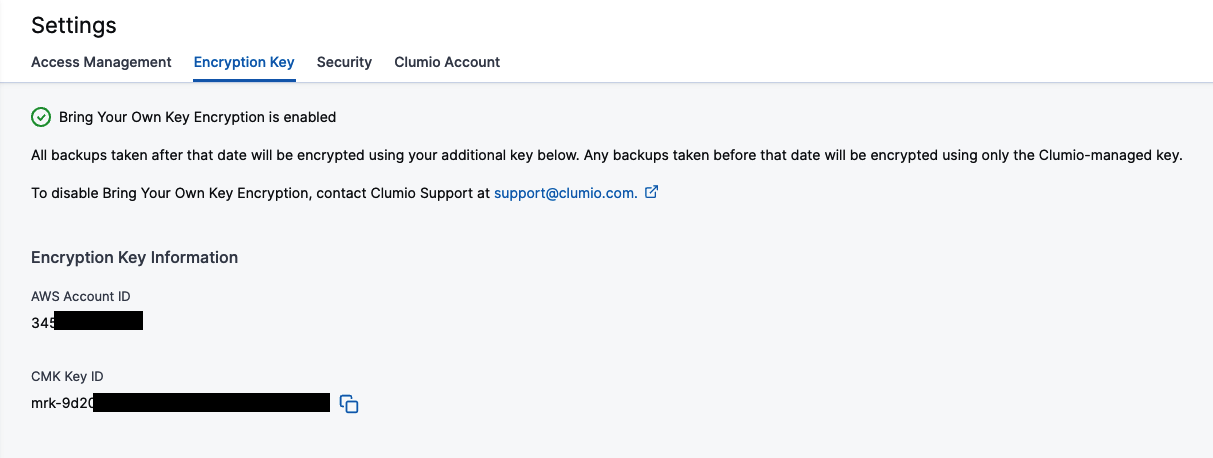
Das grüne Häkchen oben auf der Seite zeigt an, dass alles wie erwartet funktioniert. Sollte der Schlüssel aus irgendeinem Grund nicht zugänglich sein, verwandelt es sich in ein rotes X und Sie können den Zugriff erneut überprüfen, um festzustellen, ob das Problem behoben wurde und alles wieder funktioniert.
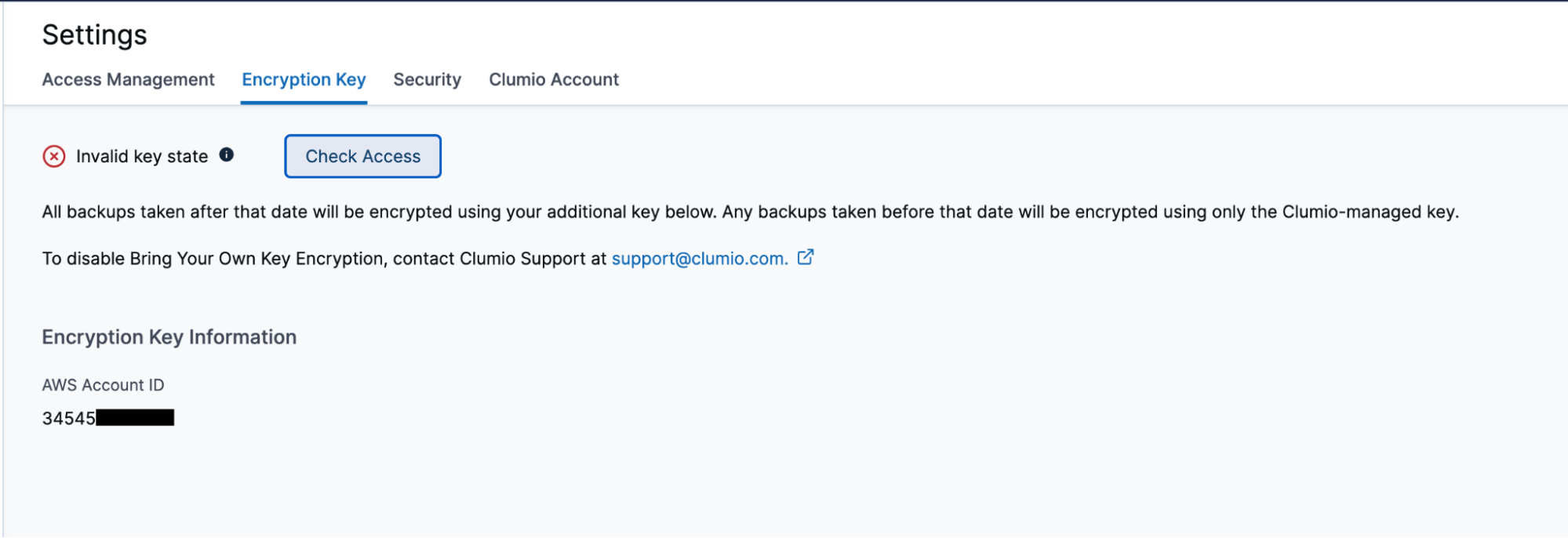
So überprüfen und prüfen Sie den Zugriff bei Clumio
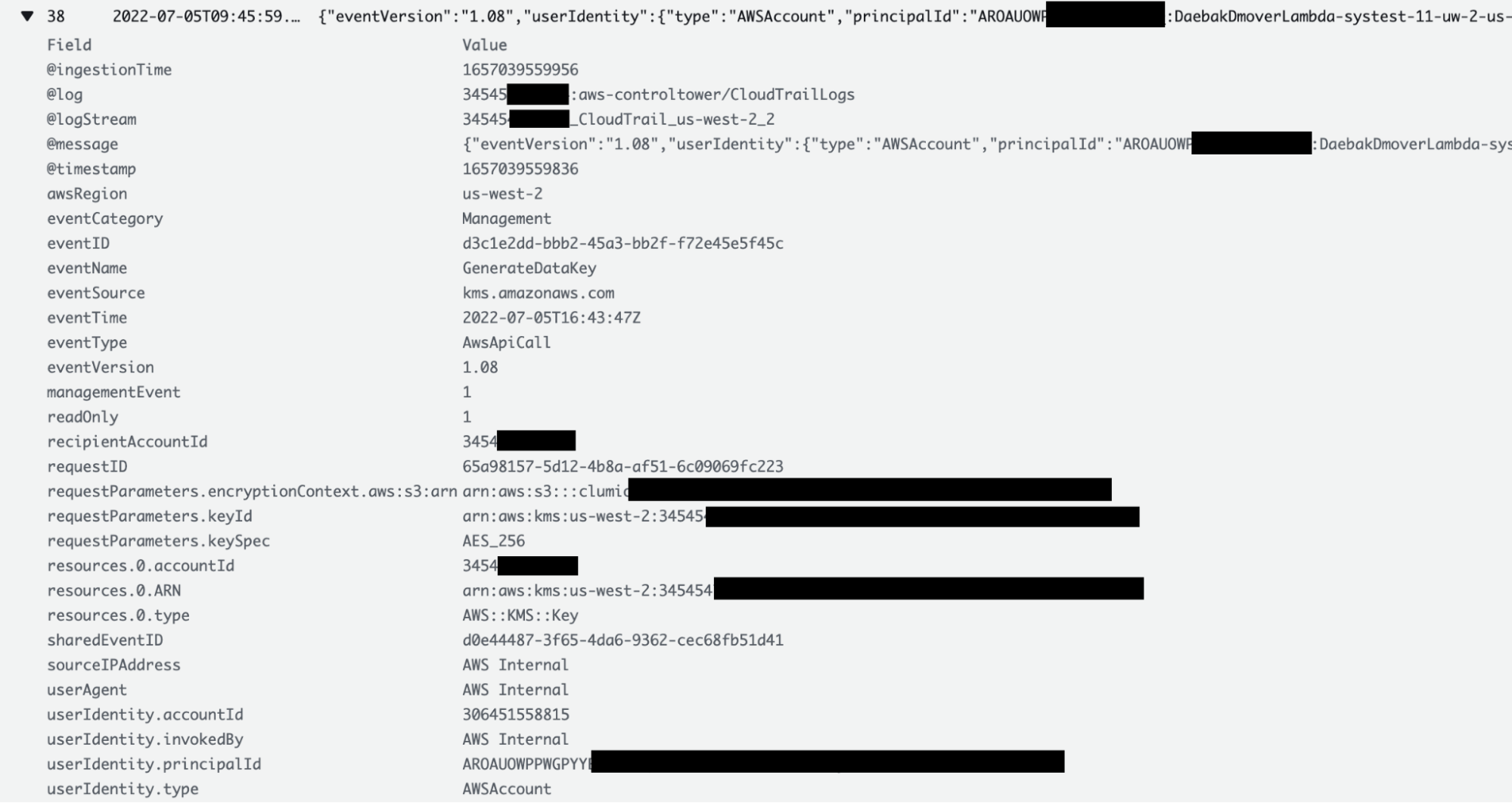
Einer der Vorteile der BYOK-Funktion besteht darin, dass Kunden jederzeit überprüfen und nachverfolgen können, wann Clumio auf ihren Schlüssel zugegriffen hat. Kunden können in den CloudTrail-Protokollen alle Details zu jedem Zugriff von Clumio auf ihren Schlüssel einsehen, einschließlich des Grundes für den Zugriff. Kunden können den Abschnitt „CloudTrail-Protokolle“ in ihrem AWS-Konto aufrufen, in dem das AWS CloudFormation StackSet bereitgestellt wurde.
Da die S3-Bucket-Schlüssel von den AWS S3-Bucket-Schlüsseln zwischengespeichert werden, ist der Zugriff darauf möglicherweise nicht bei jeder einzelnen Transaktion gegeben. Bei EC2/EBS-, VMware- und M365-Backups wird jedoch bei jeder einzelnen Transaktion auf die Schlüssel zugegriffen.
Was passiert, wenn der Schlüssel nicht mehr verfügbar ist:

Remember this: BYOK gives you the power of encrypting all backup data, but on the flip side, if the key is lost, then you’re in big trouble! Luckily, keys in AWS aren’t like physical keys and even if someone deletes them,haben Kunden noch 30 Tage Zeit, sie wiederherzustellen. Sollten die Schlüssel aus welchem Grund auch immer nicht wiederhergestellt werden, wären die Sicherungsdaten unbrauchbar. Diese Funktion ist als Ausfallsicherheitsmechanismus gedacht, sollte jedoch mit großer Sorgfalt eingesetzt werden.