Esa sensación de satisfacción va acompañada de una mayor sensación de alivio, independientemente del tiempo que haya llevado conseguirlo. Pero… ¿qué tiene esto que ver con «Bring Your Own Key» (BYOK)? Sigue leyendo.
En la misma línea, ¡el servicio «Backup as a Service Cloud» de Clumio prometió ofrecer compatibilidad con la función BYOK hace más de dos años! Esta función permitía a los clientes cifrar sus datos de copia de seguridad utilizando su propia clave de cifrado a través de la función nativa «Key Management Service» (KMS) de Amazon Web Services (AWS).
AWS KMS facilita a los clientes la creación y gestión de claves criptográficas, así como el control de su uso en una amplia gama de servicios de AWS y en sus aplicaciones.
Cuando Clumio incorporó la función BYOK, era compatible con las fuentes de datos de VMware, Microsoft 365 (M365) y AWS EC2/EBS, ya que estas eran las fuentes de datos con las que Clumio era compatible en aquel momento. Sin embargo, desde entonces hasta ahora, Clumio ha añadido otras fuentes de datos fundamentales, como S3, RDS y DynamoDB.
Con esta última versión, Clumio ha incorporado las funciones BYOK a todas nuestras fuentes de datos críticas y, con ello, ha logrado el objetivo que nos propusimos hace mucho tiempo. Y esto no se queda aquí, ya que seguiremos dedicando esfuerzos a incorporar BYOK también a futuras fuentes de datos.
¿Por qué les importa a los clientes el BYOK?:
¿No cifra Clumio ya todas las copias de seguridad? Y, si es así, ¿por qué es necesario el BYOK? Es cierto que Clumio cifra todos los datos de las copias de seguridad en su nube con una clave dedicada al cliente, y que dicha clave se renueva cada 30 días. Sin embargo, en algunos casos, ciertos clientes tienen requisitos de seguridad adicionales muy estrictos:
Cómo funciona el cifrado:
Las claves de los buckets de AWS S3 han reducido el coste del cifrado del lado del servidor en más del 99 %and don’t need to lookup the key for every single transaction. Since Clumio backs up data with millions of transactions, having to look up the key for every single transaction was a no-go. With AWS’S S3 bucket keys feature, Clumio can use the customers BYOK key as the Amazon S3 Bucket Key and encrypts all the data landing in the S3 bucket using the customers BYOK key.
Cómo activar la función BYOK:
Ve a «Configuración» y «Features de seguridad» – «Clave de cifrado». Al acceder a la página, Clumio ofrece información detallada sobre la función, junto con sus requisitos y limitaciones. Los clientes pueden continuar implementando los StackSets de AWS CloudFormation en cualquiera de sus cuentas de AWS en las que deseen utilizar la clave BYOK.
La razón por la que se necesita StackSets es que Clumio tendrá que crear una clave multirregional (global) y utilizarla para cifrar las copias de seguridad en todas las regiones en las que se encuentren las fuentes de datos. Una vez implementado correctamente, los clientes pueden comprobar la conexión en la interfaz de usuario de Clumio accediendo a la página en cualquier momento.
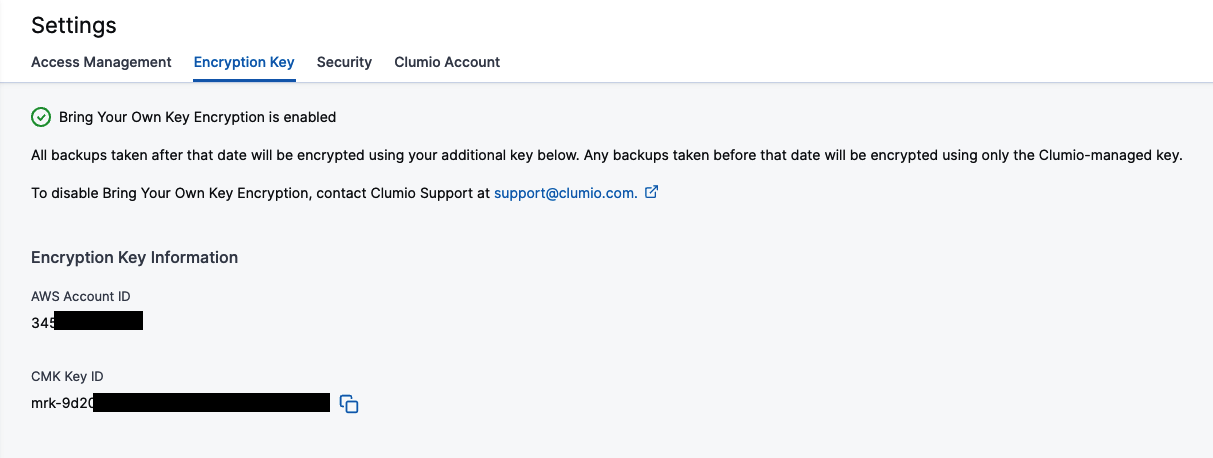
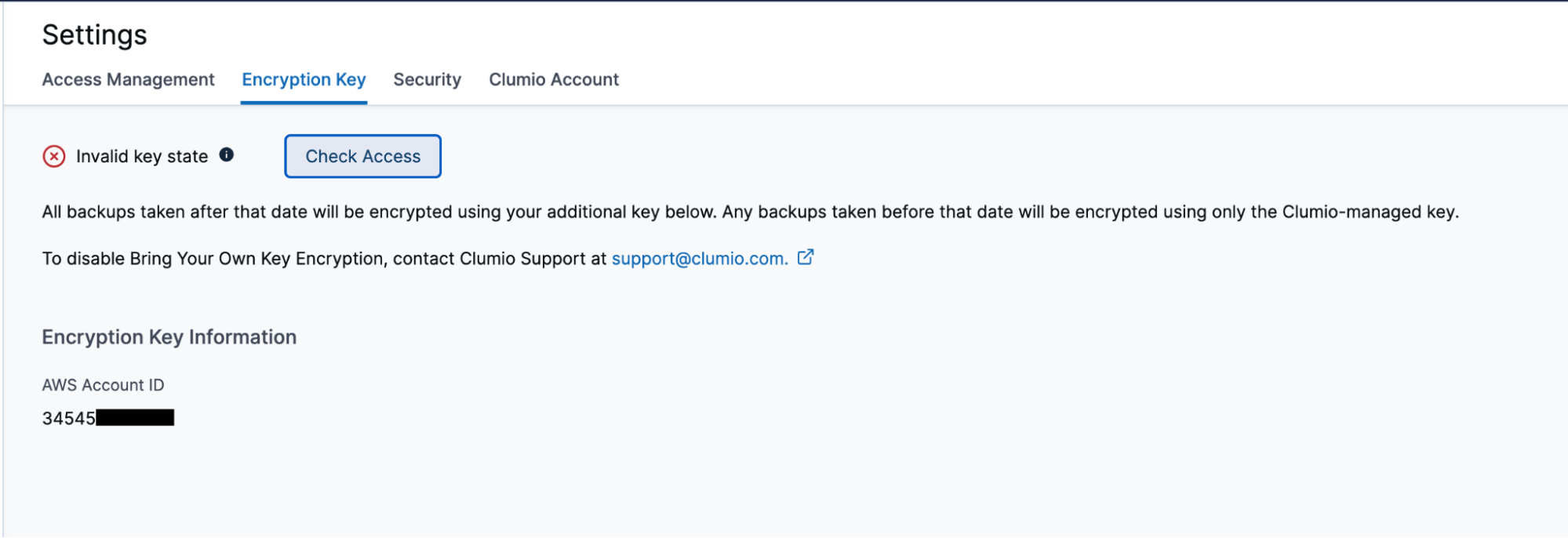
La marca verde de la parte superior de la página indica que todo funciona según lo previsto. Si, por cualquier motivo, no se puede acceder a la clave, la marca cambia a una «X» roja y te permite volver a comprobar el acceso para ver si el problema se ha resuelto y todo vuelve a funcionar correctamente.
Cómo verificar y auditar el acceso a Clumio
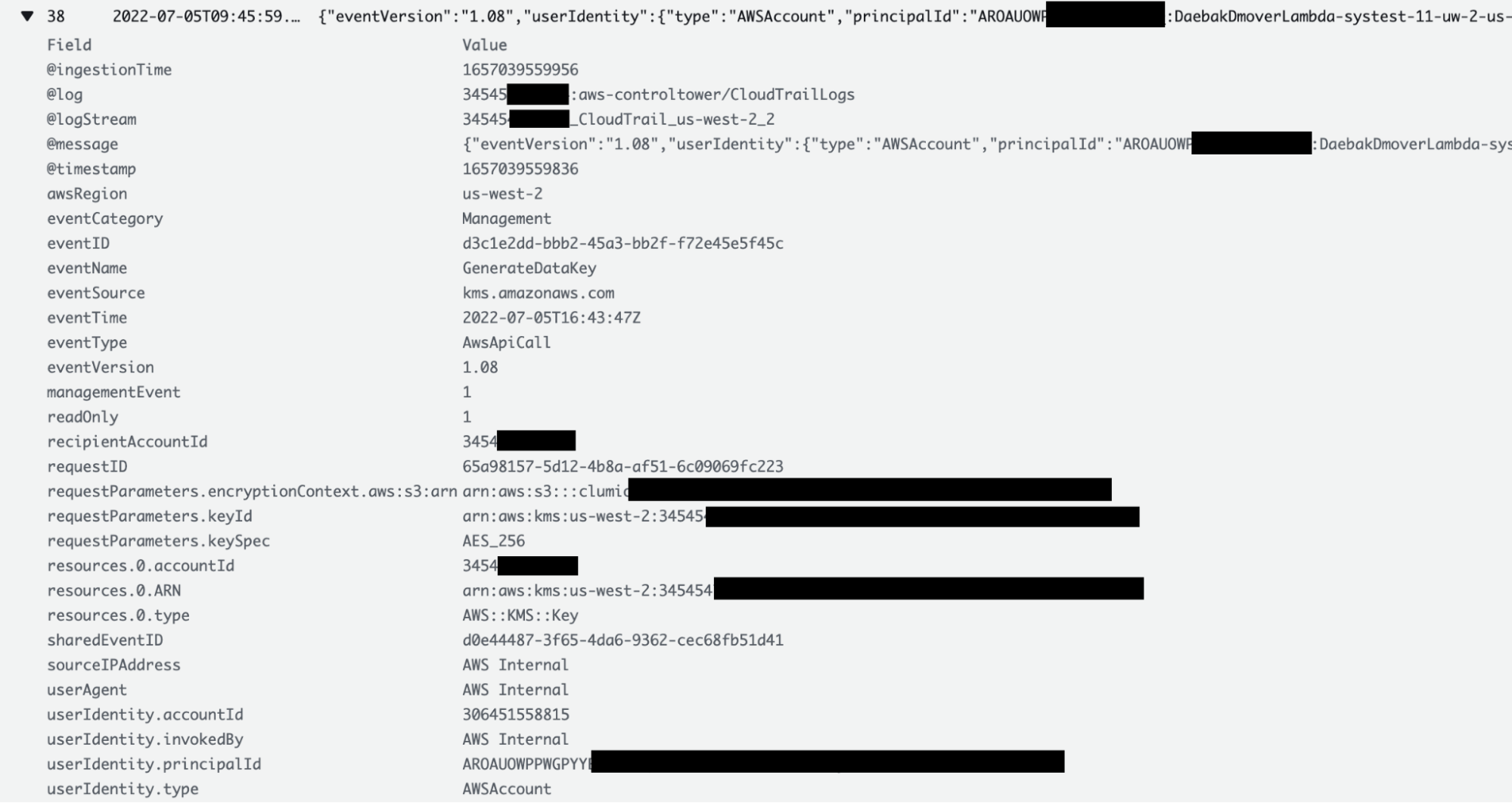
Una de las ventajas de la función BYOK es que los clientes pueden comprobar y auditar en cualquier momento cuándo Clumio ha accedido a su clave. Los clientes pueden consultar los registros de CloudTrail y ver todos los detalles de cada vez que Clumio accede a su clave, incluido el motivo del acceso. Los clientes pueden acceder a la sección «Registros de CloudTrail» de su cuenta de AWS, donde se ha implementado el StackSet de AWS CloudFormation.
En el caso de las claves de los buckets de S3, dado que estas se almacenan en caché por el propio servicio de AWS S3, es posible que no se acceda a ellas en todas y cada una de las transacciones. Sin embargo, en las copias de seguridad de EC2/EBS, VMware y M365 sí se accede a las claves en todas y cada una de las transacciones.
¿Qué ocurre cuando ya no se puede acceder a la clave?:

Remember this: BYOK gives you the power of encrypting all backup data, but on the flip side, if the key is lost, then you’re in big trouble! Luckily, keys in AWS aren’t like physical keys and even if someone deletes them,los clientes siguen disponiendo de 30 días para recuperarlas. Si, por cualquier motivo, no se recuperan las claves, los datos de copia de seguridad quedarían inservibles. Está pensada para funcionar como un mecanismo de seguridad ante fallos, pero hay que tener mucho cuidado al utilizar esta función.