Clumio by Commvault
Back Up & Recover Your Google Cloud Storage Data
Recover Google Cloud Storage objects, prefixes, or full buckets to a clean point in time — even after ransomware, accidental deletion, or lifecycle policy errors at petabyte scale.
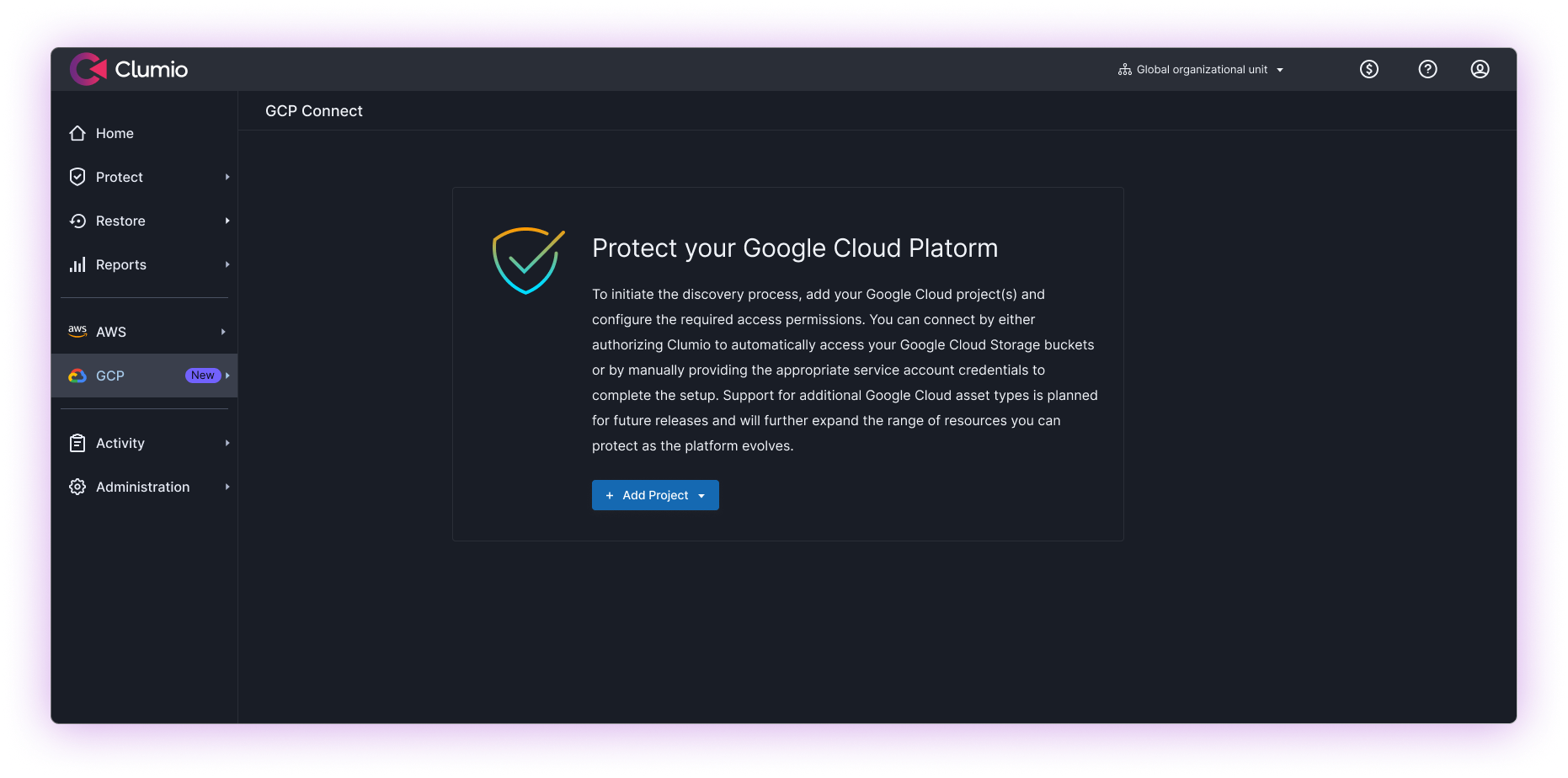
Cloud Object Storage Mistakes Can Happen Fast.
Recovery delays disrupt analytics, AI pipelines, and business operations
Large-scale object storage environments can take significant time to recover following ransomware, deletion, or corruption events.
Misconfigurations can affect entire datasets
A single lifecycle policy mistake or accidental deletion can impact business-critical cloud storage across environments.
Native tools can introduce operational complexity
Manual recovery coordination and script-based workflows can slow response times during critical incidents.
What is Google Cloud Storage?
Google Cloud Storage is a cloud object storage service used for analytics, AI workloads, backups, archives, and application data. Enterprises rely on Google Cloud Storage to support large-scale datasets and cloud-native applications.
As adoption grows, organizations need recovery workflows capable of protecting high-volume object storage environments against ransomware, accidental deletion, operational mistakes, and corruption.
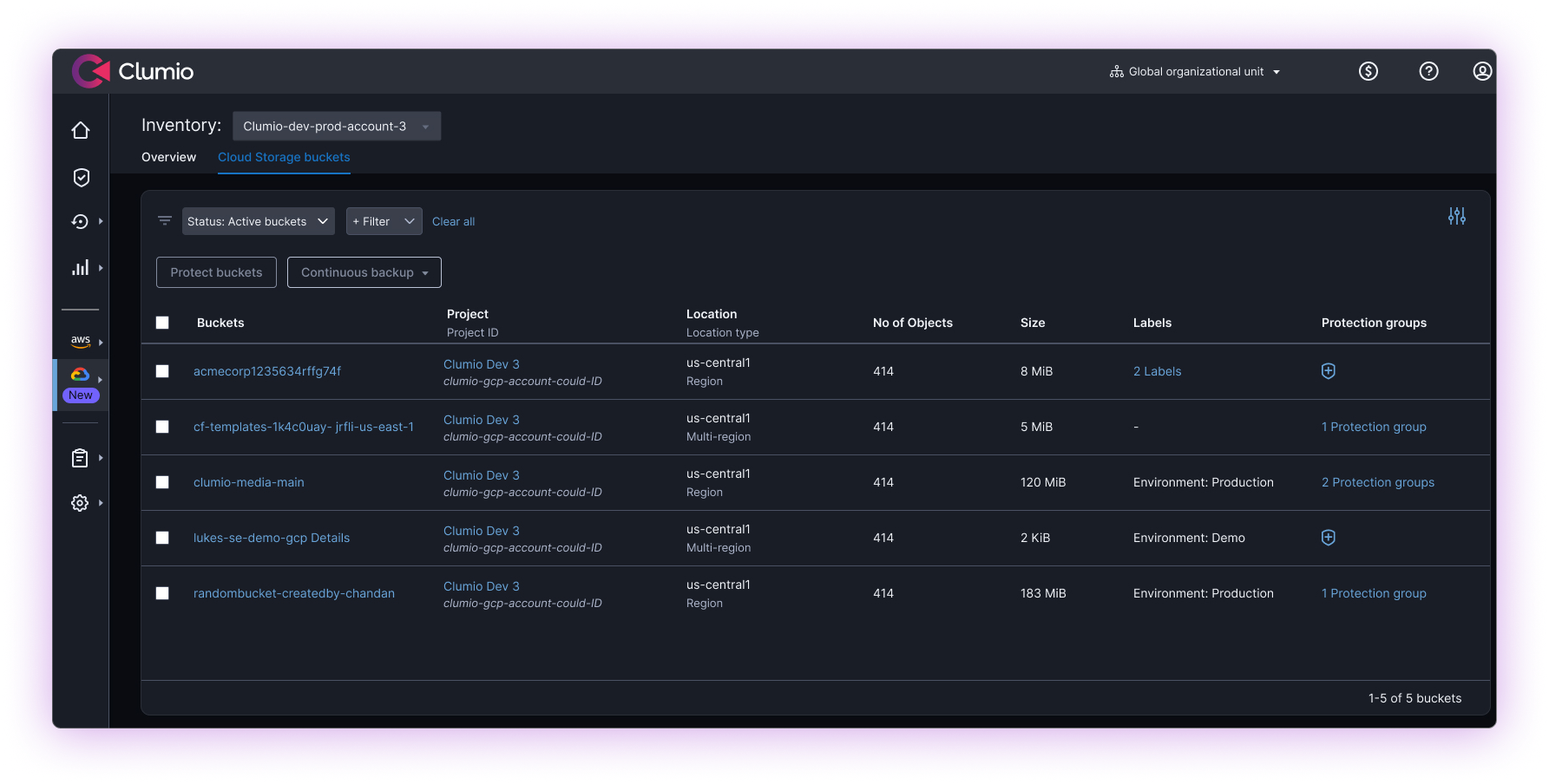
Why Google Cloud Storage Requires Dedicated Protection
Google Cloud Storage often becomes the system of record for cloud-native applications, analytics platforms, and AI pipelines.
Key factors
-
Cloud object storage environments grow rapidly and change continuously.
-
Ransomware, operational mistakes, outages, and lifecycle policy errors can affect large datasets simultaneously.
-
Native cloud durability does not address logical corruption, lifecycle policy errors, or malicious activity.
Resulting Operational Impact
-
Extended recovery effort during incidents.
-
Operational disruption for analytics and AI workloads.
-
Increased cyber and business continuity risk.
How Clumio Supports Google Cloud Storage
Ransomware Resilience
Maintains immutable, air-gapped backup copies separated from production environments to help organizations recover from ransomware and destructive deletion events.
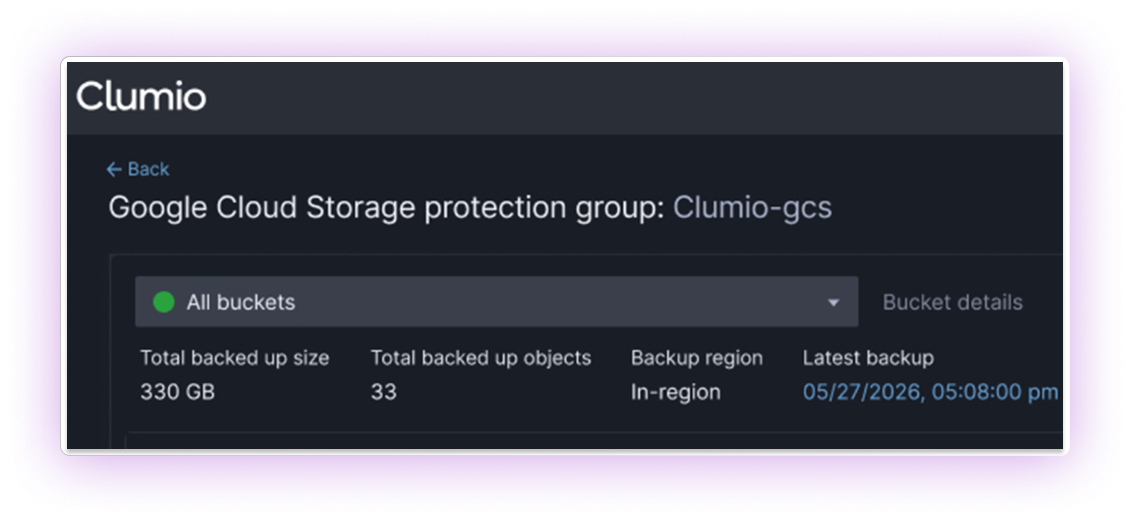
Granular, Point-in-Time Recovery
Supports object-, prefix-, and bucket-level recovery with rapid in-place restoration from point-in-time backups following corruption, accidental deletion, or lifecycle policy errors.
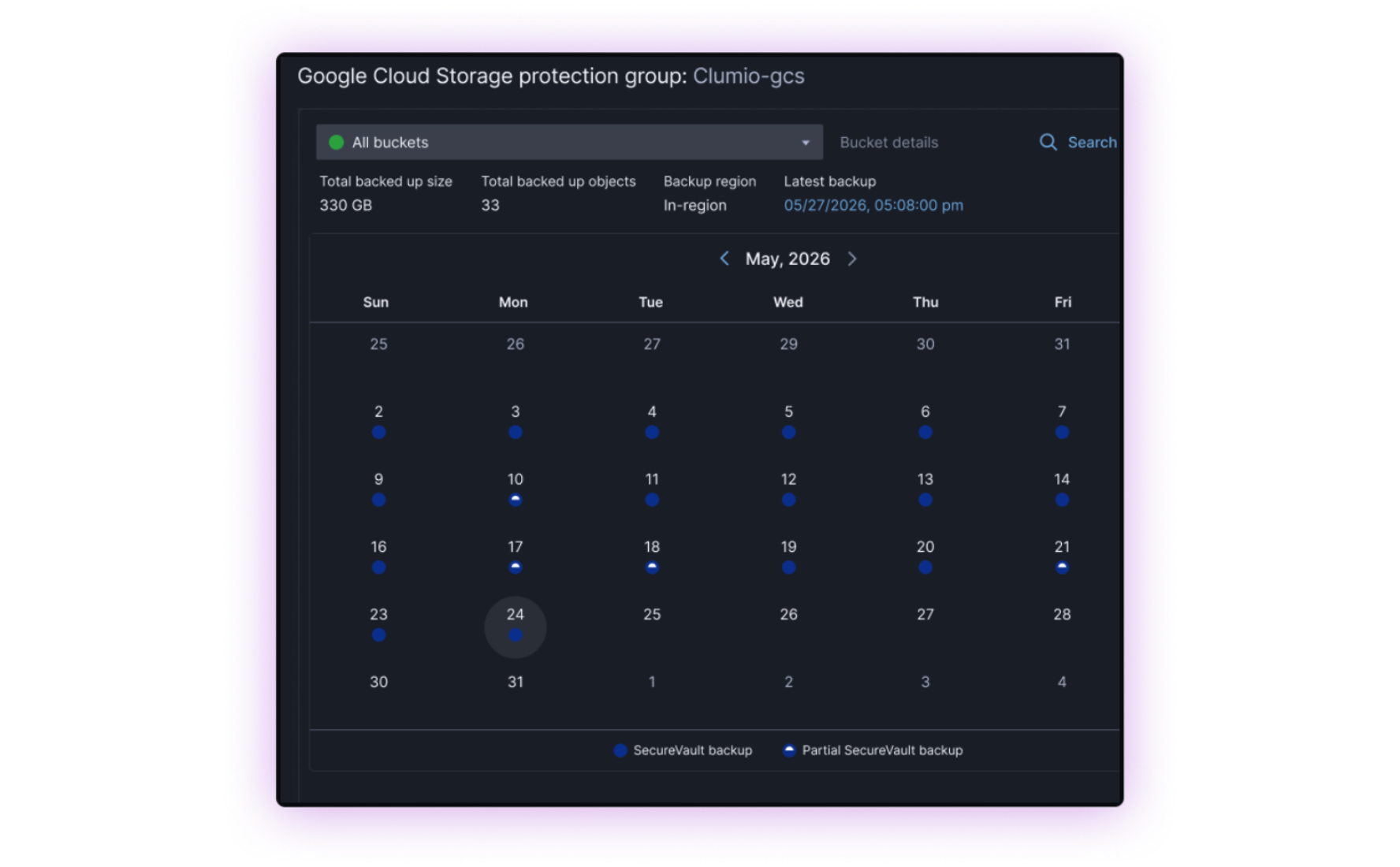
Operational Simplicity
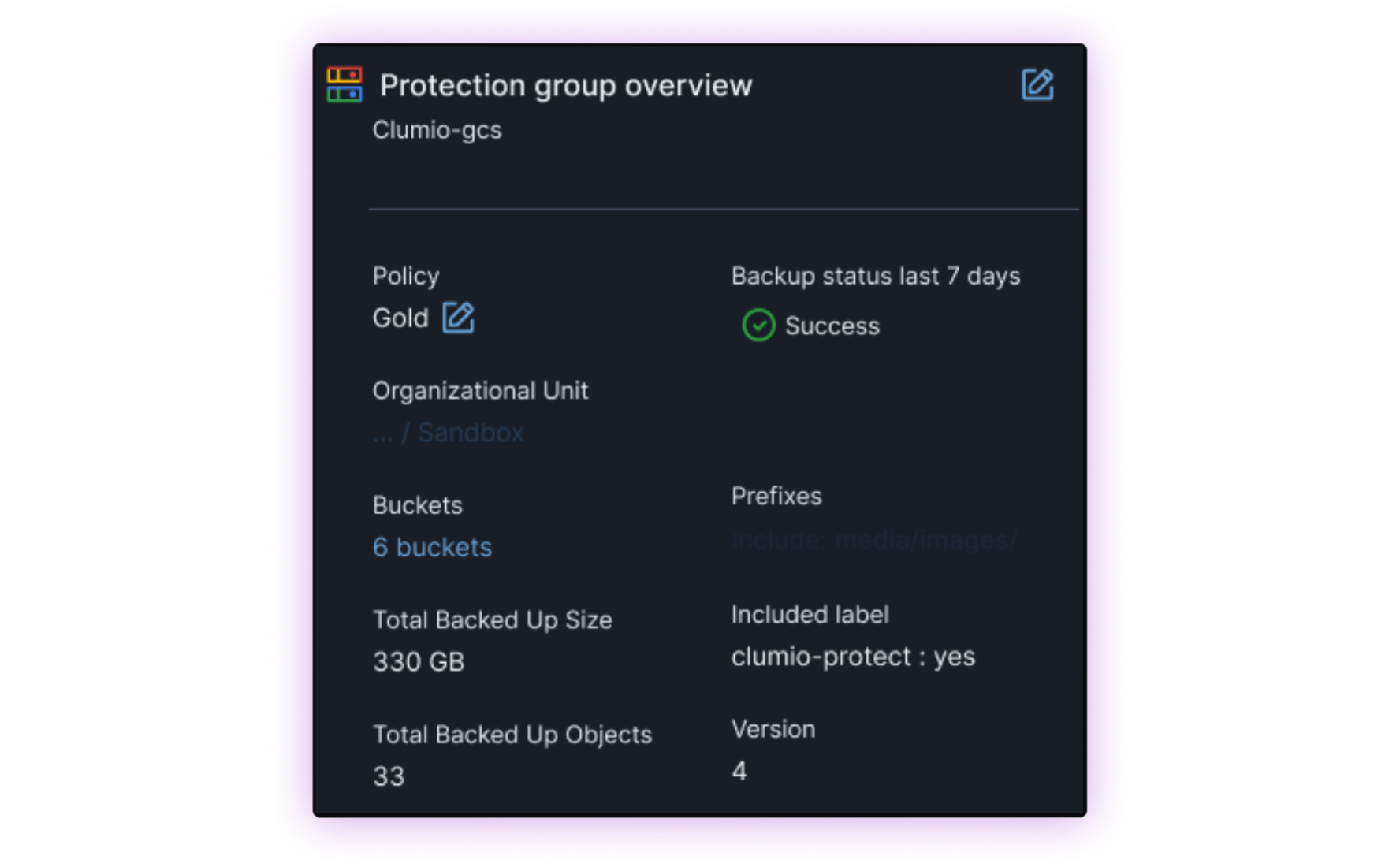
Designed to support large object storage environments and high object counts while automatically adapting as cloud data volumes grow.
Scalable for Cloud Environments
Designed to support large object storage environments and high object counts while automatically adapting as cloud data volumes grow.
Business Outcomes
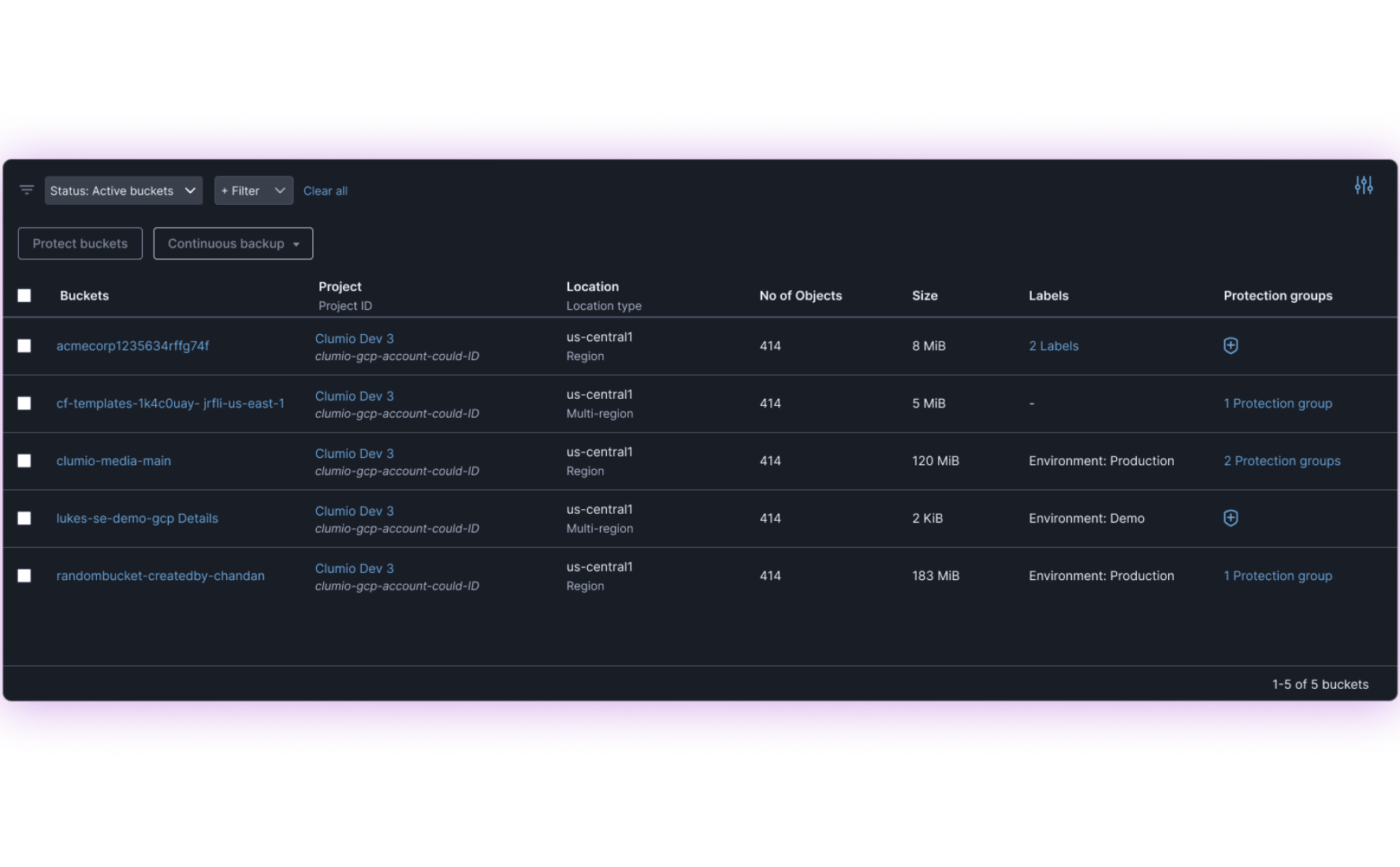
Helps organizations recover faster from ransomware and accidental deletion, reduce operational disruption for analytics and AI workloads, gain greater visibility into protected cloud object data, and lower the operational effort of managing backups at scale.
Our customers
Cyber Resilient Businesses Protect Their Cloud Data with Clumio






“With Clumio for Google Cloud, we will be able to restore massive volumes of cloud data with a cloud-native SaaS solution that is easy to use and highly scalable. ”

“Clumio does not consume any resources, and it does not affect our infrastructure. Yet it grows as much as we need it to. As much as our data grows, Clumio will serve that purpose.”

“With Clumio Instant Access, if there were to be data loss, we could have our application back up in less than an hour. That’s a game changer. Before, it would have taken us days or weeks to restore our vast repositories of unstructured data. ”

“Clumio solves a really important problem for us – providing the peace of mind that if we had a catastrophic failure or ransomware event, we will be able to get back up and running.”
“Using AWS Storage Lens, we confirmed that backups through Clumio were 66.7% cheaper than what we were paying previously. That validation came quickly, and it accelerated our internal approval to move forward. ”
Native Google Cloud Storage Protection vs. Clumio
| Native Google Cloud Mechanisms | Clumio Cloud-Native | |
|---|---|---|
Stores backups in immutable, isolated environments | No | Yes |
Supports centralized, cloud-native recovery workflows | No | Yes |
Designed to support cloud-scale object recovery scenarios | No | Yes |
Native Google Cloud Mechanisms
Clumio Cloud-Native
Stores backups in immutable, isolated environments
Supports centralized, cloud-native recovery workflows
Designed to support cloud-scale object recovery scenarios
Clumio’s Protection Capabilities for Google Cloud Storage

Immutable, air-gapped object backups

In-place, point-in-time recovery from continuous backups

Cross-project restore

Centralized SaaS-based management
Frequently Asked Questions
How does Clumio protect Google Cloud Storage from ransomware?
Clumio uses immutable backup copies and isolated recovery workflows to help organizations recover Google Cloud Storage data following ransomware or accidental deletion events.
Can Clumio restore individual Google Cloud Storage objects?
Yes. Clumio supports granular recovery workflows for objects, prefixes, and buckets.
Is Clumio suitable for large Google Cloud Storage environments?
Yes. Clumio is designed to support cloud-scale object storage environments without infrastructure management.
Is Clumio suitable for large Google Cloud Storage environments?
Yes. Clumio is designed to support cloud-scale object storage environments without infrastructure management.
How does Clumio simplify cloud storage protection?
Clumio delivers SaaS-based protection workflows that help reduce operational overhead and simplify centralized management.
Why use dedicated Google Cloud Storage backup and recovery?
Independent backup copies help organizations recover from ransomware, corruption, and operational mistakes that impact production environments.
Does Clumio support cross-project restore for Google Cloud Storage?
Yes. Clumio supports restoring Google Cloud Storage data across authorized projects.
Discover and Learn Resources
Clumio Extends Its Rapid Recovery and Resilience Capabilities to GCS

LoanBoss and Clumio

The Total Economic Impact™ of Clumio
Clumio Data Risk Assessment
Get deeper visibility into the risk posture of your cloud data estate.
Clumio Documentation
Explore guides, FAQs, and developer resources to help you protect and manage your data with Clumio.


Knowledge Base
Find answers to frequently asked questions, see starting guides, and get troubleshooting tips.
Learn more
Protect Your Cloud Data Before the Next Incident
Reduce risk and recover confidently with scalable Google Cloud Storage protection from Clumio.
Be resilient. Be ready.