How Commvault Delivers Complete Cyber Resilience
Cyber resilience helps an organization anticipate, withstand, and recover from cyberattacks without losing access to critical data or systems. Commvault Cloud enables cyber resilience through AI-enabled threat detection, immutable air-gapped backups, an on-demand and isolated Cleanroom for isolated staging, and Cleanpoint Identification to validate clean recovery before production restoration.
-

100,000+ customers worldwide
-

15x Leader in Gartner Magic Quadrant
-

SOC 2, ISO, FedRAMP Certified
When Trust Disappears
Why do Cyberattacks Break Recovery Confidence?
When attackers hit, backups and identity can be compromised. Teams need cyber recovery capabilities that prove data is clean before bringing business back online.

Backups Are Under Attack
Ransomware goes for backup systems first. 94% of surveyed enterprises saw attempts to compromise backups, turning your last line of defense into ground zero.

Corrupt Restores Reinfect Fast
Restoring fast means nothing if you restore the infection. Without clean recovery validation, teams chase last known good for days and lose data.

Identity Failure Freezes Operations
If Active Directory or Entra ID is compromised, access to every system stalls. Cyber recovery must rebuild identity and restore trusted access first.
Turn chaos into control
Recover data with confidence
Commvault Cloud unifies cyber recovery with AI, air-gapped protection, clean recovery validation, and automated cleanroom workflows to restore operations confidently.

Backups stay protected
Air Gap Protect creates air-gapped, immutable, indelible backups—kept separate from production—so cyber recovery isn’t derailed when attackers target backups.

Proven clean recovery
AI-enabled threat detection and hunting scans backups and restores, uses YARA/hash, identifies clean recovery points, and builds AI-assisted Synthetic Recovery to reduce rollback.

Restore identity, regain access
Identity Protection restores Active Directory or Entra ID granularly or full forest, audits changes, rolls back privilege escalation, and stages clean recovery in Cleanroom Recovery.
Key Capabilities for Cyber Resilience
Built for the attack
Protect, validate, and restore trusted data with air-gapped backups, an on-demand, isolated Cleanroom for recovery testing, identity restoration, and AI-driven clean recovery automation.
01 AI Threat Detection & Hunting
Quickly identify threats in protected data and VMs, quarantine affected assets, and enable hunting via threat feeds, custom YARA rules, or file hashes.
02 Cleanroom for Confidence
Spin up an on-demand isolated environment for cyber recovery testing, forensics, and recovery staging—automated with runbooks and pre-built configurations.
03 AirGap Backups
Keep an off-site, air-gapped, immutable, indelible copy of data — separate from production — to ensure cyber recovery stays possible when backups are targeted.
04 Cleanpoint identification + Synthetic Recovery
Identify clean data across backups, then use malware and encryption detection to assemble a curated composite recovery point that reduces rollback and accelerates clean recovery.
05 Security Integrations with SOAR Tools
Use threat signals from your security stack to drive security-aware clean recovery, and orchestrate response with SOAR platforms like Microsoft Sentinel, XSOAR, and Falcon Fusion.
06 Identity Protection and Recovery
Recover your identity provider with granular or full forest restore, audit attacker changes and privilege escalation, and restore trusted access to restart operations faster.

Cyber Resilience. Delivered.
See how teams improved their cyber resilience, reduced data risk and downtime, and helped their organizations maintain continuous business in the face of cyber threats.

The Challenge
University of Illinois Chicago (UIC) faced aging backup systems, growing cyber threats, and the need to protect sensitive research and student data.
The Solution
UIC transformed its backup, recovery, and cyber resilience operations with a combination of the Commvault Cloud platform, AirGap, and Cleanroom.
Reduced recovery time
Reduction in storage with Commvault deduplication

The Challenge
A major supply chain company grappled with resilience challenges around protecting a massive volume of business-critical Azure workloads and operational complexity.
The Solution
The customer chose Commvault to protect more than 11,000 Azure VMs using immutable, indelible Commvault AirGap storage, along with Threat Scan and Threatwise to help with proactive threat detection and mitigation.
Azure VMs protected
Database data
Frequently Asked Questions
How do you stop reinfection during recoveries?
Commvault Cloud uses AI-enabled threat detection and hunting — scanning backups and VMs with using threat intel feeds, YARA rules, and file hashes — to quarantine infected assets. Teams then restore only Cleanpoint-validated recovery points, preventing malware artifacts from reinfecting production systems during restoration.
What makes recovery points clean?
Cleanpoint identification finds clean data across backups. If corruption exists, AI-enabled Synthetic Recovery builds a curated composite recovery point by assembling the most recent clean versions of files across time into one clean recovery—reducing rollback and data loss.
Why use a cleanroom environment?
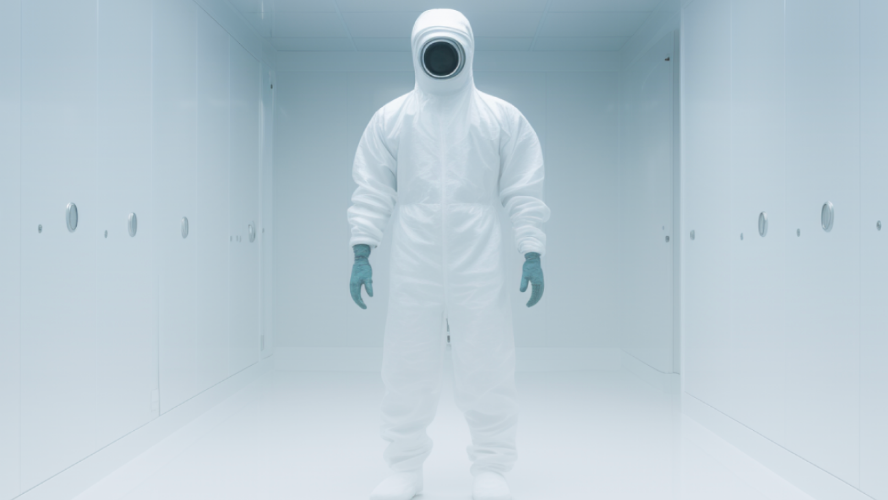
Commvault Cleanroom provides an isolated, on-demand environment for recovery staging, validation, and cyber forensics without touching production. Use automated cleanroom creation, pre-built configurations, and runbooks to standardize cyber recovery steps and accelerate predictable recovery to production.
How are backups protected?
Commvault AirGap keeps an off-site, air-gapped, immutable, indelible copy of your data stored separately from production. This limits attacker access to backup infrastructure and gives your team a trusted foundation for cyber recovery when ransomware targets backup systems.
Will it fit our SOC?
Commvault Cloud integrates with your security stack to use threat signals in security-aware recovery. It also integrates with SOAR platforms like Microsoft Sentinel, Palo Alto Networks XSOAR, and CrowdStrike Falcon Fusion to automate incident response steps and orchestrate clean recovery at scale.
Explore related resources
Dive deeper into cyber resilience strategies and best practices.

Cyber Recovery for Your Resilience
What is Commvault Cleanroom?

SMMPA: Unified Backup, Recovery, and Cyber Resilience with Commvault
Turn cyber chaos into clean recovery
Restore trusted data fast with cyber recovery that validates clean recovery in an isolated environment—so critical systems return with confidence.

See clean recovery in action
Request a demo to see clean recovery, Cleanroom Recovery staging, and controlled cyber recovery workflows across hybrid and cloud workloads.
Watch the demo
Plan minimum viable recovery
Book a Minimum Viability Workshop to prioritize critical systems, align security and IT, and build a tested cyber recovery plan.
Chat with us
Test recovery without risk
Explore Cleanroom Recovery runbooks and automations to practice cyber recovery, validate clean recovery, and standardize response with your security integrations.
Request a demo