
Clumio Cloud Resilience | Interactive Demo
Recover DynamoDB Data
See how Clumio combines air-gapped backups with point-in-time recovery to protect your DynamoDB tables and restore the data you need.
- Combine air-gapped SecureVault backups with point-in-time recovery in a single policy
- Automatically protect production tables using tags — no manual table selection needed
- Roll back specific partitions or restore full tables without complex data migrations
- Keep backups immutable and air-gapped, isolated even if your AWS account is compromised

Cut DynamoDB backup costs by a reported 70%

Restore corrupted table data to a consistent state in minutes

SecureVault backups remain available for recovery even if the source table is deleted
Interactive Product Tour
About This Interactive Tour
Walk through real Clumio workflows for building a DynamoDB backup policy, tagging production tables, and restoring corrupted data to a clean state.
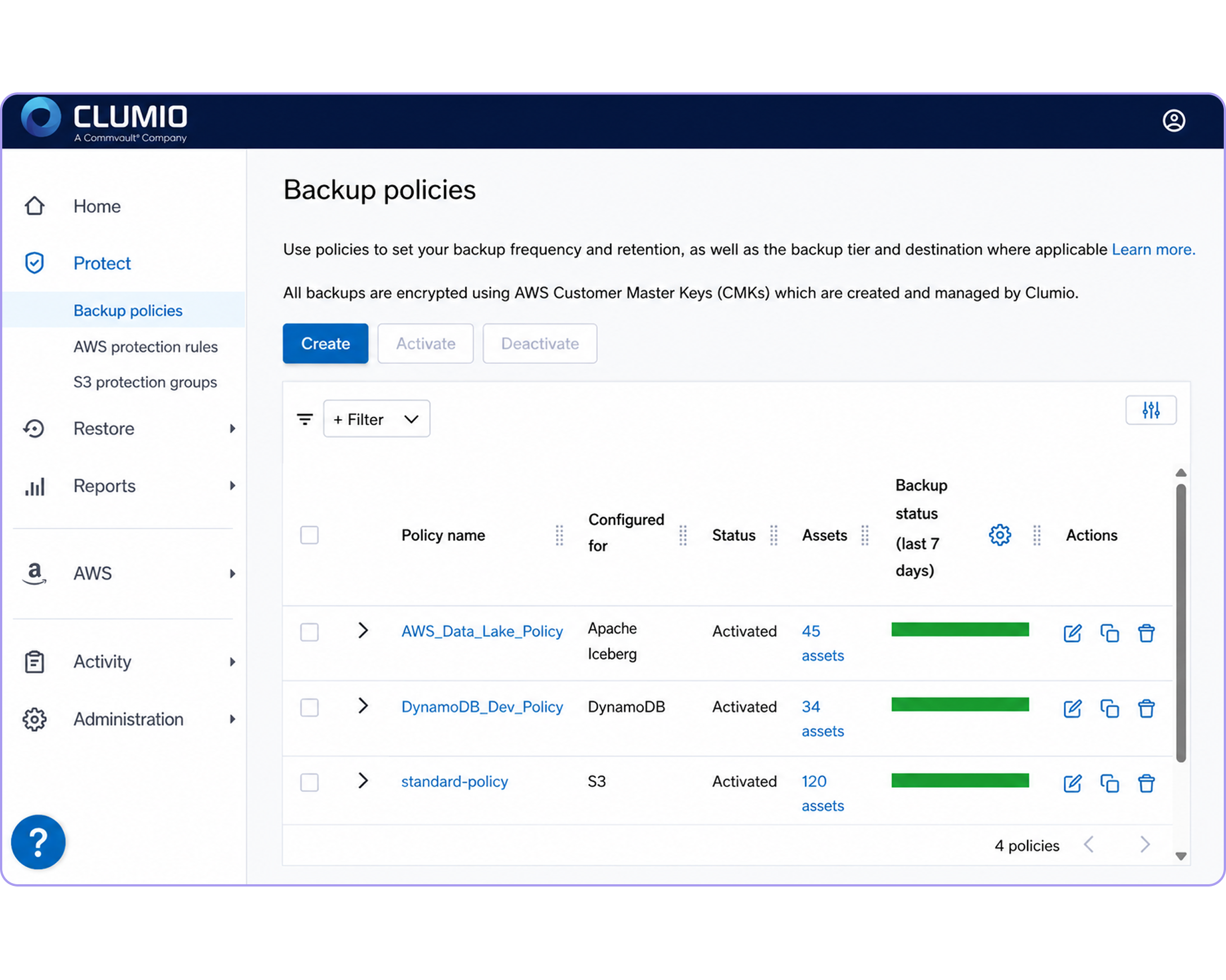
Policy-Based Automation
Create a single policy with configurable air-gapped SecureVault backups and point-in-time protection, so production tables get consistent coverage automatically.
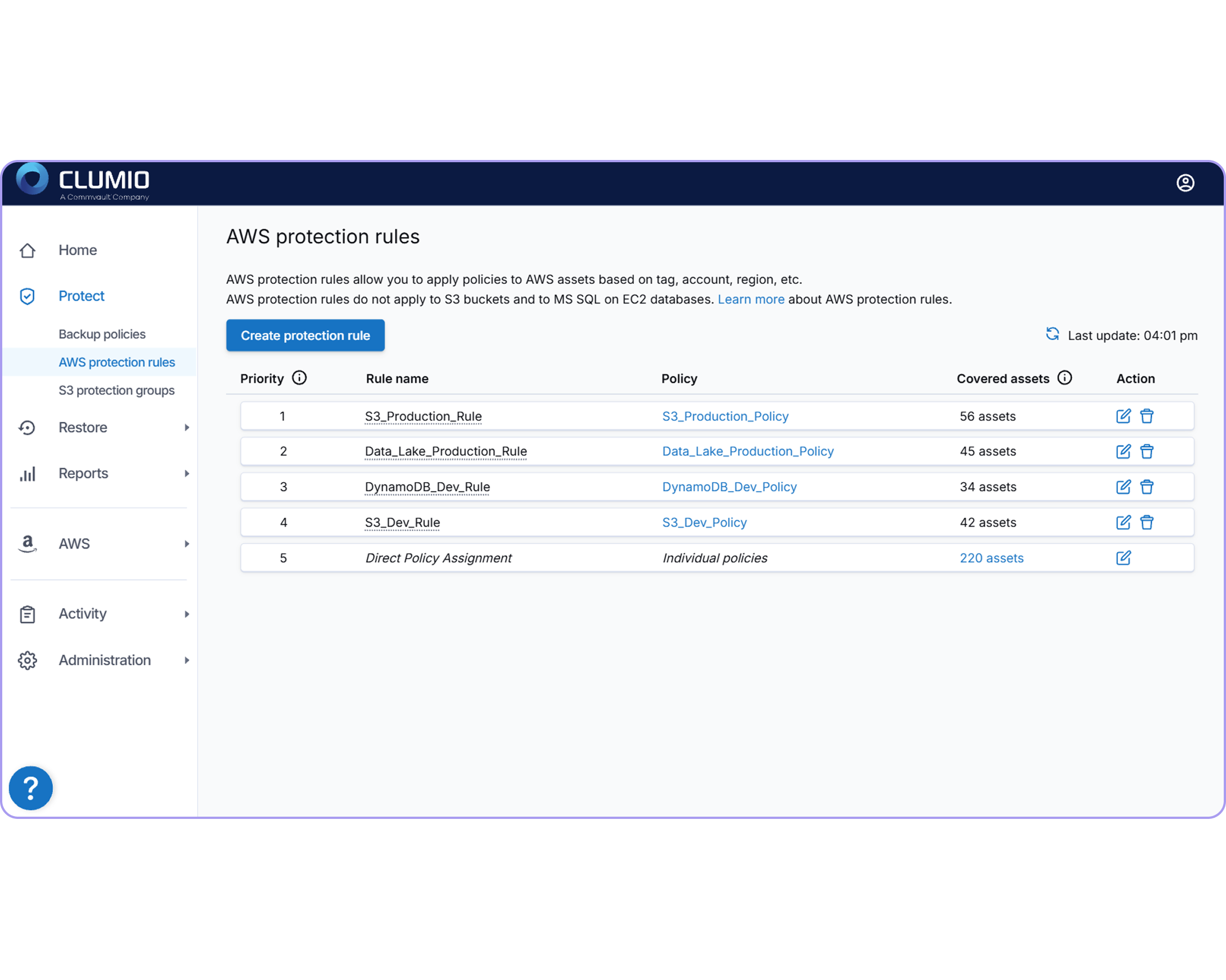
Tag-Based Rules
Apply rules by tag so every table matching your criteria, like all production tables, can be automatically covered without manual selection.
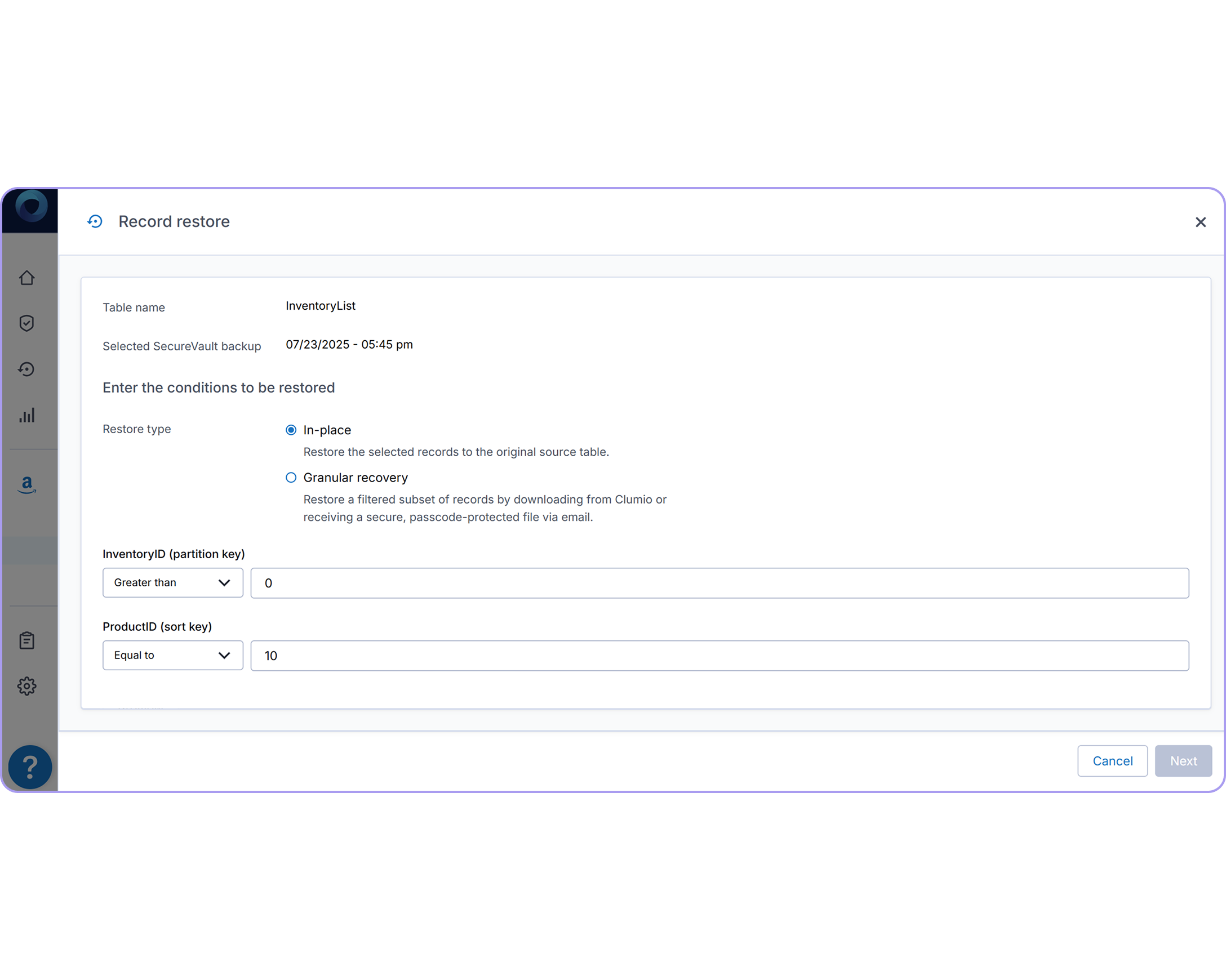
Point-in-Time Partition Recovery
Roll a specific table or partition back to a point in time to undo corrupted or tampered data, without a complex full restore.
Frequently Asked Questions
How does Clumio protect Amazon DynamoDB tables?
Clumio combines daily air-gapped SecureVault backups with regular point-in-time recovery in a single policy, then uses tag-based rules to automatically cover every table that matches, including new tables created later.
What is Clumio Backtrack for DynamoDB?
Backtrack rolls a full table or selected partitions back to a previous point in time, in place, using partition and sort key filters — so the table’s ARN, IAM bindings, and Terraform state stay intact.
How is Clumio different from native DynamoDB point-in-time recovery?
Native point-in-time recovery is no longer available if the source table is deleted, so it can’t help if a table is dropped or an account is compromised. Clumio’s SecureVault backups live outside your AWS account and can remain available for recovery even if the source table is gone.
Can I restore just a few records instead of an entire table?
Yes. Clumio supports record-level, partition-level, and full-table restores, so you can recover a handful of items or an entire table depending on what was affected, without rehydrating data you don’t need.
Can DynamoDB backups be restored to a different AWS account or region?
Yes. Clumio supports cross-account and cross-region restore for DynamoDB, so recovery doesn’t depend on the health of the original account — useful for ransomware or account-compromise scenarios.