AI recovery for AI vulnerability.
Use AI to continuously restore your entire AI-enabled business.
IDC self-assessment
Are you ready for AI recovery?
Benchmark your resilience maturity using insights from enterprise AI adopters—and see which gaps put recovery at risk.

Recovery for everything AI runs on








How we do it
AI in every step. AI in every location. AI readiness now.
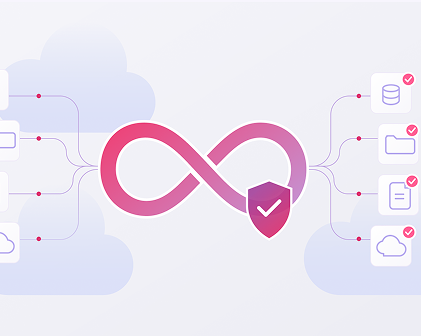
Continuous Protection
Automate discovery, tagging, policy enforcement and recovery testing for your most critical data.
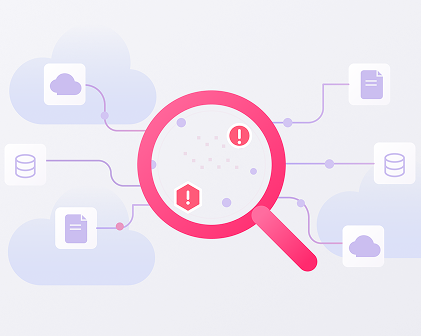
Always-On Threat Hunting
Leverage AI to continuously hunt for compromises in your data—from access anomalies to known signatures.
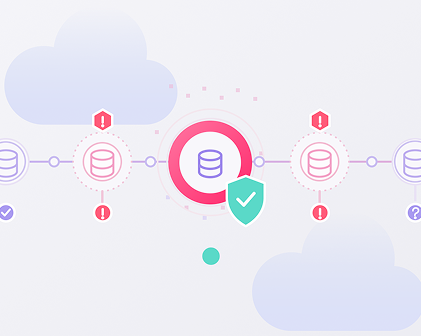
Trusted Cleanpoints
Automate finding a clean recovery point, provisioning isolated cleanrooms and verifying clean recoveries.
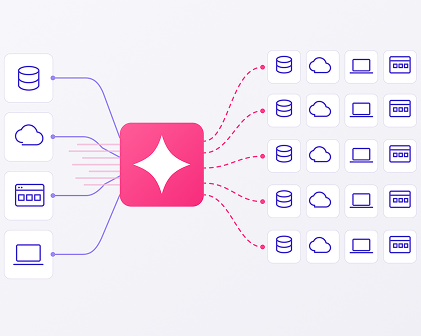
Machine Speed, Massive Scale
Orchestrates policy-based recovery workflows that guide teams through clean recovery after a cyber event.
Frequently Asked Questions
Why do I need dedicated backup and recovery solutions in an age of cloud-native tools?
All aspectsoftoday’s business-critical, AI-enhanced technologiesare hybrid rather thanmonoculture. Andtheyshow all signs of becoming increasingly so: cloud native buildersusemultiplecloud platforms; on-prem architectures work alongside SaaS and IaaS models; multiple MCP servers work towards one outcome. Cloud-native tools can help in theseareas,but when regulatory standards andbusiness consolidationcomesto thefore, adedicated backup and recoverysystemcanhelpenableconsistent policies, consistent protections, and faster recoveryat lower overall cost.
How can I protect my data from ransomware, corruption, or accidental deletion?
There are several actions that, taken together, can reduce these risks to critical data
- Follow the 3-2-1-1rule:maintain 3copies of data, using2different media types, with1copystoredoff–site and1copy stored in an immutable and air-gapped environment.
- Have a documented, tested recoveryplan, usingapractice likeResOpsor NIST’s Cyber Resilience Framework.
- Monitor your backups for threats and anomalies using the same rigor you apply to production environments.
- Enable versioning of all backups, using multiple snapshots and point-in-time references, and never assume the latest version is the best.
How is disaster recovery different from cyber recovery?
Thebig differenceis “recovering data”vs“recoveringtrust.”
Disaster recovery is critical toenablesystems and organizationsto notlose important data after physical or operational failures.It makes no assumptions about trust and relies onrecencyto recoverwhat’slost.
Cyber recovery restores systems after cyberattacks, data corruption, insider sabotage, or adversary action.Its success relies on cleanliness, integrity, and the restoration of trust to critical systems. Thisis necessaryintoday’sworldwhere cyber eventsnot only outnumber physical or operational failureevents,but alsocomewith increasing frequency and potency.
Why is it important to consider implementing “immutability” capabilities for backup data?
AI-augmented or created data can change fast, andhavingcertainty about its integrity isone of thekeystoachievingrecovery and resilience.Thesebackupsare immutable and indelible:thishelps preventdata drift, versionintegrity issues, and lost contextproblemsthat can alter the output of an entire response chain. Immutable recordsalsohelpalignmentwithnew regulatoryrequirements and can defend againstlegal challenges.