
Clumio Cloud Resilience | Interactive Demo
Automate S3 Protection at Scale
See how Clumio can automatically discover and protect your Amazon S3 buckets with tag-based policies, air-gapped backups, and fast, granular recovery.
- Automatically group and protect S3 data using tags, prefixes, and storage classes
- Scale protection automatically as your AWS environment grows — no manual bucket selection
- Keep backups air-gapped and immutable for strong ransomware resilience
- Restore what you need, from a single object to an entire bucket

Recover S3 data in minutes, even at petabyte scale

Restore into the original bucket with Backtrack — no rebuild required

Customers have cut S3 backup costs by up to 66.7%
Interactive Product Tour
About This Interactive Tour
Walk through real Clumio workflows for grouping S3 buckets, restoring objects, and rolling back a bucket to a clean state.
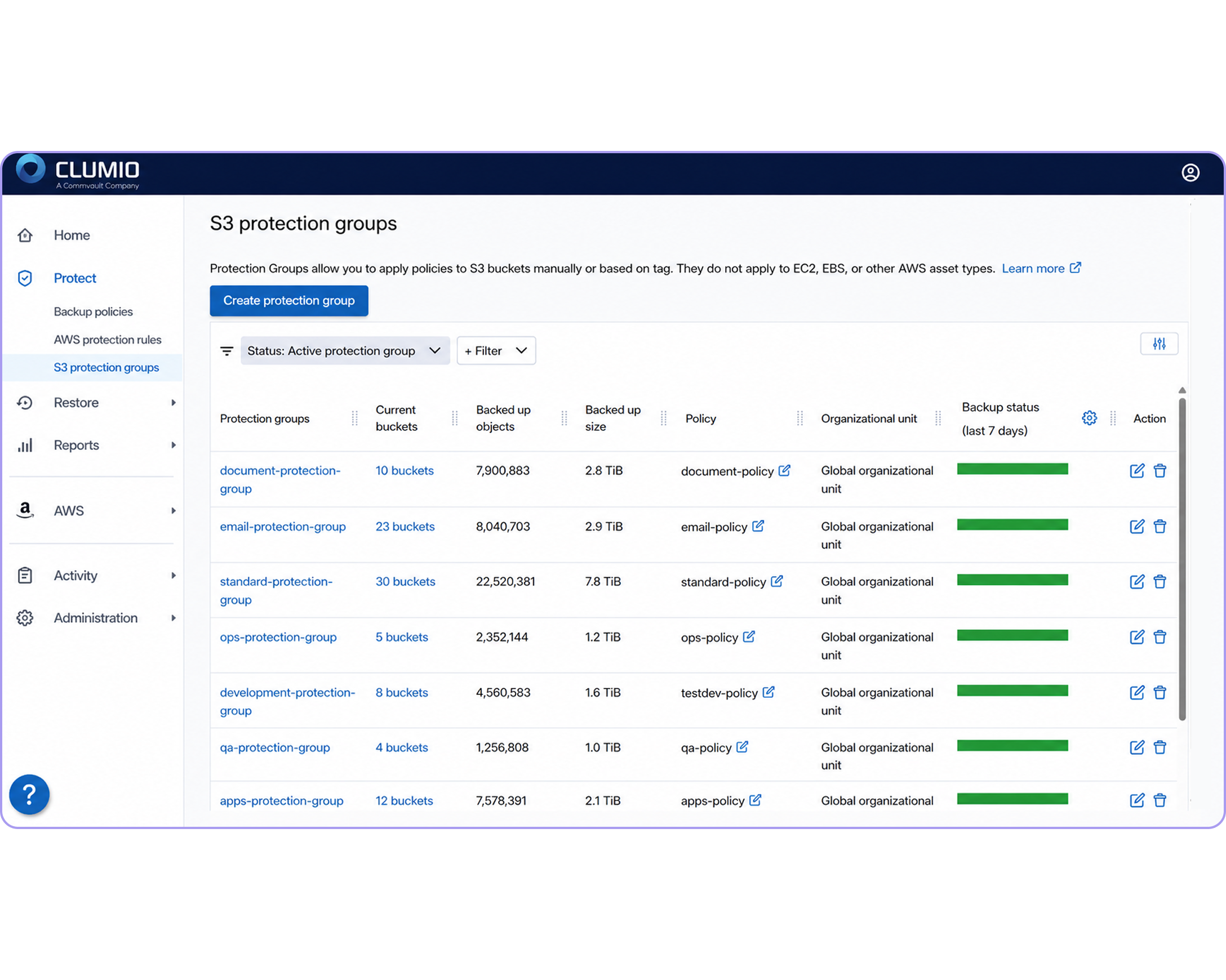
Automated Protection Groups
Group S3 data by tags, prefixes, and storage classes so new matching buckets can be automatically protected as your AWS environment grows, without manual bucket selection.
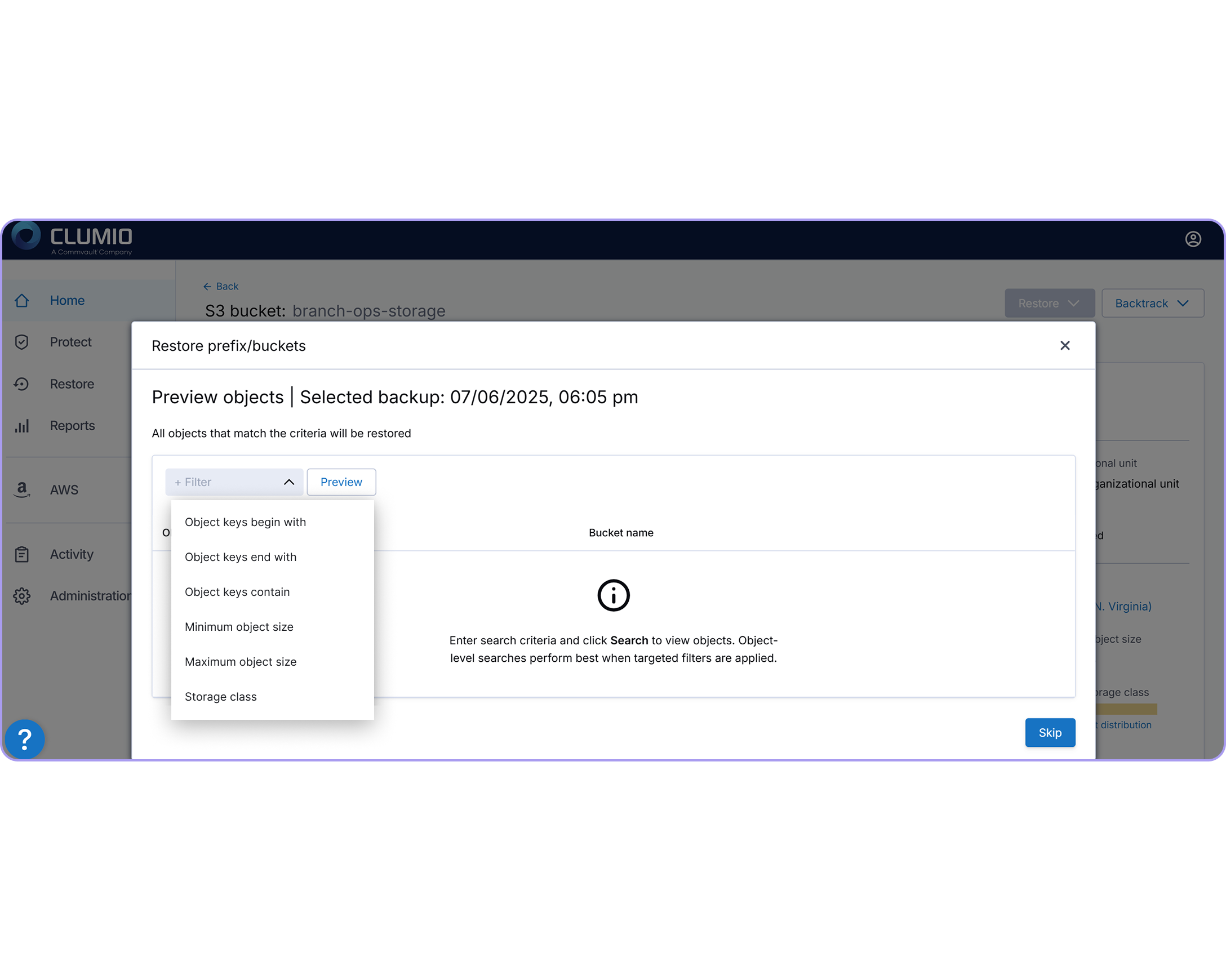
Granular Prefix-Level Restore
Restore specific objects or prefixes to a clean point in time without rehydrating an entire bucket, so teams can get back to work faster.
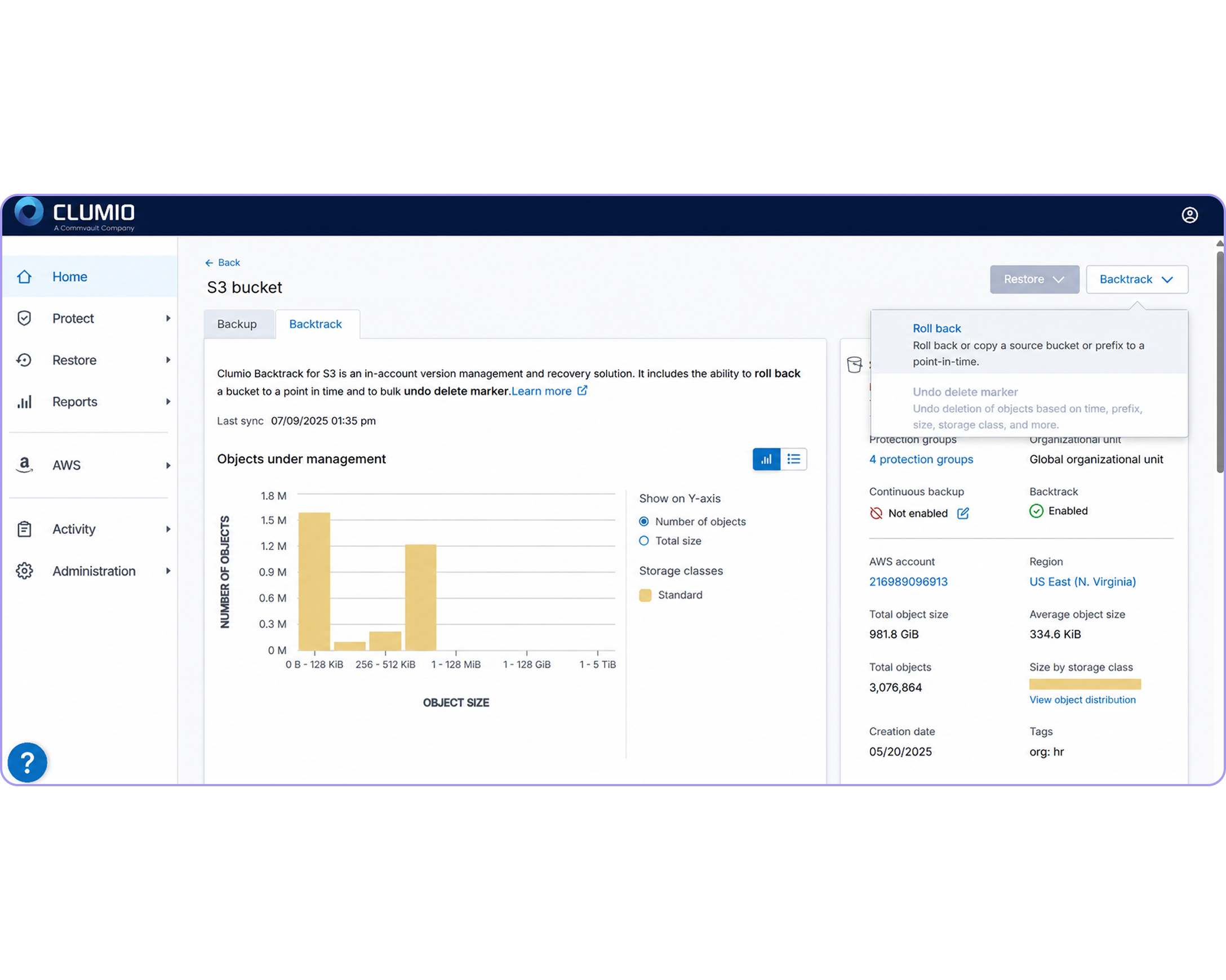
Instant Bucket Rollback
Use Backtrack to roll an S3 bucket back to a known-good state in minutes, leveraging S3 versioning instead of a full restore.
Frequently Asked Questions
What are Clumio protection groups?
Protection groups let you apply backup policies across multiple S3 buckets. Account, region, or tag rules determine which buckets are automatically included, while prefix and storage class filters control which objects are protected.
What is Clumio Backtrack for S3?
Backtrack uses S3 object versioning to roll an entire bucket back to an earlier point in time, enabling restoration in minutes even when the bucket holds millions of objects, without spinning up a new bucket.
How does Clumio restore only the objects I need?
You can search and restore at the object, prefix, or bucket level, previewing what will change before you commit — so affected objects can be recovered without restoring the rest of the bucket.
How does Clumio keep S3 backups protected against ransomware?
Backups live outside your AWS account in an air-gapped, immutable vault, encrypted in transit and at rest — so even if your production environment is compromised, your backup copies can stay guarded.
Do I need to manually configure backups for new S3 buckets?
No. Tag- and account-based rules mean any new S3 bucket matching your protection group’s criteria is designed to be picked up automatically, so coverage keeps pace with your environment without someone remembering to add it.