
Cyber Resilience | Self-Guided Tour
Find Threats and Recover Clean Data
Take a self-guided tour of a real ransomware attack — identify compromised backups, hunt threats with IOCs, and recover validated clean data.
- Accelerate investigation with AI-enabled analysis that helps pinpoints infected recovery data
- Hunt for known and emerging threats inside backup data using imported hashes and YARA rules
- Rescan historical backups with updated intelligence to confirm when compromise entered backup history
- Minimize rollback with Synthetic Recovery and validate recoverability in an isolated Cleanroom before production restore

Follow a ransomware event from first encryption indicators to validated clean recovery

See IOC-based threat hunting applied directly to protected backup data

Explore how a compromised system is restored to a verified, clean state
Threat Hunting Workflow
See Threat-Aware Recovery in Action
Explore how security and backup teams can investigate ransomware impact, identify trusted recovery data, and validate recovery before production is brought back online
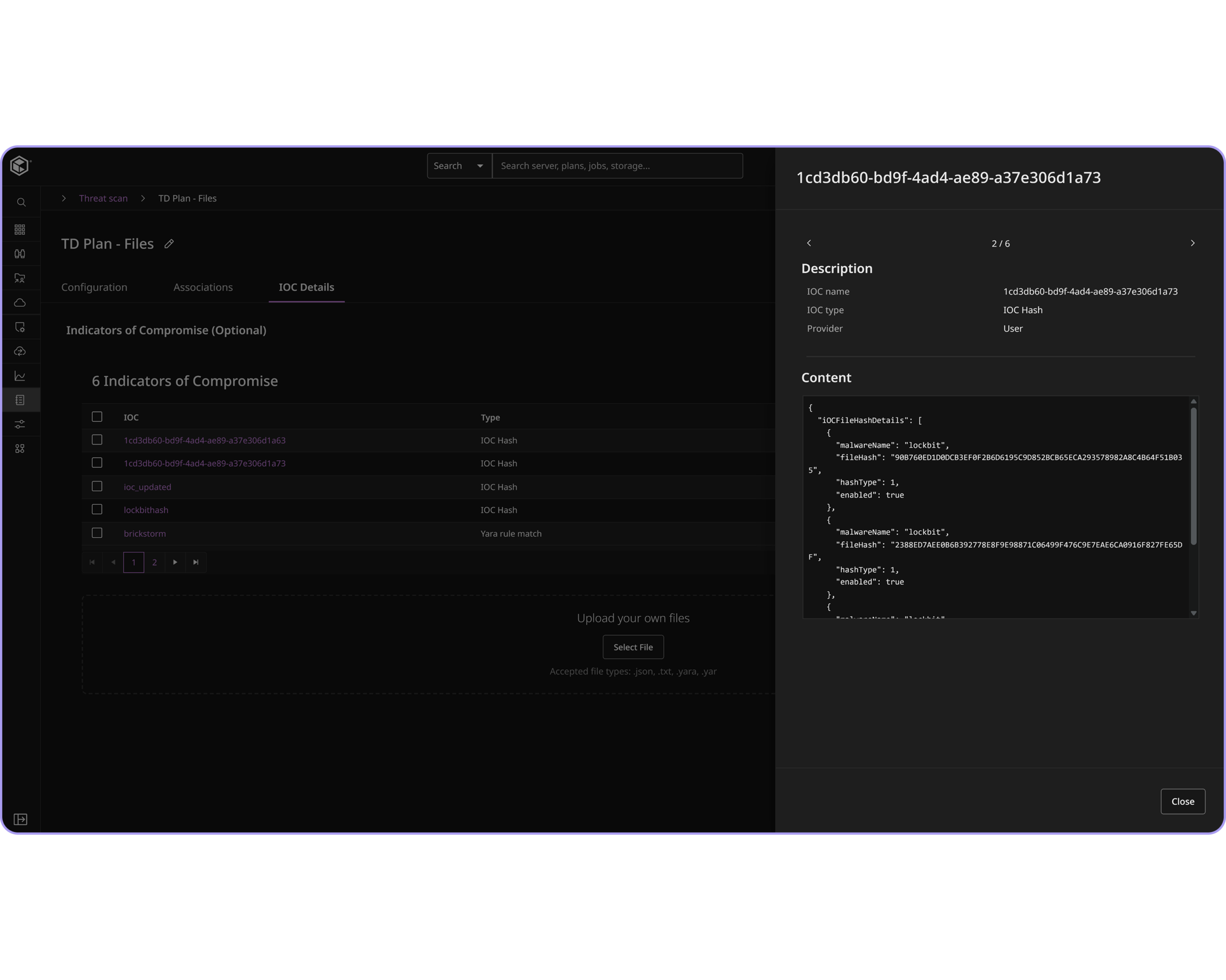
Hunt Threats with Targeted Intelligence
Import hashes and YARA rules from threat intelligence platforms and run a full or incremental rescan of backup data to hunt for known or unknown ransomware indicators.
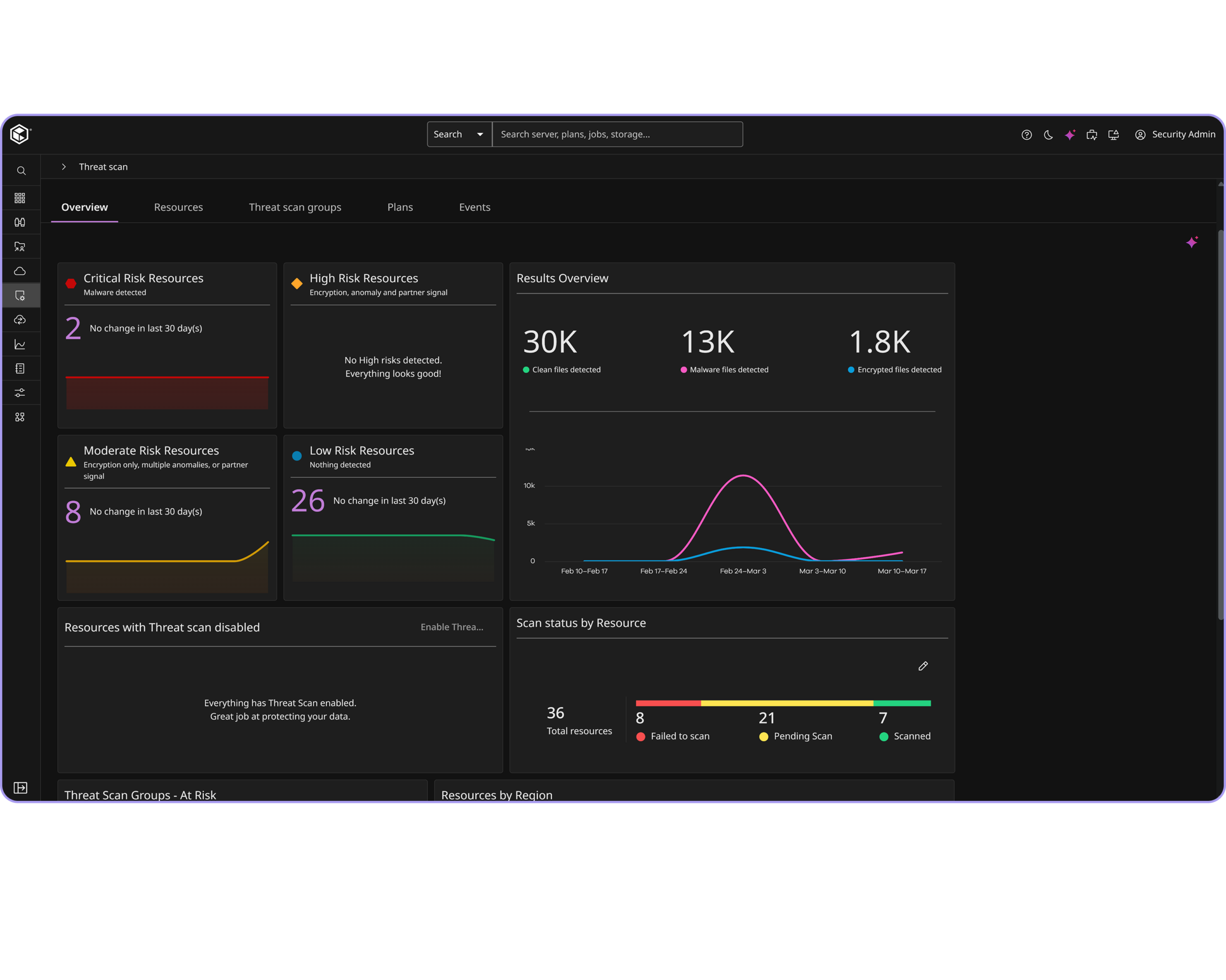
Correlate Threat Signals
See anomalies, malware detections, and partner signals from threat intelligence platforms correlated in one view, so you know exactly which resources to prioritize.
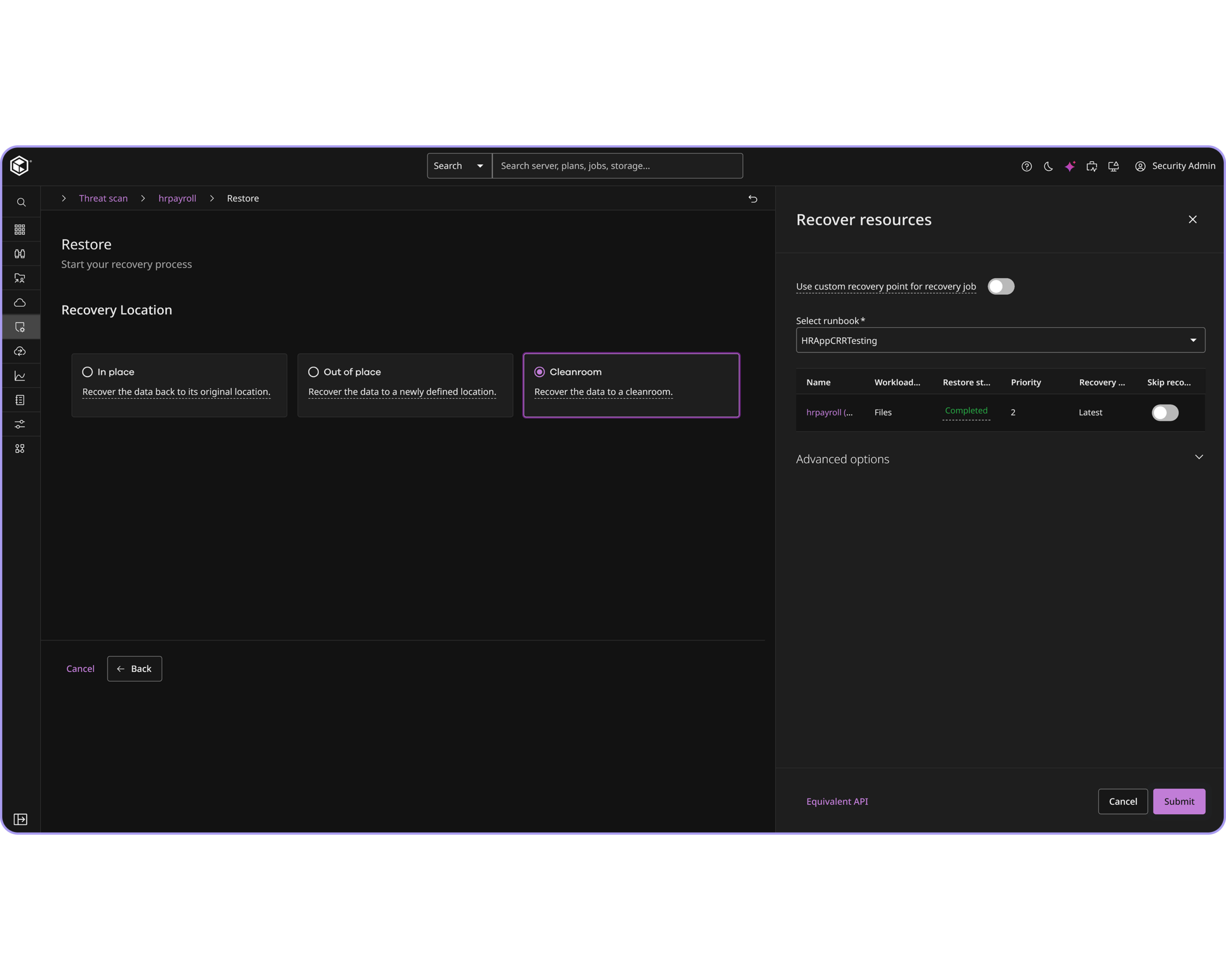
Recover to a Clean State
Use Synthetic Recovery to create a clean, synthesized restore point with minimal rollback, then validate it in an isolated Cleanroom before it’s reintroduced into production.
Frequently Asked Questions
Why does proactive threat hunting matter for ransomware recovery?
Ransomware does not stop at production. Compromised states can also exist inside backup data. Proactive threat hunting helps teams identify affected data faster, reduce reinfection risk, and make recovery decisions based on evidence instead of guesswork.
What is Threat Scan and how does it work?
Leveraging Commvault Cloud Threat Scan operations teams can take control and defend their backup data by proactively identifying malware threats to reduce reinfection during recovery Threat Scan analyzes backup data to find encrypted or corrupted files so users can quickly recover trusted versions of their data.
What is Synthetic Recovery?
Synthetic Recovery assembles a clean, synthesized recovery point by locating the last known good version of files across multiple backups and points in time. This helps minimizie data rollback, reduces the risk of reinfection, and helps you recover closer to the point of attack.
What is Cleanroom Recovery?
Cleanroom Recovery restores validated data to an on-demand, isolated environment for post-recovery testing and threat analysis, confirming data is clean before it’s reintroduced into production.
Can Commvault import third-party threat intelligence?
Yes. Commvault supports importing hashes and YARA rules from threat intelligence platforms via the UI or API, so security teams can hunt for known and unknown threats directly within backup data.